EasyManua.ls Logo

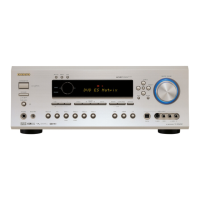
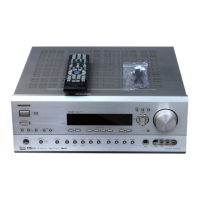
Onkyo TX-SR600 - User Manual

Onkyo TX-SR600
80 pages
Print Icon
To Next Page IconTo Next Page
Loading...
Contents
Thank you for purchasing the Onkyo AV Receiver.
Please read this manual thoroughly before making
connections and plugging in the unit. Following the
instructions in this manual will enable you to obtain
optimum performance and listening enjoyment from
your new AV Receiver. Please retain this manual for
future reference.
TX-SR700
TX-SR600
Appendix 76
Remote controller 63
Setup and operation 36
Before using 2
AV Receiver
Instruction Manual
Facilities and connections 8

Table of Contents

Questions and Answers

  • W
    Whitney CarpenterSep 9, 2025
    Why is the sound distorted when stereo indicator lights on my Onkyo TX-SR600?
    • J
      jordanbenjaminSep 9, 2025
      If the stereo indicator lights are on, but the sound is distorted and stereo separation is bad on your Onkyo Receiver, the station may be too strong. Try changing to an FM indoor antenna.
  • D
    Dr. Cynthia MasonSep 12, 2025
    How to fix AM stations not being received on my Onkyo Receiver?
    • N
      Nancy DaySep 12, 2025
      If AM stations cannot be received on your Onkyo Receiver, the AM loop antenna may not be connected. Connect the included AM loop antenna to the AM antenna terminals.
  • C
    Cheryl CollierSep 13, 2025
    What causes low frequency humming on my Onkyo Receiver?
    • P
      Peter ArroyoSep 14, 2025
      If you hear a low frequency humming from your Onkyo Receiver, and you're using a turntable (TX-SR700/700E only), the turntable motor may not be properly grounded, so check for a proper ground connection. Also, the audio connection cables on the rear panel may be connected incorrectly, so adjust the placement of the cable to reduce hum.
  • A
    Andrew MartinezSep 15, 2025
    Why is there howling when the volume is turned up on my Onkyo Receiver?
    • G
      gpriceSep 16, 2025
      If you hear howling when the volume is turned up on your Onkyo Receiver (TX-SR700/700E only), the turntable and speakers may be located too close together. Move them farther apart.

Summary

Important Safeguards

Features

Amplifier and Audio;Video Features

Details about power output, distortion, technology, audio formats, and video connectivity.

Before Using This Unit

Initial Setup Procedures

Instructions for voltage selection and remote controller setup before first use.

Front Panel Facilities

Front Panel Controls

Overview of the TX-SR700E/600E front panel controls and displays.

Connections

Connecting Speakers

Guide on how to properly connect speakers for optimal surround sound.

Configuring the Speakers

Speaker Configuration Menu

Setting up speaker parameters like subwoofer, size, and crossover frequency.

Input Setup

Configuring Input Source Settings

Setting digital input, format, multichannel, component video, and IntelliVolume.

Audio Adjust

Entering a Pre-programming Code

Learning Codes for Other Brands

Step-by-step guide to entering 3-digit codes for component control.

Programming Remote Controller Commands

Learning Commands Procedure

Step-by-step process for learning commands from another remote.

Using the Macro Function

Macro Programming and Execution

Recording and triggering button operation sequences as macros.

Troubleshooting Guide

Onkyo TX-SR600 Specifications

General IconGeneral
BrandOnkyo
ModelTX-SR600
CategoryReceiver
LanguageEnglish

Related product manuals