53
Listening to the Radio
—Continued
■
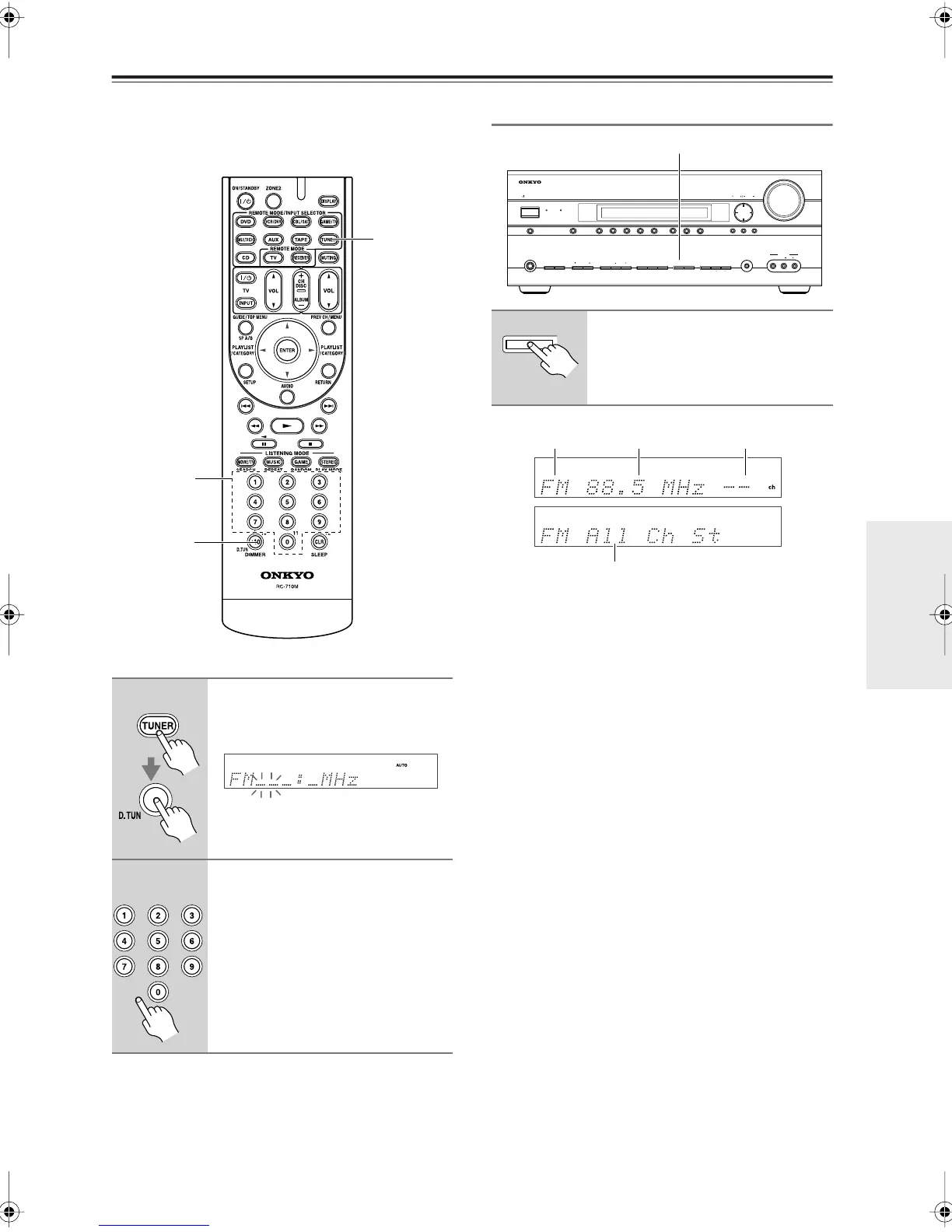
Tuning into Stations by Frequency
You can tune into AM and FM stations directly by enter-
ing the appropriate frequency.
Displaying AM/FM Radio Information
1
Press the [TUNER] button repeat-
edly to select AM or FM, followed
by the [D.TUN] button.
(Actual display depends on country.)
2
Within 8 seconds, use the num-
ber buttons to enter the fre-
quency of the radio station.
For example, to tune to 87.5 (FM),
press 8, 7, 5.
TUNER
D.TUN
Number
buttons
Press the [DISPLAY] button to
display the available information.
ON/STANDBY
ZONE 2
ZONE 2 LEVEL
TONE
MOVIE/TV MUSIC GAME DISPLAY RT/PTY/TP MEMORY
CLEAR
DIGITAL INPUT TUNING MODE
OFF
PHONES
MULTI CH DVD VCR/DVR CBL/SAT GAME/TV AUX TAPE TUNER CD
SETUP
SETUP MIC VIDEO
L AUDIO R
AUX INPUT
ENTER RETURN
TUNING PRESET
MASTER VOLUME
AV RECEIVER
TX-SR606
STANDBY
ZONE 2
PURE AUDIO
DISPLAY
DISPLAY
Band
Listening mode
Frequency Preset #
TX-SR606En.book Page 53 Friday, May 9, 2008 1:28 PM



 To Next Page