Thermocode 2 Printer manual Version 2.04 January 2011 22
22
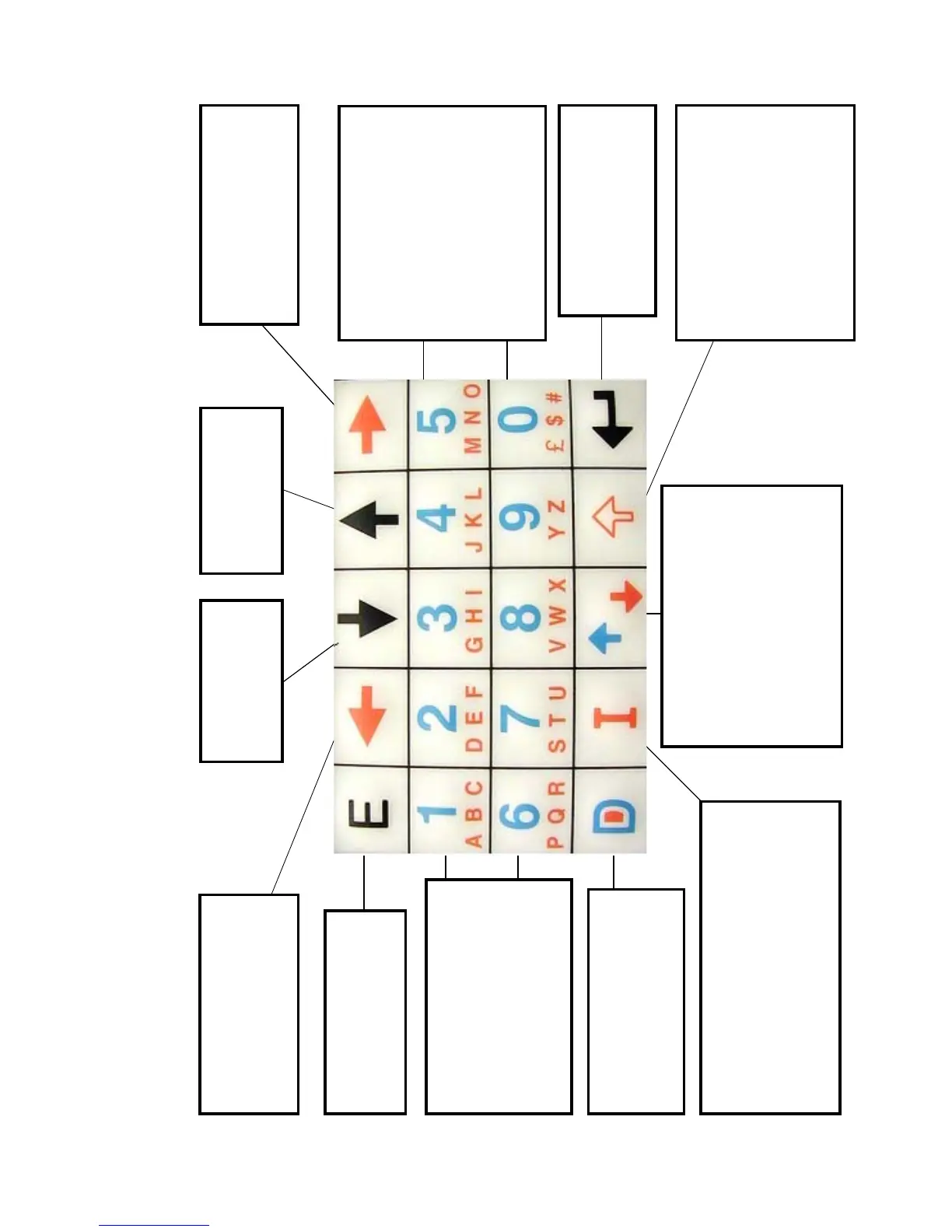
MINI TERMINAL (Key mapping)
SHIFT KEY
When editing text fields, allows the
user to select between upper or
lower case characters
Moves the cursor to the top of lists
When editing parameter or system
variables pressing once
increments the value by one
ALPHANUMERIC KEY
When editing allows the user to
change between alpha and numeric
characters
Moves the cursor to the end of lists
When editing parameter or system
variables pressing once decrease the
value by one
DELETE KEY
Deletes character when editing
variable fields.
Used to select a format with
PSMT Mini Terminal
CHARACTER INPUT KEYS
Used to access menu options
When editing text fields, allows the
input of characters shown on the
keys .This dependent on how the
shift and alphanumeric keys have
been activated.
The key may need pressing more
than once to display the required
alpha character
RIGHT ARROW KEY
Moves the cursor to the right
when editing, or to toggle
different fields
Format selection display Z to A
LEFT ARROW KEY
Moves the cursor to the left
when editing, or to toggle
different fields
Format selection display A to Z
ESCAPE KEY
Returns to the previous menu
Does not save any data
changed
DOWN ARROW KEY
Moves the cursor down
to the next field on the
screen
UP ARROW KEY
Moves the cursor up to
the next field on the
screen
INSERT KEY
When editing text fields, allows the insertion of
special characters not shown on the key pad.
When pressed will display a list of options
allowing a choice of character styles.
(Punctuation, French, German etc
ENTER KEY
Accepts your selection.
Returns to the previous menu
and saves any data changed
after editing
CHARACTER INPUT KEYS
Used to access menu options
When selecting formats allow the
user to move through the pages
1 = move 1 page up (3 lines)
6 = move 1 page down (3 lines)



 To Next Page