EasyManua.ls Logo

Open Date Thermocode Series 2 - Page 23

Default Icon
56 pages
Print Icon
To Next Page IconTo Next Page
To Previous Page IconTo Previous Page
Loading...
Thermocode 2 Printer manual Version 2.04 January 2011 23
23
THERMOCODE 53C
1> [S] Print On Line
2 [F] LABEL1
3 Select Format
4 Service
5 Information
6 Supervisor
7Contact
8Test Print
9 Passcodes
WARNING
THIS ACTION CANCELS
PRINTING, PROCEED ?
NO YES
[F]LABEL1
1> Offset
2 Set Parameters
3 Edit Fields
4 Set Quantity
5 Save As….
6 Crossweb settings
[F]LABEL1
Print Off. : (mm)
< 090 > 0 - 999 Range
Edit and press ENTER
[F]LABEL1
Set the Quantity
< 000000 > (0=infinite)
Edit and press ENTER
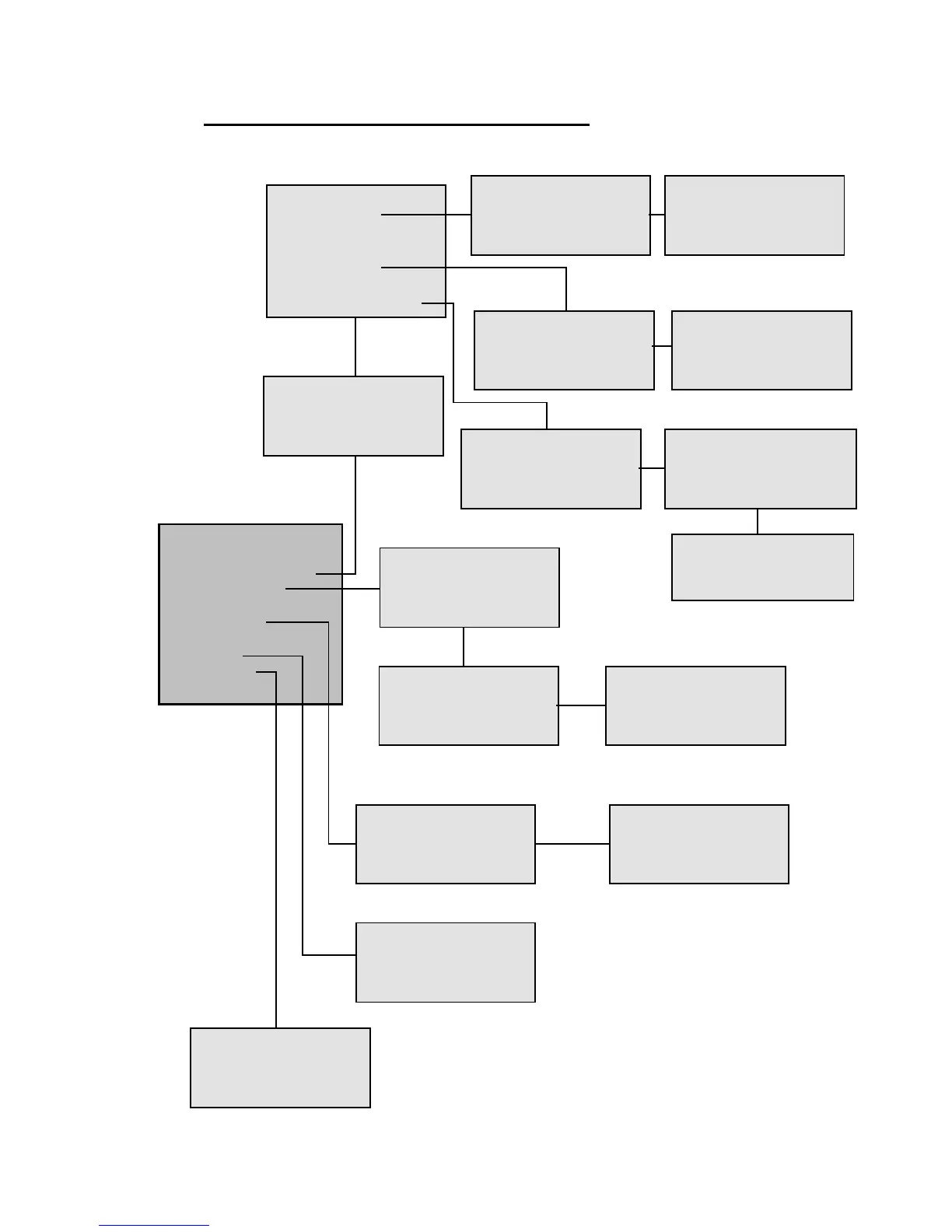
STATUS DISPLAY SOFTWARE FLOWCHARTS (Level 1: OPERATOR)
30/08/2007 12:36:48
Version : 2.07
Meterage: 2471
Cycles : 584219
TEST PRINT
Press ENTER to PRINT
Open Date Equipment
Tel: 020 8655 4999
Fax: 020 8655 4990
sales@opendate.co.uk
WARNING
THIS ACTION CANCELS
PRINTING, PROCEED ?
NO YES
SELECT FORMAT
> LABEL1
LABEL2
LABEL3
WARNING
THIS ACTION CANCELS
PRINTING, PROCEED ?
NO YES
OPERATOR
Set the Passcode
and press ENTER
< if activated >
OPERATOR
Set the Passcode
and press ENTER
< if activated >
OPERATOR
Set the Passcode
and press ENTER
< if activated >
OPERATOR
Set the Passcode
and press ENTER
< if activated >
Crossweb Settings
Qty: ( 1-1000 ) < 0000 >
Distance: < 0000. 0 > mm
Automatic: < 0 > Off
For more information
See Multi Printing
documentation