26
EN
000 and the corresponding cooking zone will be turned
OFF. Touch an arbitrary key to disable the signal tone.
Notes
•Repeat steps 2 to 3 to program the cooking timer for
another cooking zone.
•To check the time that has lapsed press the timer
display (as a key). The setting displayed can be read
and changed.
•Terminating the timer: Select the respective cooking
zone and press the Minus key to delete the time
(0).
•If several cooking zones have been programmed
with the automatic switch-off function, the timer
display will always show the cooking zone with the
shortest time.
5.19 Minute minder (egg timer)
The minute minder can be adjusted in a range of 1 min to
9 h 59 min.
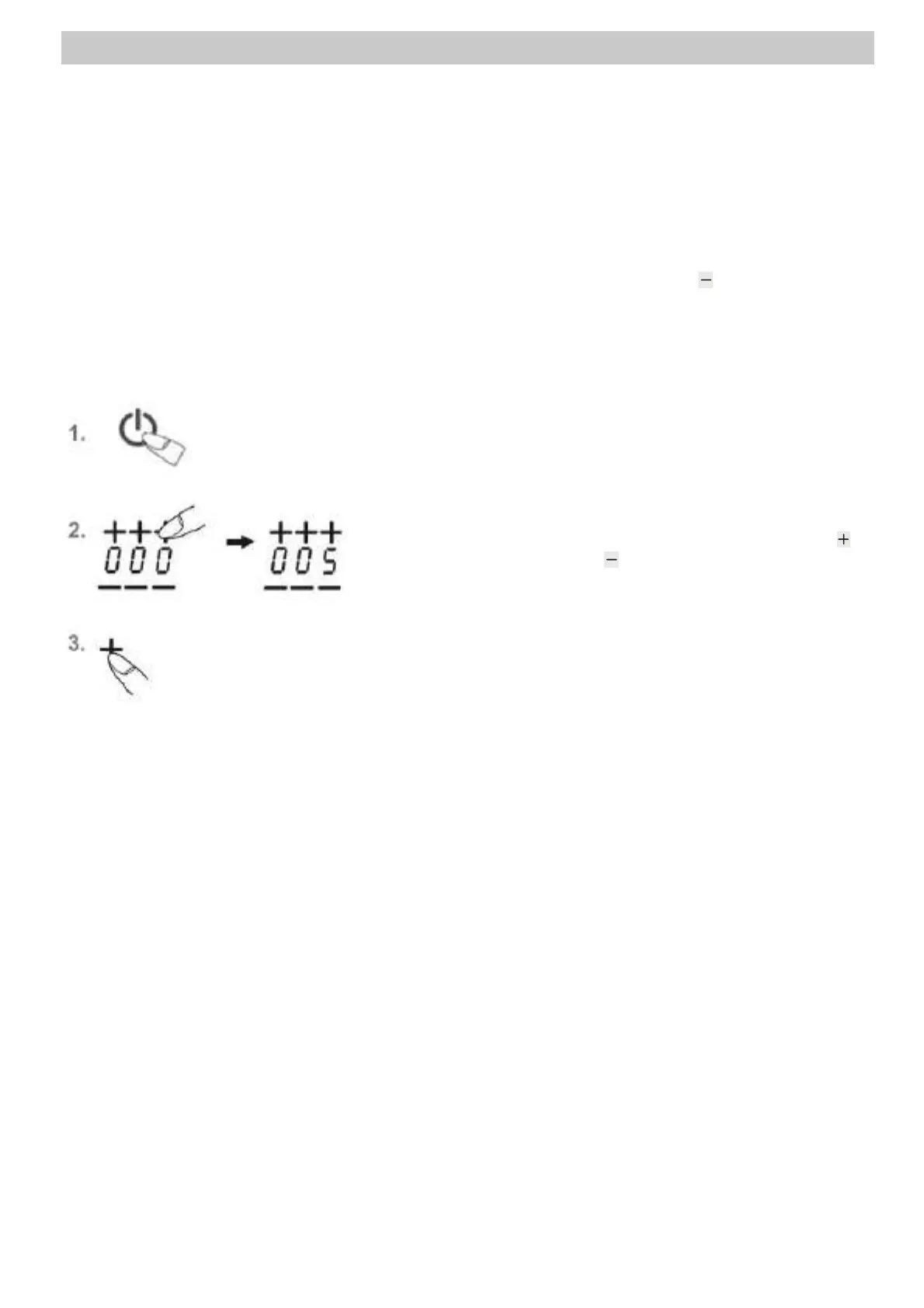
1. Switch on the hob. Do not select a cooking zone. The
timer display shows “---“.
2. Touch the timer display. Then use the Plus key or
the Minus key to set the required time. Do not
perform any action for about 5 seconds. The timer
starts counting backwards.
3. Once the time has lapsed, a signal will sound for a
while and can be switched off by pressing any key
(except for the ON/OFF key of the hob).


 To Next Page