7
3.2 Operating panel
1.
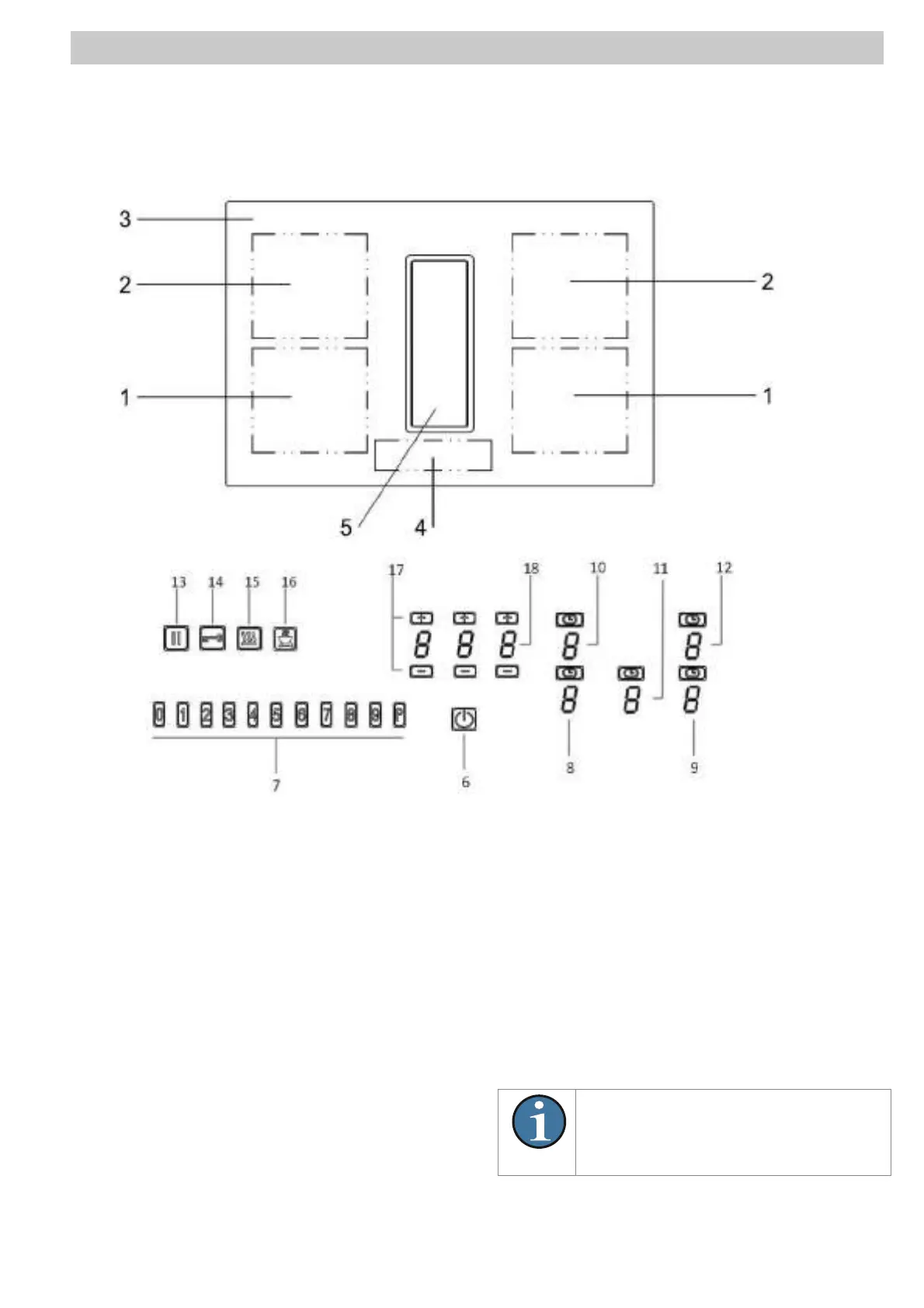
1. Front induction cooking zone
2. Rear induction cooking zone
3. Glass ceramic hob
4. Operating panel
5. Fan
6. ON/OFF Key
7. Slider control – sensors field
8. Power setting – front left cooking zone
9. Power setting – front right cooking zone
10. Power setting – rear left cooking zone
11. Power setting - fan
12.Power setting - rear right cooking zone
13. Pause key
14. Lock key
15. Warming key
16. Grill key
17. Minus key / Plus key timer
18. Timer indication
EN
Most of the keys shown here will only
become visible when the hob has been


 To Next Page