30 Operating the System
AS7200 User Manual - OPEX Corporation
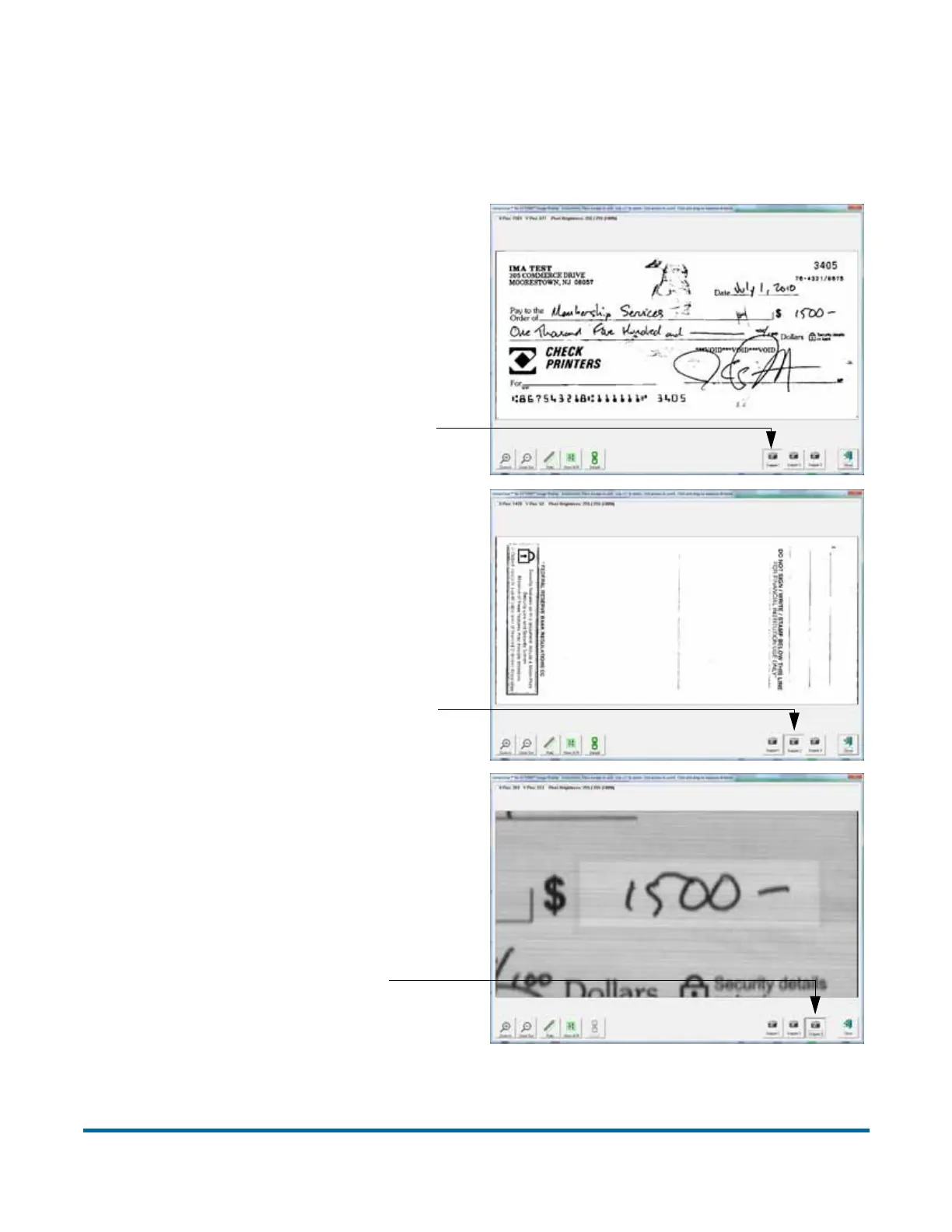
Press the SNIPPET # buttons to view the snippets associated with the selected
page type. For example, if you are scanning checks, your system may be set
up to capture images of specific parts of the check, such as the back of the
check or the CAR region.
Figure 8: Viewing snippets
Press Snippet 1 to view the entire
front image of the check
Press Snippet 2 to view the entire
back image of the check
Press Snippet 3 to view the
CAR region



 To Next Page