OPTIMUM
MASCHINEN - GERMANY
Safety
Version 2.0.2 2014-11-04Page 14 Original operating instructions
B17Pro | B23Pro | B26Pro | B33ProGB
WARNING!
The separating protective covers which are made available and delivered together with
the machine are designed to reduce the risk of workpieces or fragments of tools or
workpieces flying off at high speed - however, this cannot be completely avoided.
Always work carefully and observe the limit values of your chipping process.
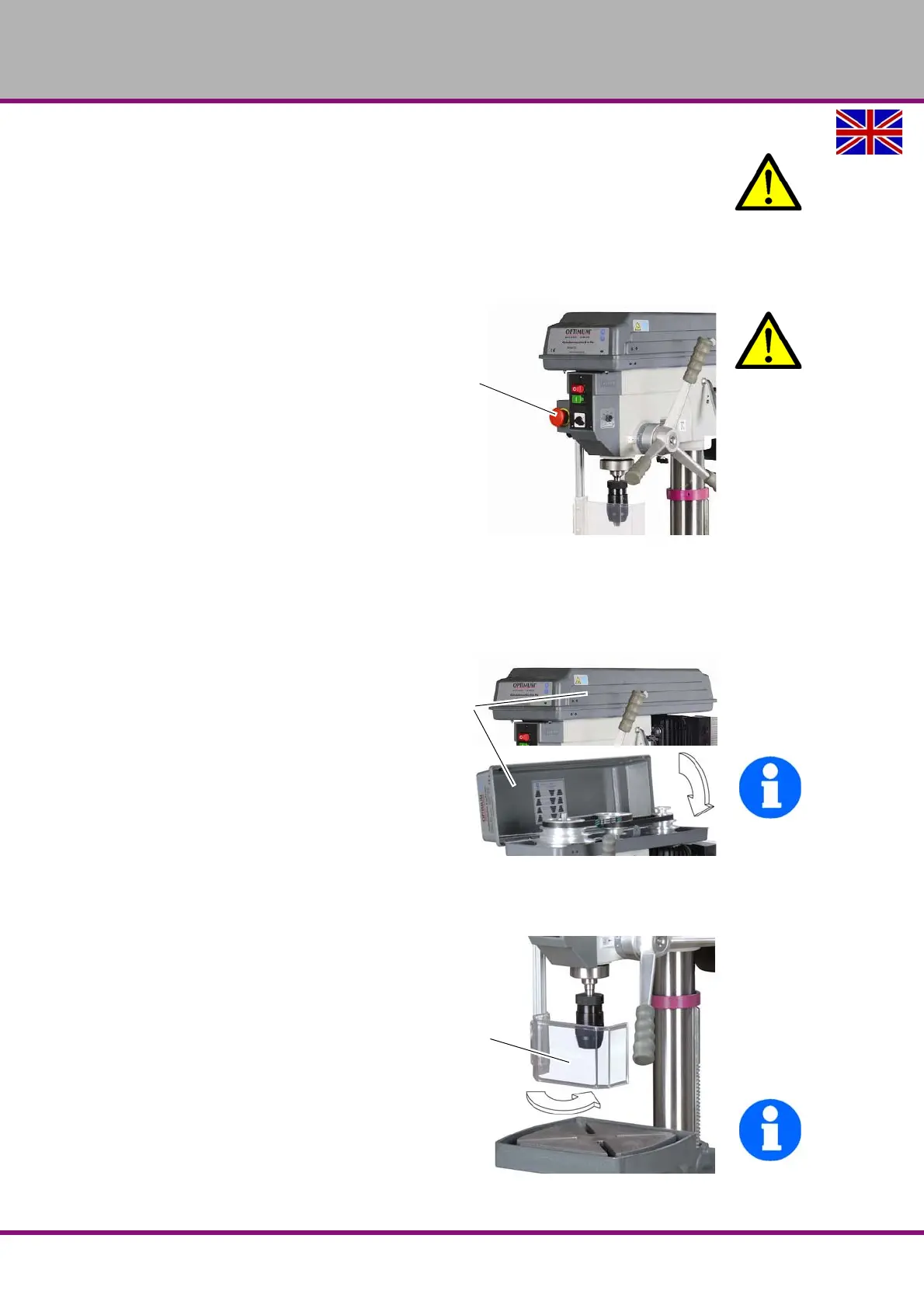
1.9 EMERGENCY-STOP push button
ATTENTION!
Also after actuating the EMERGENCY-
STOP switch, the drilling spindle is
turning - depending on the previously
selected speed - for a few seconds
more.
Img.1-1: EMERGENCY-STOP push button
1.10 Separating protective devices
1.10.1 Covering cap of the pulley
A covering cap for the pulleys is mounted
on the drilling head.
A switch is integrated in the protective
cover which monitors that the closed
position.
INFORMATION
You cannot start the machine if the pro-
tective cover is not closed.
Img.1-2: Protective cover
1.10.2 Drill chuck protection
Adjust the protective equipment to the correct
height before you start working.
To do so, detach the clamping screw, adjust
the required height and re-tighten the clamp-
ing screw.
A switch is integrated in the fixture of the spin-
dle protection which monitors that the cover is
closed.
INFORMATION
You cannot start the machine if the drill chuck
protection is not closed.
Img.1-3: Drill chuck protection




 To Next Page