Operation
Version 1.0.3 - 2022-04-06 90 Translation of original instruction
D17 Pro│D23 Pro│D26 Pro│D33 Pro
EN
D17Pro_D23Pro_D26Pro_D33Pro_GB_4.fm
4 Operation
4.1 Control and indicating elements
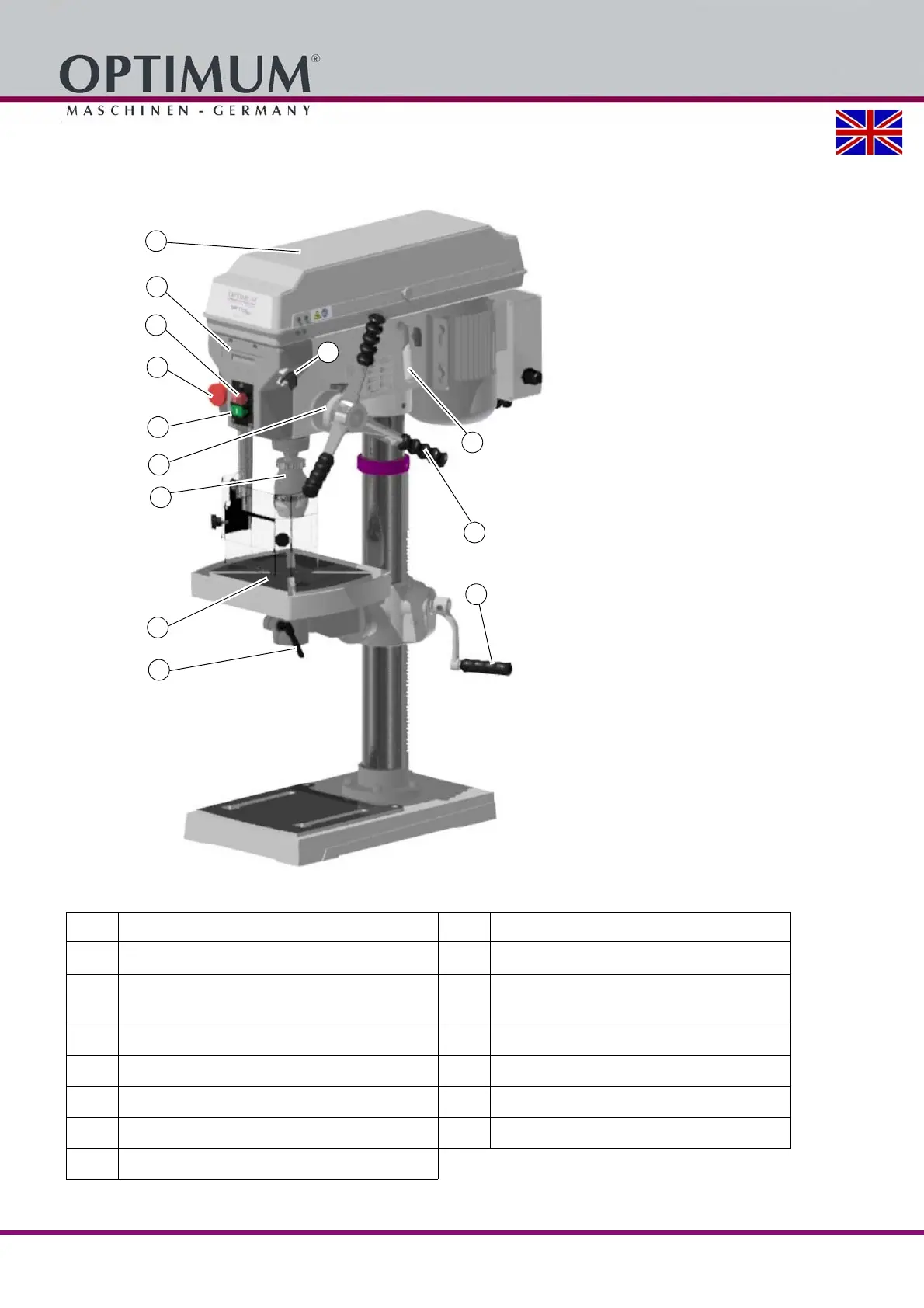
Img. 4-1: D23 Pro - Control and indicating elements
Pos. Designation Pos. Designation
1
Push button "Off"
2
Push button "On"
3
Emergency stop switch
4
Direction of rotation switch
(on 400V machines only)
5
Clamping lever
6
Scale of drill depth stop
7
Quick-action drill chuck
8
Protective cover of V-belt housing
9
Handle for V-belt tension
10
Lever for spindle sleeve feed
11
Drilling table
12
Table height adjustment
13
Digital readout




 To Next Page