OPTIMUM
MASCHINEN - GERMANY
User interface, machine control panel
Version 1.0 dated 2015-05-27 Page 40 Original operating instructions
F3GB
5 User interface, machine control panel
5.1 Screen arrangement
Excerpt from the manual of the operating instructions for "SINUMERIK 808D OPM Operation"
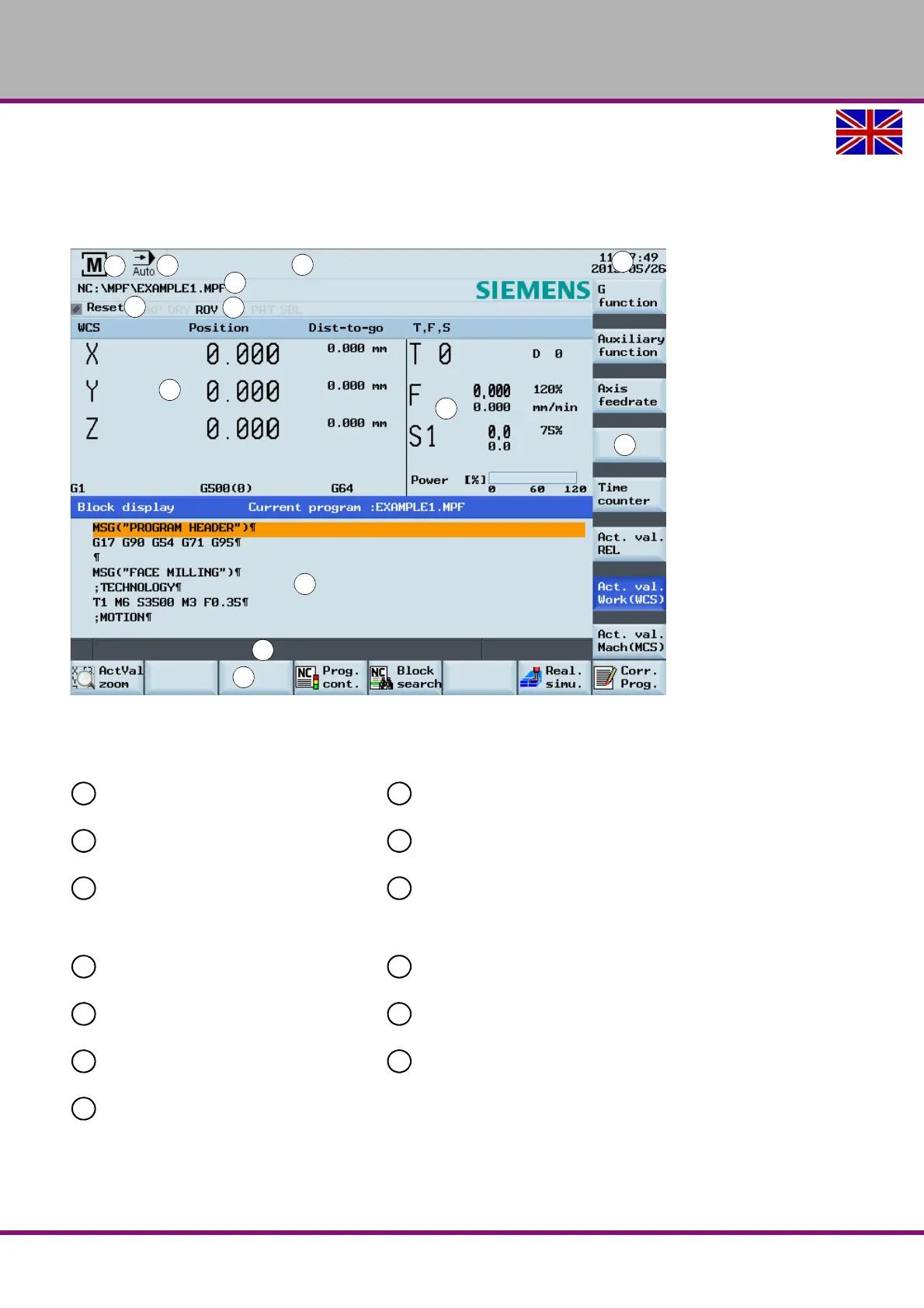
Img.5-1: Screen arrangement
Status area Application area
Active operating area Actual value window
Active operating mode T, F, S window
Alarm and message prompt area
Operating window with program block
Mode Display / Data Display
Tip and softkey area
Current time and date
Information line
Program file name
Horizontal softkey bar
Program status indication
Vertical softkey bar
Active program control modes















 To Next Page