OPTIMUM
MASCHINEN - GERMANY
User interface, machine control panel
Version 1.0 dated 2015-05-27 Page 46 Original operating instructions
F3GB
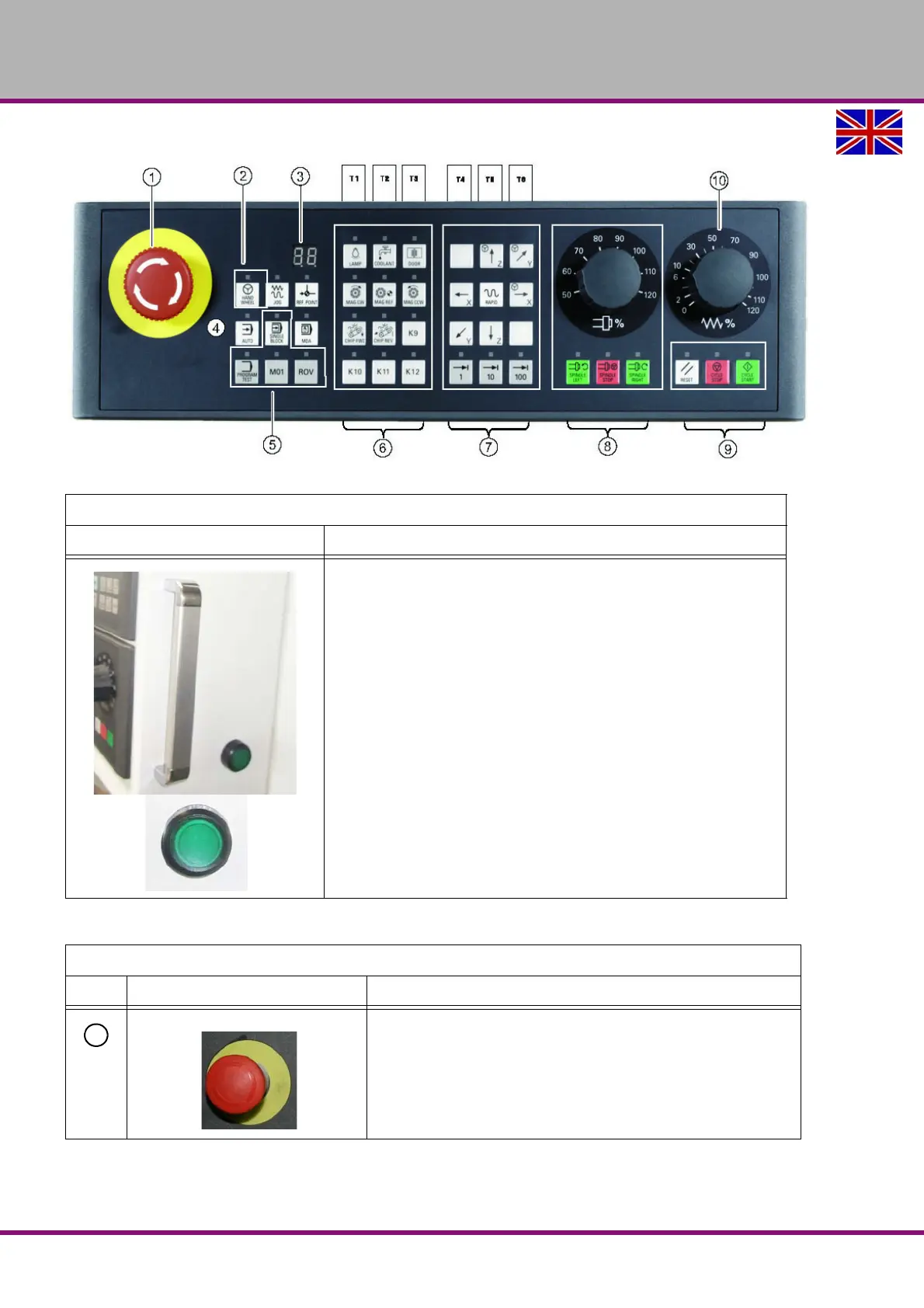
5.3 Controls on the machine control panel
Img.5-3: Machine control panel
Controls on the machine control panel
Element Function
Drive voltage
Push button with indicator light
• Indicator light On, drive voltage activated
• Indicator light Off, drive voltage deactivated
Excerpt from the manual of the operating instructions for "SINUMERIK 808D OPM Operation"
Element Description
<Emergency stop button>
Activate the button in situations where
• life is at risk.
• there is the danger of a machine or workpiece being damaged.
All drives will be stopped with the greatest possible braking torque.















 To Next Page