OPTIMUM
MASCHINEN - GERMANY
Operation
Version 1.0 dated 2015-05-27 Page 58 Original operating instructions
F3GB
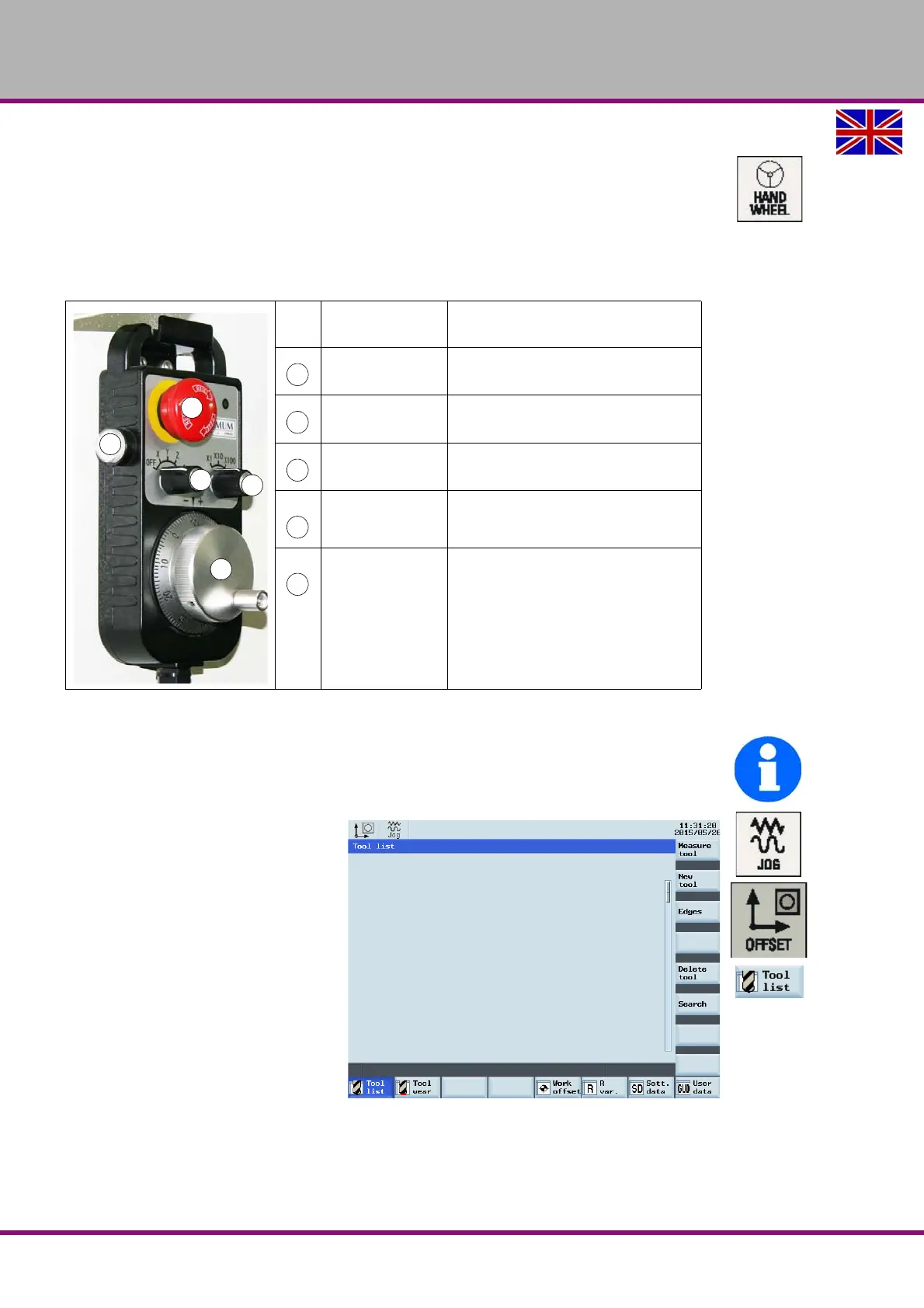
6.5.3 Using the electronic handwheel
The electronic handwheel can always be used when
the CNC- machine is referenced,
the sliding door is opened,
the LED on the button <HANDWHEEL> lights up.
Press the button <HANDWHEEL> on the machine control panel to use the electronic hand-
wheel.
6.5.4 Insert tool
INFORMATION
Before you can run a CNC program, at least one tool must have been created and
measured in the tool memory.
Change over to the mode <JOG>.
Press the "Offset" key on the
machine control panel.
Press the "Tool list" softkey
For the following working steps,
please proceed as described in
„Operation and programming“ of
the Siemens SINUMERIK 808D
Operation instructions.
Pos.
No.
Meaning Description
Rotary switch
Selector switch for individual axes con-
trol.
Rotary switch
Selector switch for the feed speed (3
stages).
Hand wheel Hand wheel for individual axes travel.
<EMERGENCY
STOP button>
The EMERGENCY STOP push button
switches off the CNC- machine.
Push button/
acknowledge-
ment button
In the setting mode resp. if the sliding
door is open it is necessary to actuate
the acknowledgement button in order
to expressively allow the movement of
the individual axes.















 To Next Page