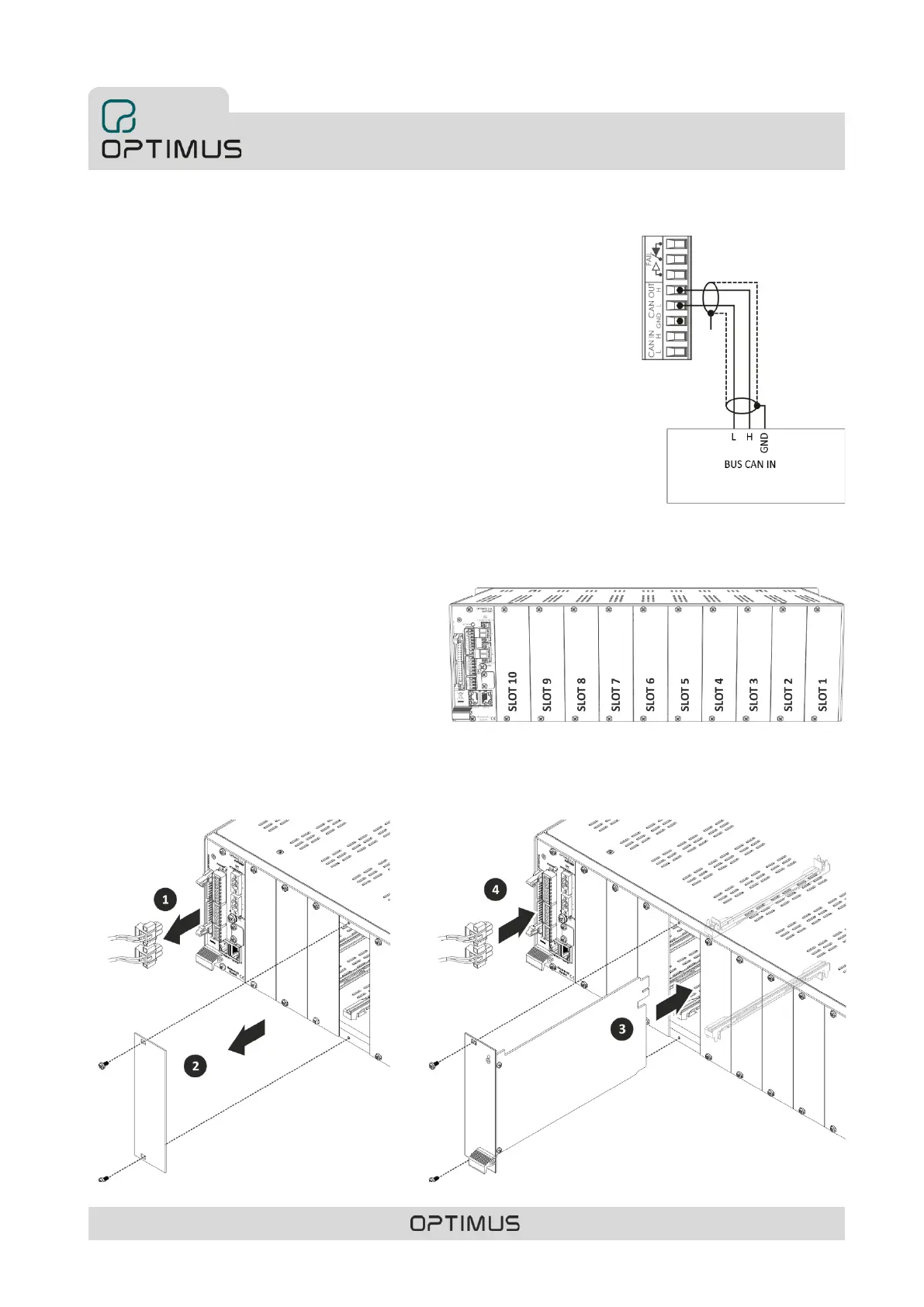
5.4. Connection between COMPACT and CAN peripherals
The COMPACT matrix must communicate with the CAN peripherals of the installation
(MD-30C, ME-200C, NS-CAN...) at a transmission rate of 33.333 kbit/s (in installations with
COMPACT-E expansion units the transmission rate must be 500 kbit/s). To do this, the CAN
communication speed of the matrix must be changed according to section 5.1.
Configuration of the CAN bus baud rate of the COMPACT unit.
For its connection, the use of a twisted pair and shielded AWG24 cable is recommended.
See figure 20.
6. INSERTING THE CARDS
The COMPACT matrix has 10 slots for inserting UMX-C16,
UMX-EA3, UMX-2M3, UMX-2SA, UMX-2SB, UMX-MC6,
UMX-PS or UMX-LNK cards. All these cards occupy one slot
except the UMX-2SB model which occupies 4 slots.
To insert a card proceed as follows (to insert the UMX-2SB
card consult the specific manual of said model):
1) Disconnect the power supply to the unit (POWER
SUPPLY 1 and POWER SUPPLY 2 strips).
2) Remove the rear blank plate for the slot where the
card is to be inserted.
3) Insert the card by fitting it into the slot guides and
fasten it by means of the fastening screws.
4) Reconnect the power.



 To Next Page