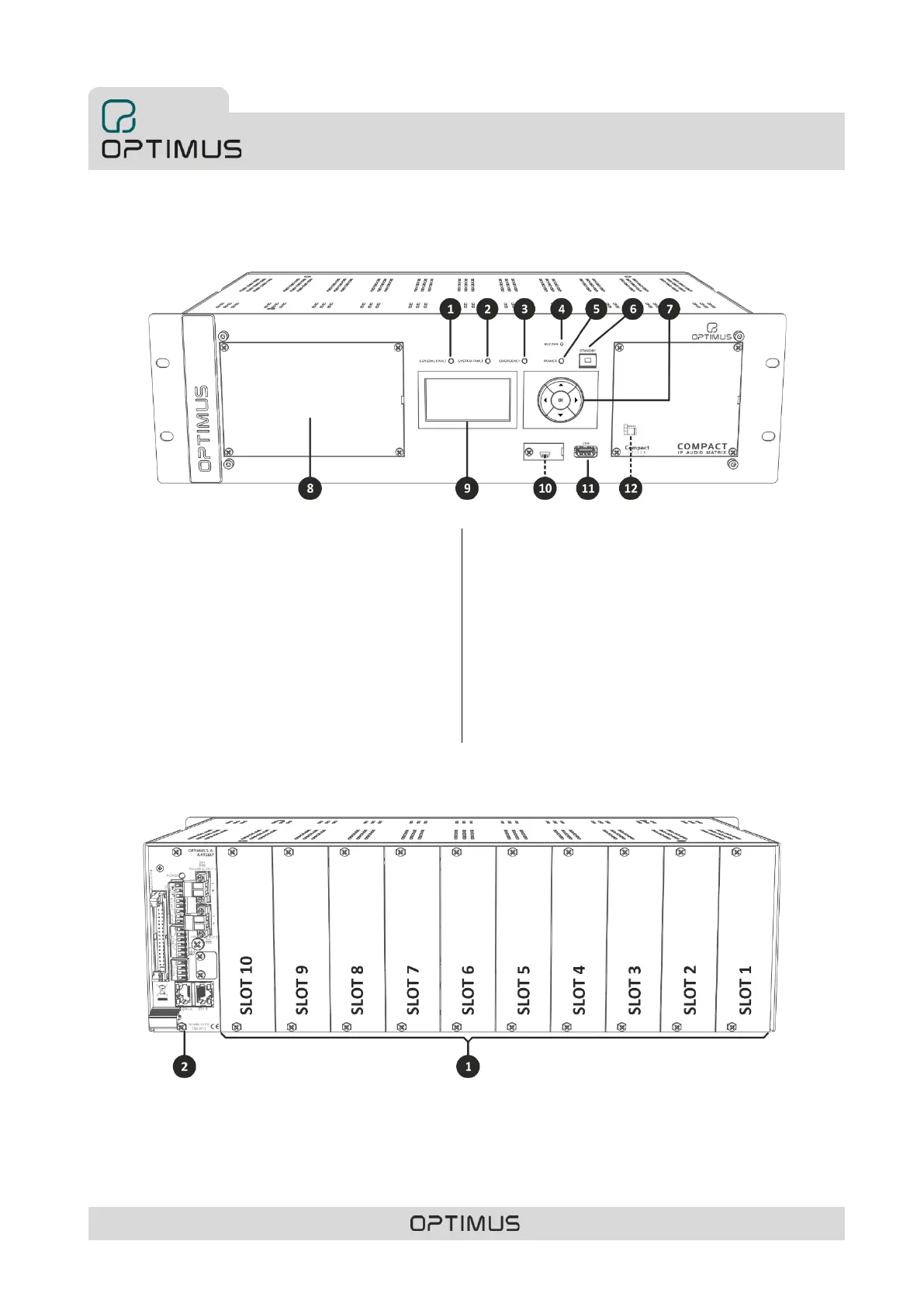
2. FRONT VIEW
(1) GENERAL FAULT indicator light. Yellow LED system alarm
indicator.
(2) SYSTEM FAULT indicator light. Yellow LED internal
equipment error indicator.
(3) EMERGENCY indicator light. Red LED emergency
indicator. Remains illuminated while the system is in
Emergency Mode.
(4) Buzzer. The COMPACT incorporates a buzzer that
generates an acoustic signal when an alarm is received.
(5) POWER indicator. Indicates that the unit is receiving
power.
(6) STANDBY push-button. The equipment enters in low
consumption mode, deactivating the music program.
(7) Navigation and OK/CANCEL selection keys.
(8) Front blank plate. Allows adding ME-200B module (voice
alarm fire panel).
(9) Display.
(10) CONSOLE connector. Mini USB connector. Allows
monitoring the system. Specialized personnel only.
(11) Front USB for music input.
(12) JP1 Internal jumper to deactivate the acoustic alarm on
SYSTEM FAULT errors (see section 12. SYSTEM ALARMS).
3. REAR VIEW
1) Slots 1 to 10. Allows insertion of UMX-C16, UMX-EA3, UMX-2M3, UMX-2SA, UMX-2SB, UMX-MC6, UMX-LNK or UMX-PS cards.
2) Power and control module A495MP. See section 3.1. A495MP Power and control module.



 To Next Page