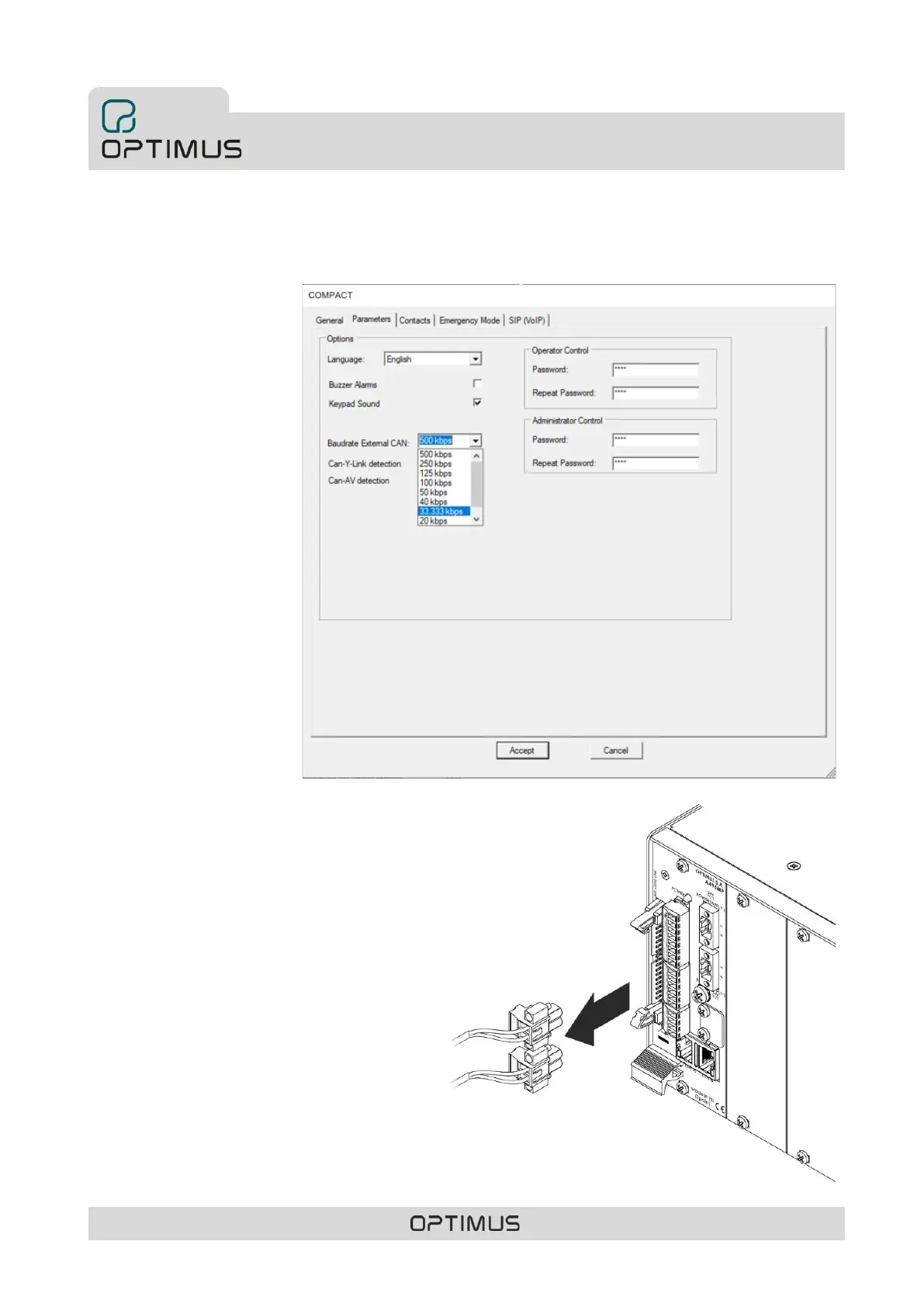
5.1. Configuration of the CAN bus baud rate of the COMPACT unit
During commissioning of the device (see section 10. COMMISSIONING OF THE DEVICE) y and using the Call Point or Call Point
Configurator software, open the COMPACT device configuration window.
In the Parameters window, change
the Baudrate external CAN
parameter. If the COMPACT device
communicates with a COMPACT-E
or IF-7P4/0E expansion unit, set the
baud rate to 500 kbit/s (factory
setting). If the COMPACT unit
communicates with other
peripherals (MD-30C, ME-200C, NS-
CAN...), set the speed to 33.333
kbit/s.
Once modified, send the settings to
the device.
5.2. Position of the device on the CAN bus
(intermediate or final element)
Use the internal DIP switch S2 to configure the position of
the device on the CAN bus (end element or intermediate
element). By default, the matrix is configured as an end
element. If you wish to change this configuration, proceed as
follows:
1) Disconnect the power strips (POWER SUPPLY 1 and
POWER SUPPLY 2).



 To Next Page