HD20/HD200X/HD2200/HD20LV/HD21/HD23
Condential 2-4
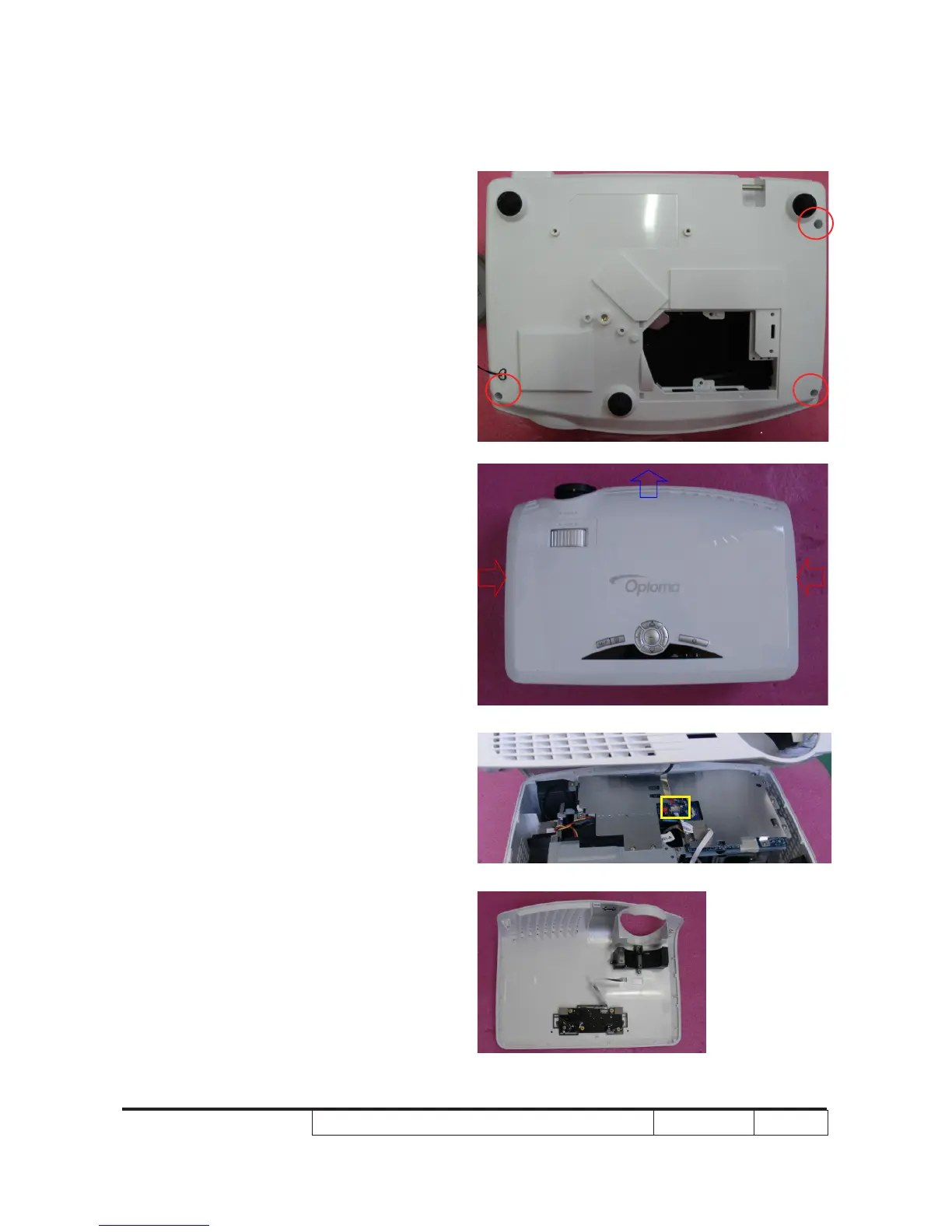
2-5 Disassemble Top Cover
Module
1. Unscrew 3 screws (as red circle) from the
Bottom Cover.
2. Extrude the two sides of the projector
as the red arrow and push them as blue
arrow.
3. Remove the Top Cover Module.
Note: - When you remove the Top Cover,
take care of the connector
(as yellow square) which connected
Main Board and Keypad Board
Module, then unplug it from Keypad
Board Module.
- Avoid damaging when pulling
keypad FPC cable.
- Make sure the FPC cable plug into
the correct ports when assembling
it.



 To Next Page