HD20/HD200X/HD2200/HD20LV/HD21/HD23
Condential 2-5
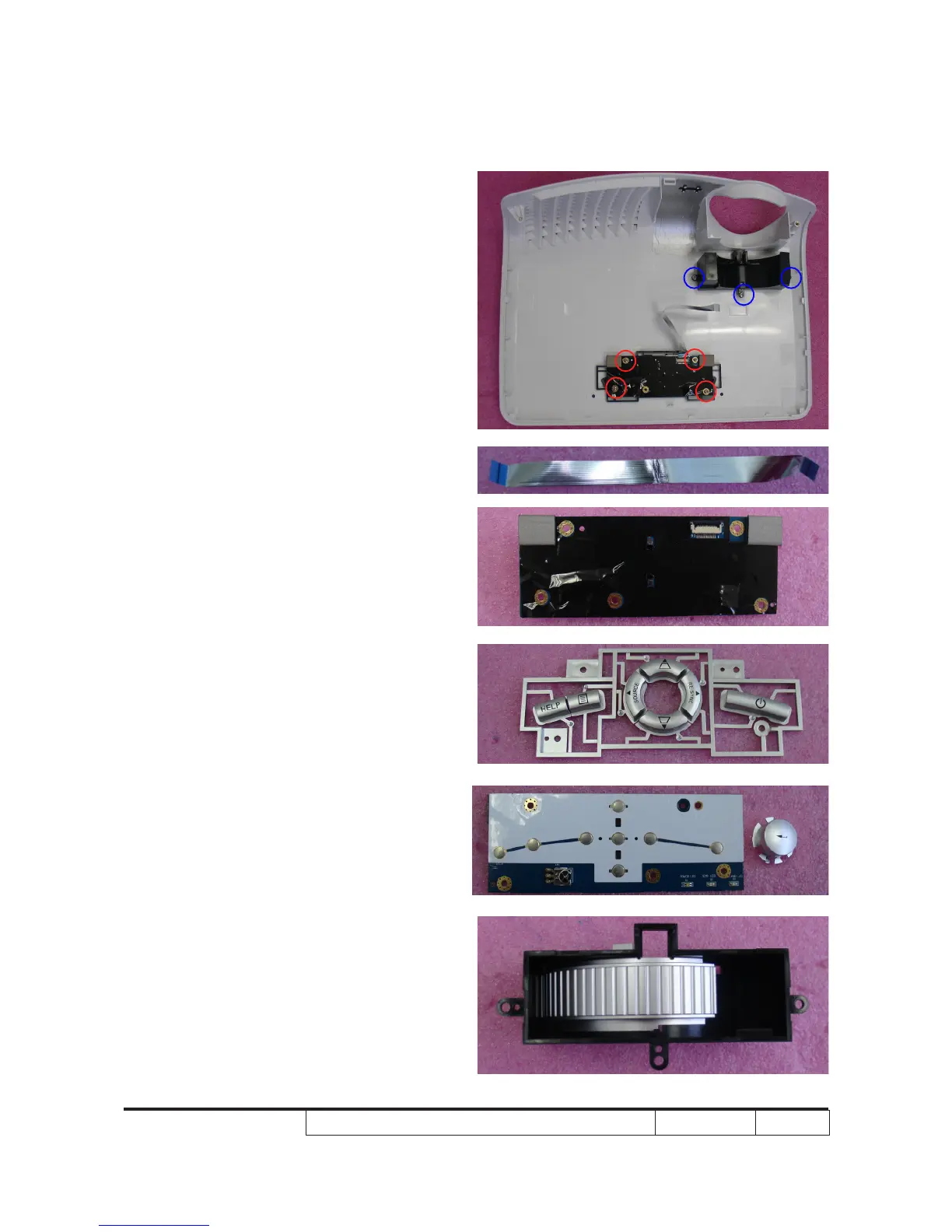
2-6 Disassemble Keypad
Board Module and Zoom
Ring
1. Remove the FPC cable.
2. Unscrew 4 screws (as red circle) to
disassemble the Keypad Board Module
from the Top Cover Module.
3. Separate the Keypad from the Top
Cover Module.
4. Unscrew 3 screws (as blue circle) to
disassemble Zoom Ring.
5. Disassemble Zoom Ring from the Top
Cover Module.



 To Next Page