HD20/HD200X/HD2200/HD20LV/HD21/HD23
Condential 2-11
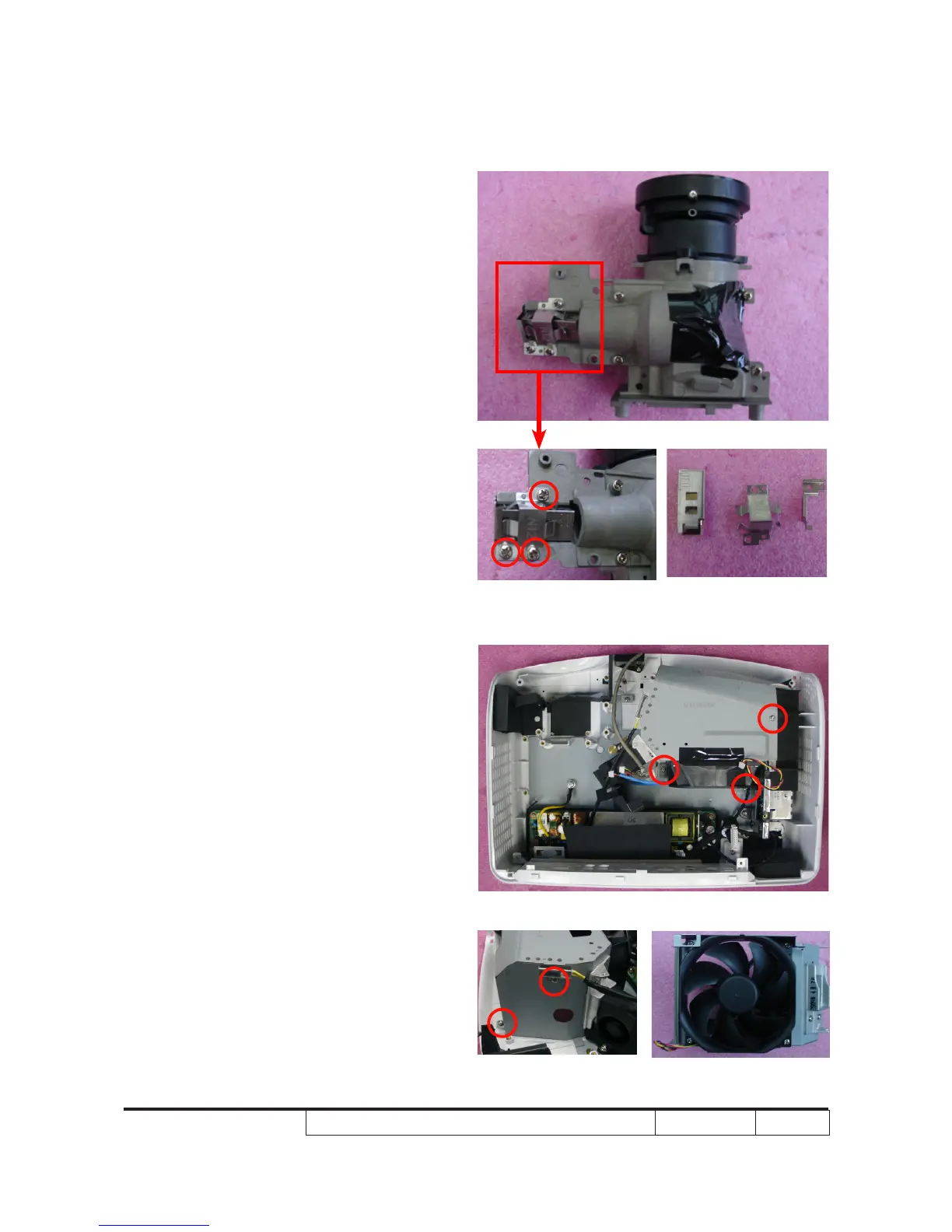
2-12 Disassemble Rod
Module
1. Unscrew 3 screws (as red circle)
2. Remove the Rod Module.
Note: - Avoid touching the Rod when you
disassemble or assemble it.
2-13 Disassemble System
Fan Module
1. Unscrew 5 screws (as red circle) to
disassemble the System Fan Module.



 To Next Page