HD20/HD200X/HD2200/HD20LV/HD21/HD23
Condential 2-19
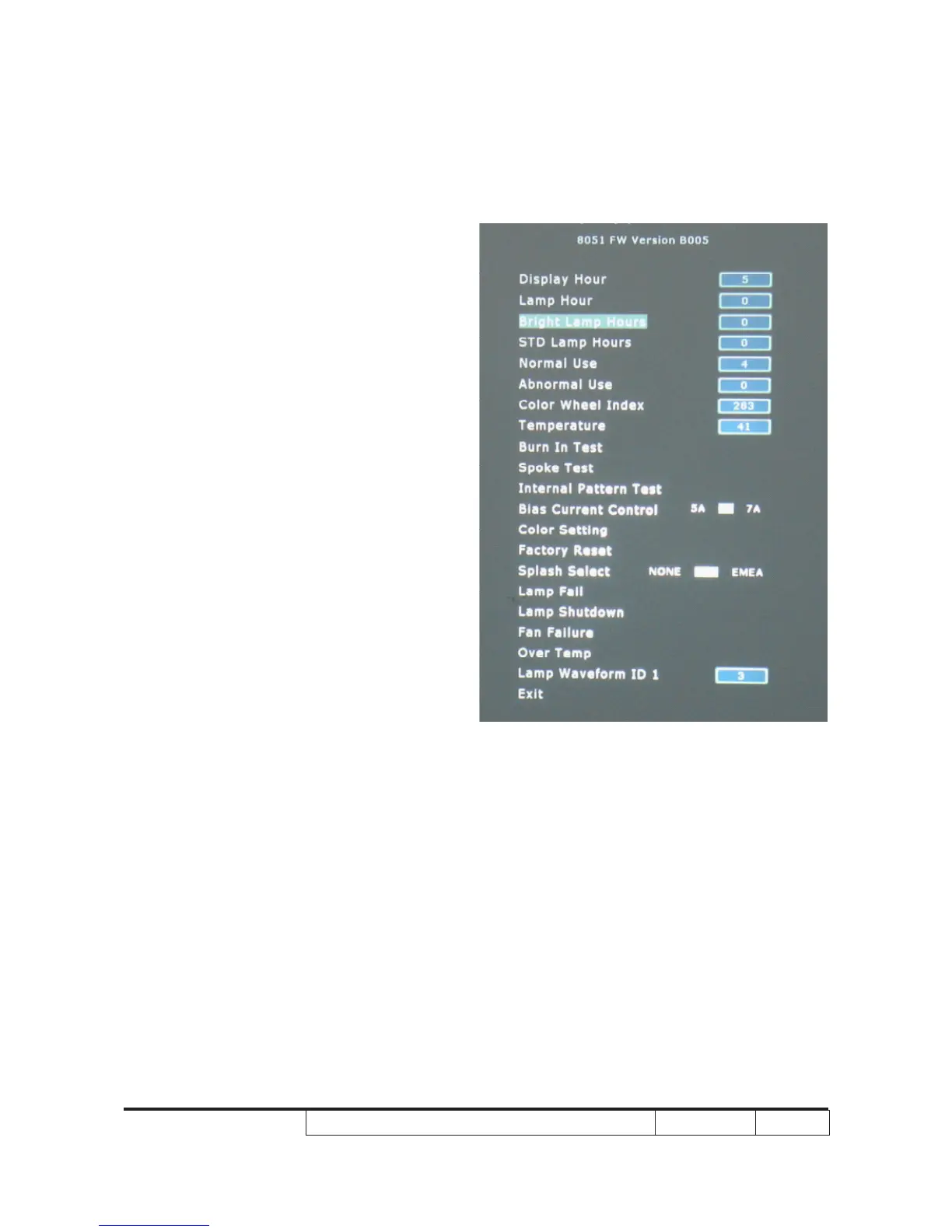
2-22 Re-write Lamp Usage
Hour
1. Get into service mode
- Press "Power", "Left", "Left" and “up" buttons
sequentially to get into service mode 1.
2. Re-write Bright Lamp Hours
- Use "up" and "down" key to select " Bright
Lamp Hours ". Use "left" and "right" key to re-
write “Bright Lamp Hours ".
3. Re-write " STD Lamp Hours"
- The way of re-write " STD Lamp Hours" is the
same as " Bright Lamp Hours".
4. The "Lamp Hour" will increase/decrease
- Follow the Bright Lamp Hours and STD Lamp
Hours increase/decrease.
5. Press “Menu" to exit the service mode.
Note: - left key = decrease lamp hour
- right key =increase lamp hour
- The Bright Mode Hours increase/
decrease 1 hour,the lamp Hour will
increase/decrease 1 hour.The Standard
Mode Hours increase/decrease 1 hours,
the lamp Hour will increase/decrease 1
hour.



 To Next Page