HD20/HD200X/HD2200/HD20LV/HD21/HD23
Condential 2-9
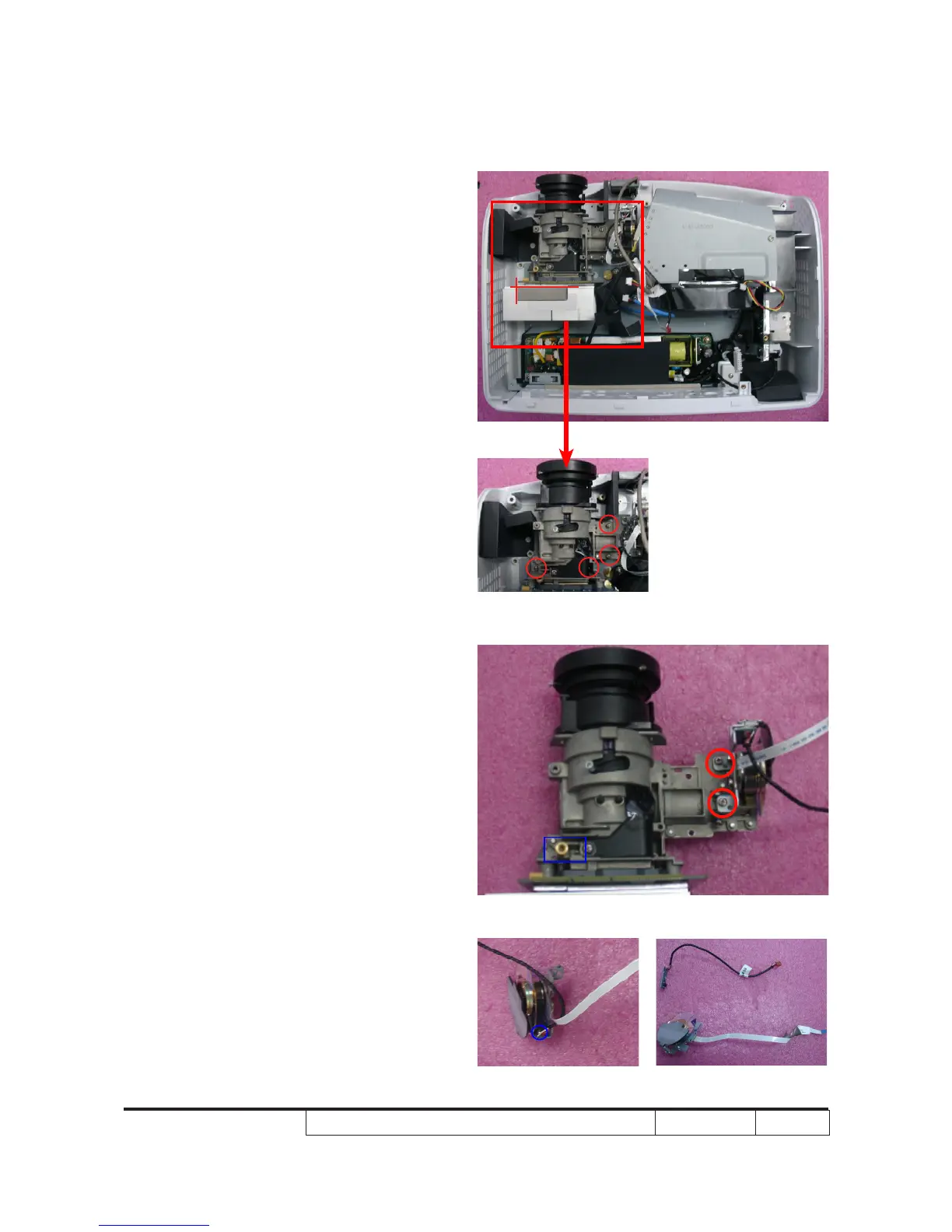
2-9 Disassemble Engine
Module
1. Unscrew 4 screws (as red circle) to
disassemble the Engine Module.
Note: The position of the sponge should be
at the front of heat sink and the left of
DMD board, as right picture show.
2-10 Disassemble Color
Wheel Module
1. Unplug 1 double-screw bolt (as blue
square).
2. Unscrew 2 screws (as red circle) to
disassemble the Color Wheel Module.
3. Unscrew 1 screw (as blue circle) to
disassemble the Photo Sensor Board
from the Color Wheel Module.
Note: - Avoid touching the glass parts of color
wheel.



 To Next Page