Condential
4-9
HD20/HD200X/HD2200/HD20LV/HD21/HD23
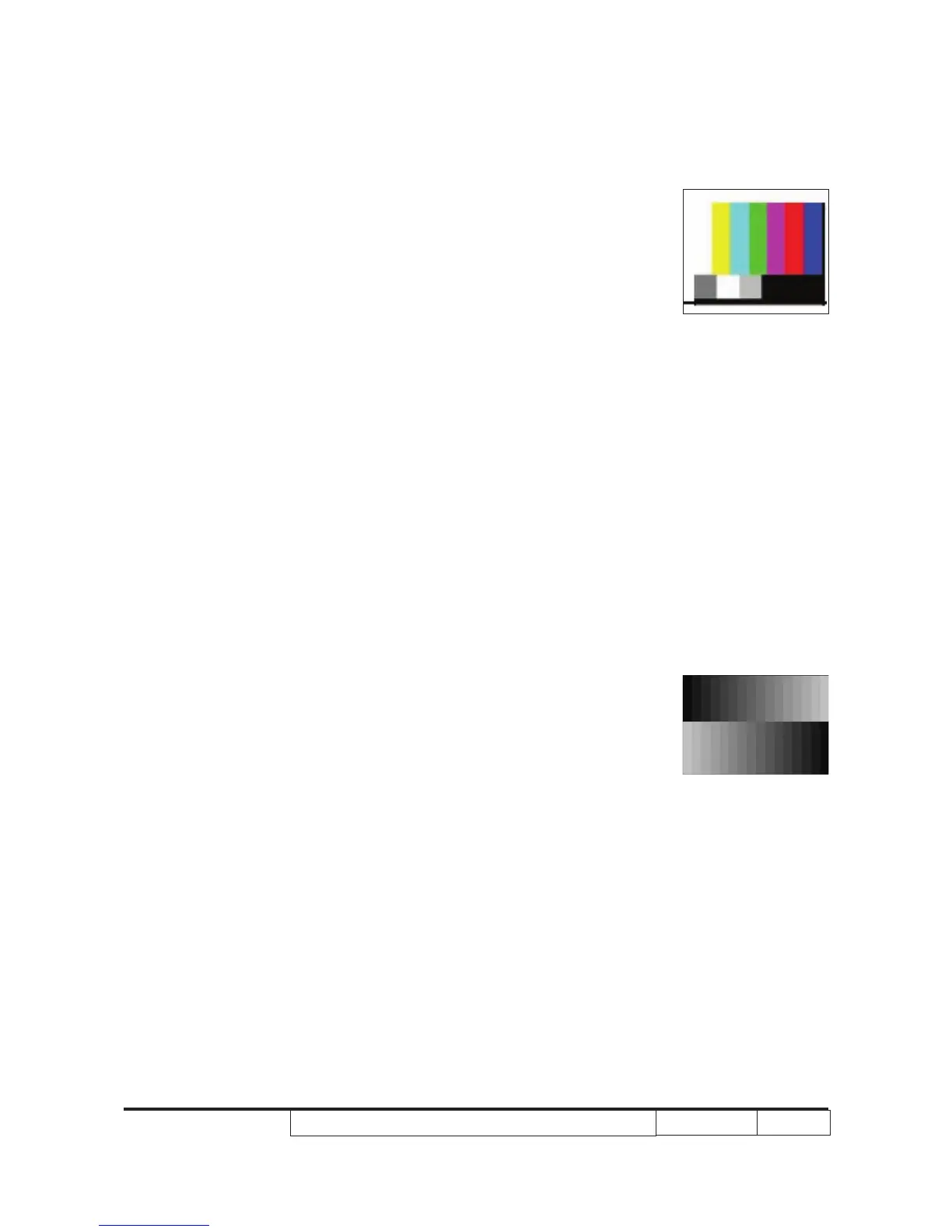
(1) Test signal: 720p @ 60HZ
(2) Test Pattern: SMPTE BAR
- Note
(1) Calibration pattern should be in full screen
mode.
(2) Please refer to 4-2 Guide to get into service
mode 1 and choose ‘‘color setting’’.
(3) Choose and get into ‘‘Video Calibration’’, press
“Enter” button to adjust the screen to its nor-
mal status. Choose “Menu” or “Exit” to leave
service mode 1.
Inspection item - Color saturation
Criteria - There should not have any lack of SMPTE BAR.
The color should appear normal and sort in right
order.
- Color levels should be sufcient and normal.
2. PC calibration
Procedure - Test equipment: video generator
- Once main board is changed, PC calibration
should be done as well.
(1) Test signal analog: 800x600@60Hz
(2) Test Pattern: 16 Grays
- Note
(1) Calibration pattern should be in full
screen mode.
(2) Please refer to 4-2 Guide to get into
service mode 1 and choose ‘‘color setting’’.
(3) Choose and get into PC Calibration for correc-
tion in service mode. Choose “Menu” or “Exit”
to leave the service mode after all.
Inspection item - Color saturation
Criteria - Color levels should be sufcient and normal. (the
unidentied color levels on both left and right
sides should not be over 2 color levels.)
- Gray level should not have abnormal color or
heavy lines.
SMPTE BAR
16 Grays



 To Next Page