Condential
5-6
HD20/HD200X/HD2200/HD20LV/HD21/HD23
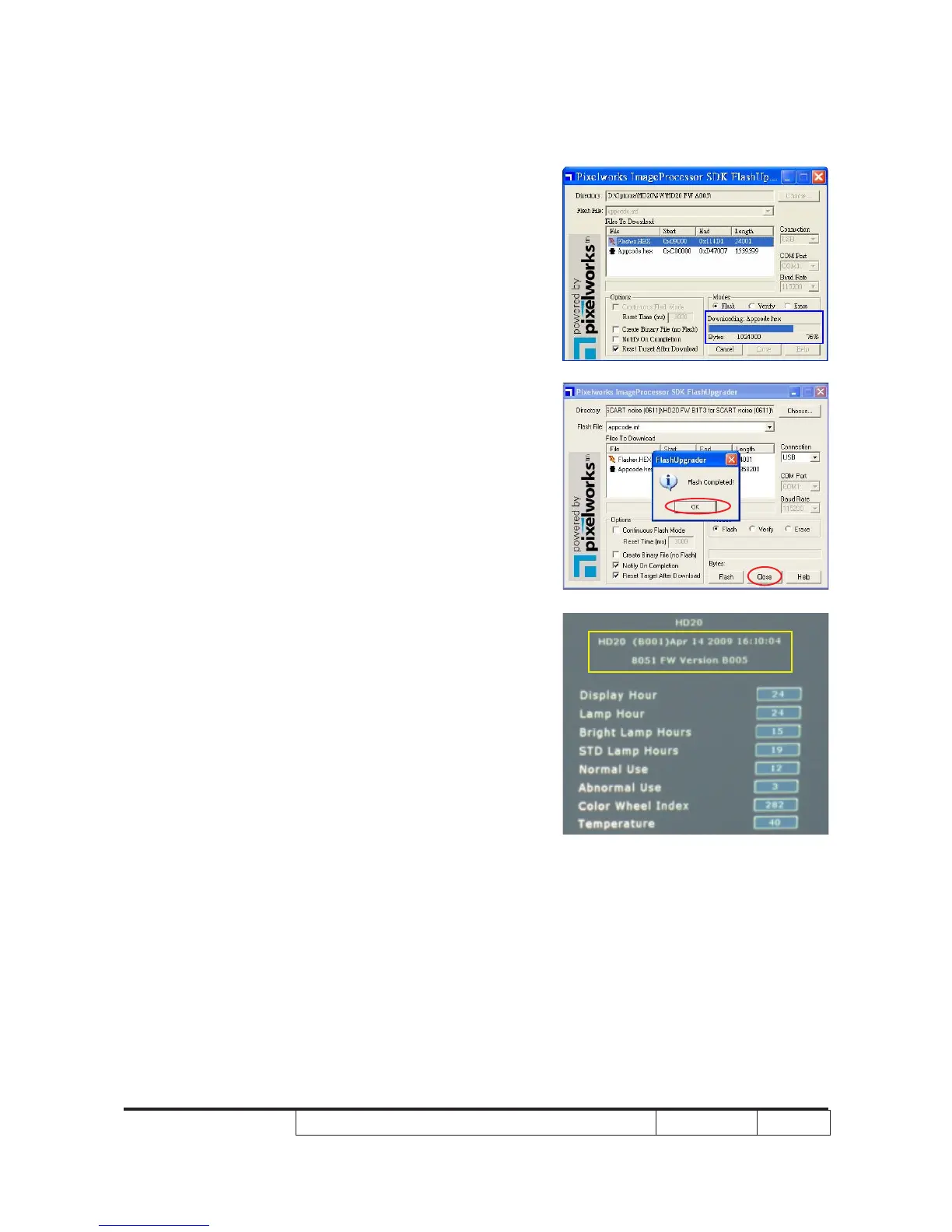
5. When Flasher.HEX downloads compeletly,
"Downloading Appcode.hex" will run
automatically.
6. When message "Flash Completed"
appears, click "OK", then click "Close".
7. Press “Power”, “Left”, “Left” and “Up”
button to get into service mode 1 to check
rmware version.



 To Next Page