EasyManua.ls Logo

Optoma HD82 - Adjusting Horizontal Image Position

Optoma HD82
52 pages
Print Icon
To Next Page IconTo Next Page
To Previous Page IconTo Previous Page
Loading...
English
17
User Controls
Screen Height
(H)
100%
5%
30%
Distance
(L)
Screen
Maximum Shift
25%
15%W 15%W
Left Side Right Side
Screen Width
(W)
130%(V), 0%(H)
-15%(H) 15%(H)
105%(V)
UP/DOWN
RIGHT/LEFT
H
H x 15%
V
H x 15%
V
V x 25%
Offset max=V x 30%
Offset min=V x 5%
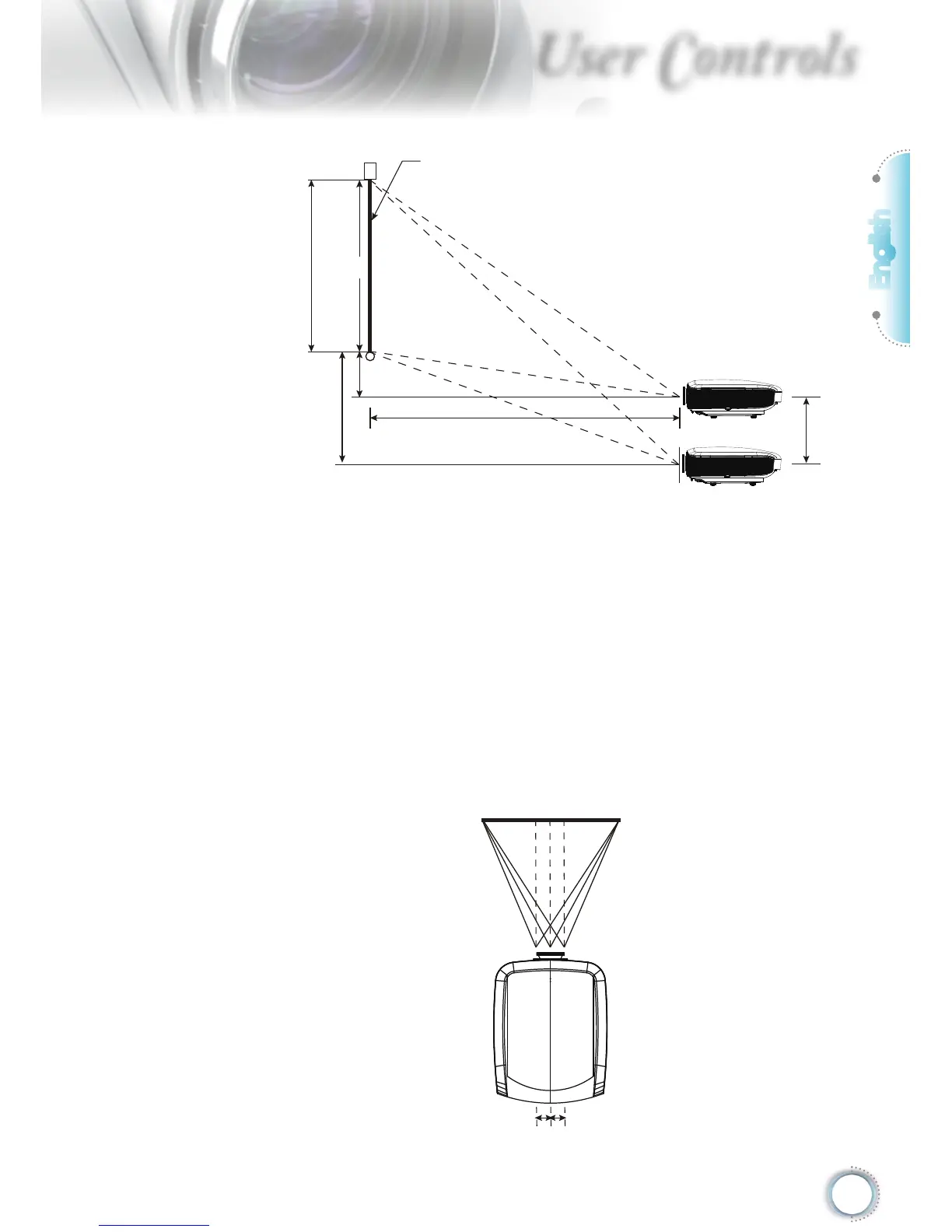
Adjusting the horizontal image position
With the lens in the centre position the horizontal image position
can be adjusted to the left or right by up to a maximum of 15%
of the image width. Note that the maximum horizontal image
height adjustment can be limited by the vertical image position.
For example it is not possible to achieve the maximum horizon-
tal image position if the vertical image position is at maximum.
Please consult the PureShift Range diagram below for further
clarication.
Screen Height
(H)
100%
5%
30%
Distance
(L)
Screen
Maximum Shift
25%
15%W 15%W
Left Side Right Side
Screen Width
(W)
130%(V), 0%(H)
-15%(H) 15%(H)
105%(V)
UP/DOWN
RIGHT/LEFT
H
H x 15%
V
H x 15%
V
V x 25%
Offset max=V x 30%
Offset min=V x 5%

Other manuals for Optoma HD82

Related product manuals