Install the Cable Management Arm
a.
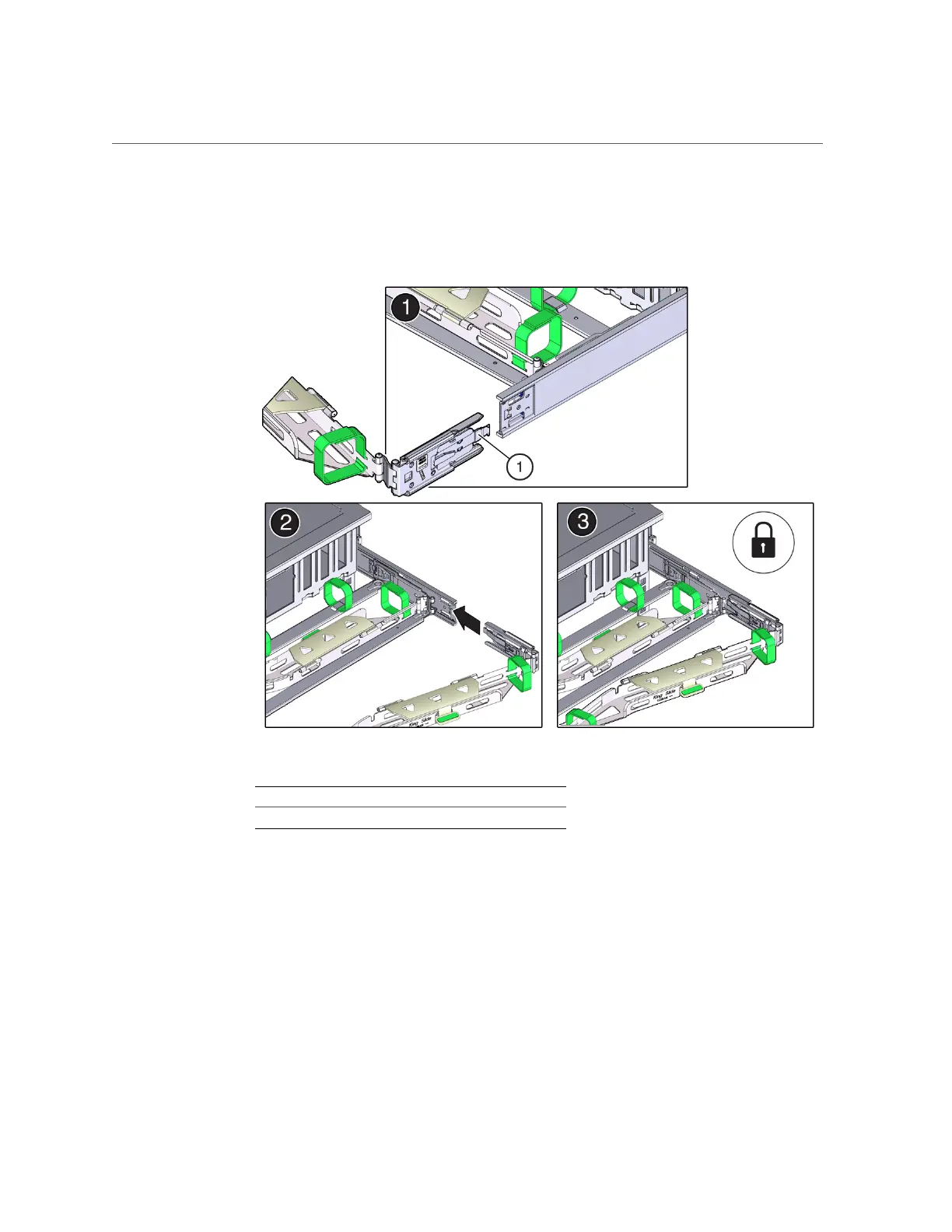
Align connector C with the slide-rail so that the locking spring (callout 1) is
positioned inside (storage server side) of the right slide-rail [frame 1].
Callout Description
1 Connector C locking spring
b.
Insert connector C into the right slide-rail until it locks into place with an
audible click [frames 2 and 3].
c.
Gently tug on the right side of the CMA's rear slide bar to verify that
connector C is properly seated.
Installing the Storage Server Into a Rack 47









 To Next Page