85
*Yes indicates the protocol is standardized for the port number.
No indicates the protocol is standardized for the port number.
Assigned indicates the port number is assigned by IANA (Internet Assigned Numbers
Authority) for protocol use, but may not be standardized.
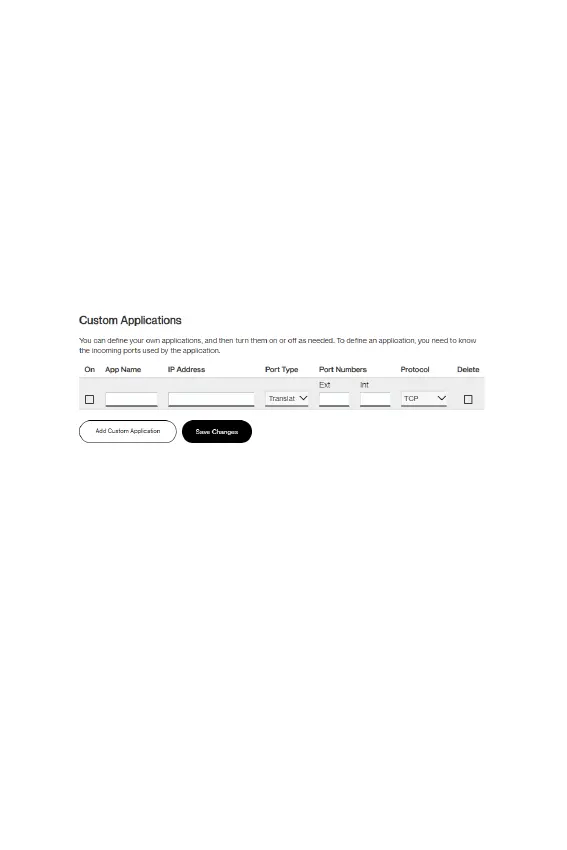
Custom Applications
You can add up to 32 custom applications. Once dened, these
applications can be turned on and off the same way as pre-dened
applications.
Add Custom Application: Use this button to add a new row to the
custom applications list.
• On: Check this box if you want the application to be able to
access the internet (enabling port forwarding).
• App Name: Enter a name for the custom application.
• IP Address: If you want to limit service for the application
to a single connected device, enter the IP address of the
target device. To nd the IP address of a device, go to the
Connected Devices page. NOTE: To ensure the device you
are forwarding to does not have a different IP address after
a reboot, either statically assign the IP address on the client
device, or set up a DHCP reservation.
• Port Type: Select Range or Translate from the drop-down
list.
• Port Numbers: Use the From and To elds to specify the
range of port numbers to be forwarded.



 To Next Page