15
OrionWelders.com
ch.1
6. Lock the electrode into place by hand tightening the collet cap
in a clockwise direction.
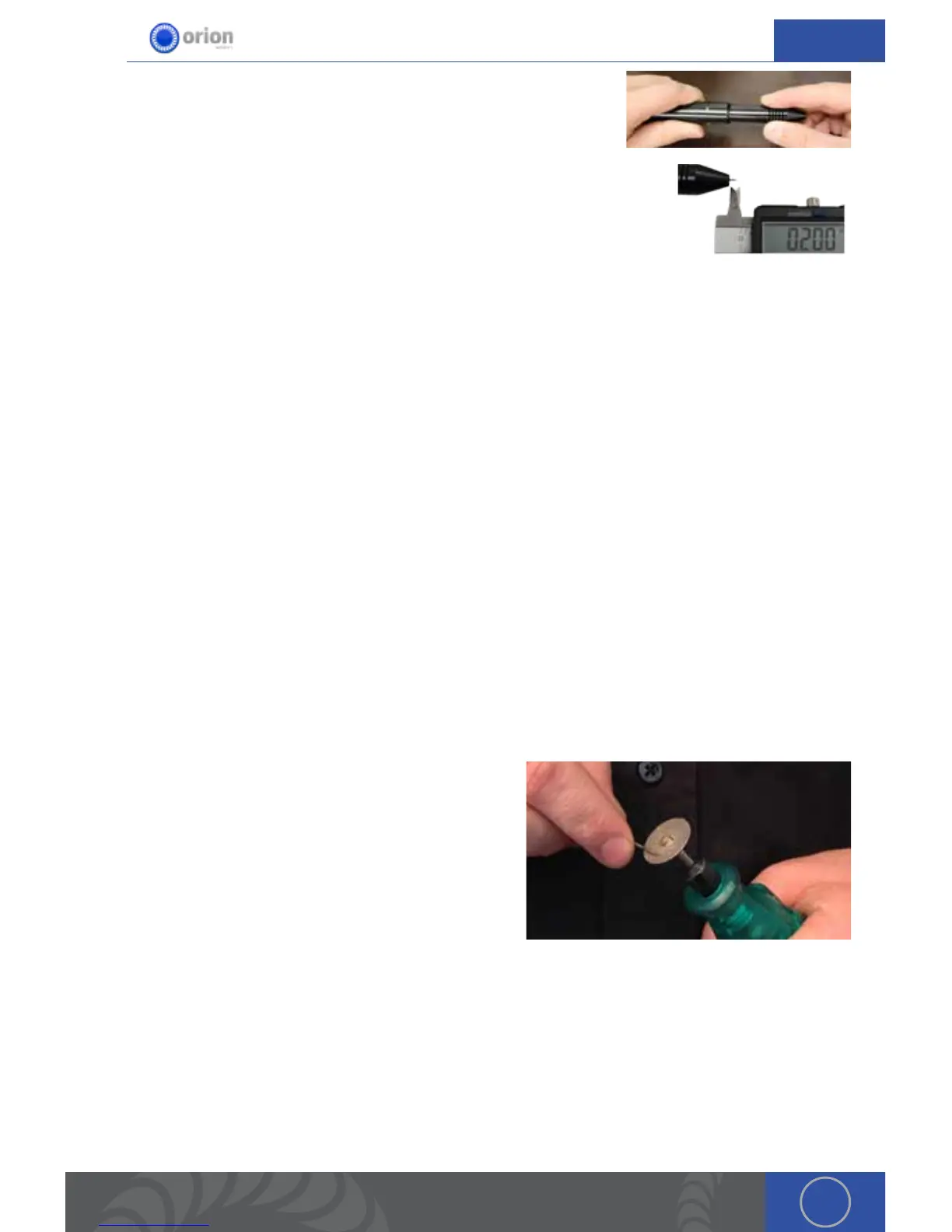
7. Replace the stylus hull by pushing it snuggly until you feel it
snap back into place (the electrode should stick out between 1/8 –
1/4in (3.75 – 6.75mm) after the stylus hull is snapped back into place).
WORK PIECE TO ELECTRODE PRESSURE
A video explanation of the instruction below can be found at http://www.orionwelders.com/
resources/orion-c-series-resources/
Touch the work piece to the electrode with very light pressure. Too much pressure will cause
the work piece to stick to the electrode and in turn cause the electrode to be contaminated
(work piece material on the electrode). is will shorten the amount of time you can weld before
re-sharpening or replacing the electrode. *As a general rule of thumb we recommend a freshly
sharpened electrode anytime a new work piece is being welded.
WHEN TO SHARPEN THE ELECTRODE
It is recommended that the user pay close attention to the electrode condition. An electrode that
appears to be dark colored or covered with material from previous welds can lead to inconsistent
welding and poor igniting of the weld. When this occurs, simply sharpen the electrode with the
included diamond disk. e diamond disk can be attached to a flex shaft or Dremel tool. Follow
these steps for sharpening the electrode. A video explanation of the steps below can be found at
http://www.orionwelders.com/resources/orion-c-series-resources/
1. Completely remove the electrode from the stylus.
2. Pinch the electrode between the thumb and middle finger with the point facing inward.
3. Power on the Dremel or flex shaft then hold it with
the opposite hand. *If the Dremel is in the left
hand, then sharpen the electrode on the side of the
diamond disk furthest from the body. If the Dremel
is in the right hand, then sharpen the electrode on
the side of the diamond disk closest to the body.
e reason for this is to keep the striations on the
electrode moving towards the electrode tip, not
away. is will effect the quality of the weld if not
done as explained above.
4. Set the electrode on the diamond disk at a 10-degree angle and begin to spin the electrode
with the thumb and middle finger. *A helpful way to get a sharp electrode is to push down on
the electrode with your index finger while twisting the electrode with the thumb and middle
finger. See the video on our website for additional instruction on this method.
5. Once the electrode is sharp and clean, turn the Dremel off and insert the electrode back into
the stylus as explained above.
*See Chapter 5 for additional information on the Tungsten Electrodes


 To Next Page