100c User Manual
8
ch.1
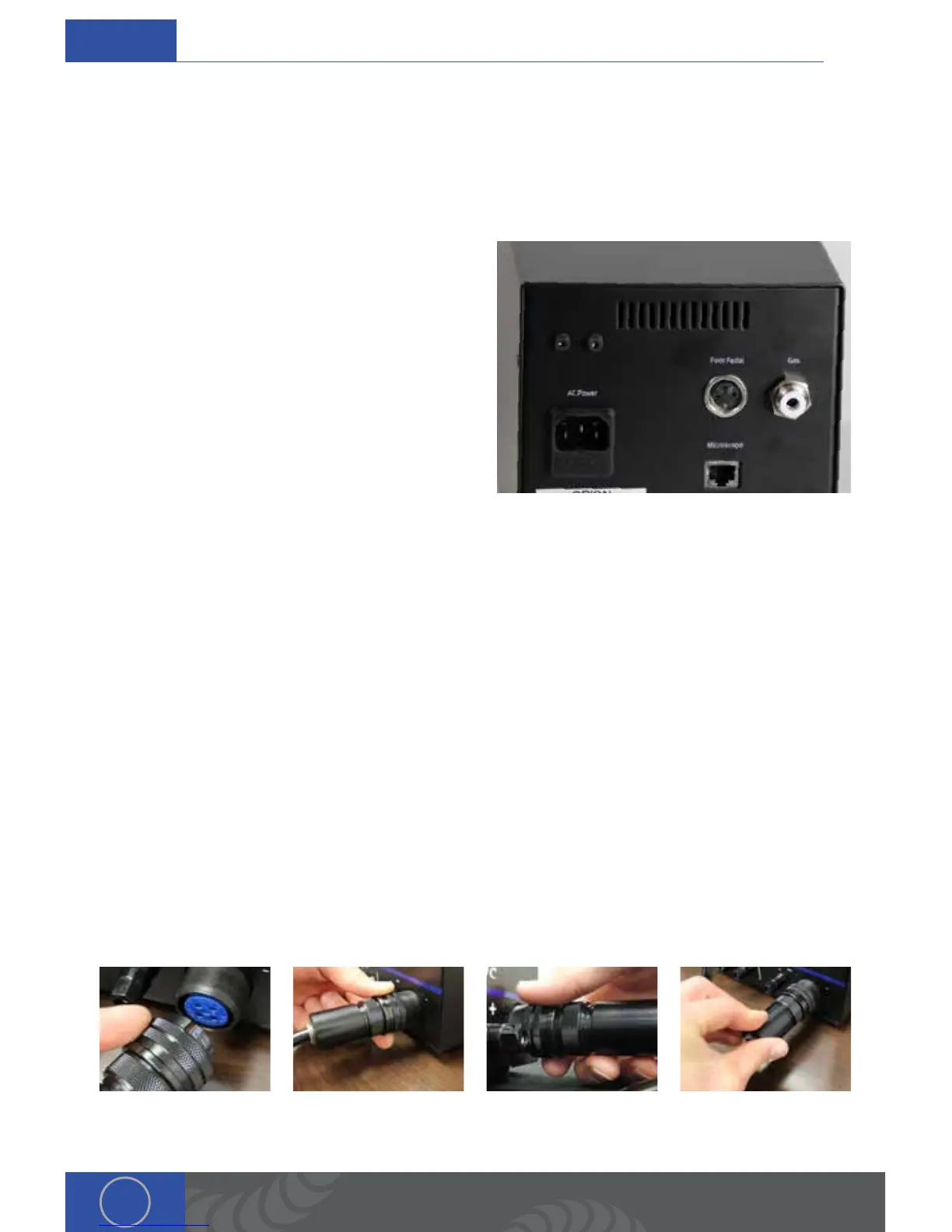
Power Supply Setup (backside)
SET UP THE BACK SIDE OF THE POWER SUPPLY
e Orion has an internal switching power supply that can accept both 120 and 240VAC. A video
explanation of the steps below can be found at http://www.orionwelders.com/resources/orion-
c-series-resources/
1. Plug the female end of the power cable into
the “AC Power” port on the back of the power
supply. en connect the male end into AC
power.
2. Insert the 1/4” gas tube firmly into the “Gas”
port on the back of the welder. *It may wiggle
when connected, but should not come out if
pulled on.
3. Plug the foot pedal into the “foot pedal” port
on the back of the power supply.
4. Plug the RJ45 Microscope cable into the RJ45
port.
Power Supply Setup (frontside)
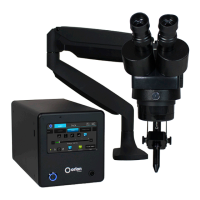
CONNECT THE WELDING STYLUS TO THE FRONT OF THE POWER SUPPLY
A video explanation of connecting the welding stylus to the power supply can be found at http://
www.orionwelders.com/resources/orion-c-series-resources/
e welding stylus requires the most attention during setup. Since argon gas will flow through the
stylus, a tight fit between the power supply and the stylus is critical. is will insure that no oxygen
is entrained into the weld. To accomplish this, follow the steps below.
1. Position the end of the stylus so that the notch is facing up.
2. Push the stylus into the stylus connector port on the front panel of the power supply.
3. Turn the outside layer of the stylus connector clockwise so it screws onto the stylus
connector port.
4. Continue to turn the outside layer of the stylus connector clockwise until it stops.
5. Now push in on the stylus connector, and then turn the outside layer of the stylus connector
again until it will no longer turn.
6. Repeat steps 2-5 until you feel the stylus connector bottom out, and you can no longer screw
the stylus connector clockwise. is will insure that the stylus connector is firmly seated.


 To Next Page