13
OrionWelders.com
ch.1
ADJUST THE MICROSCOPE FOCUS
A video explanation of the microscope configuration options can be found at http://www.
orionwelders.com/resources/orion-c-series-resources/
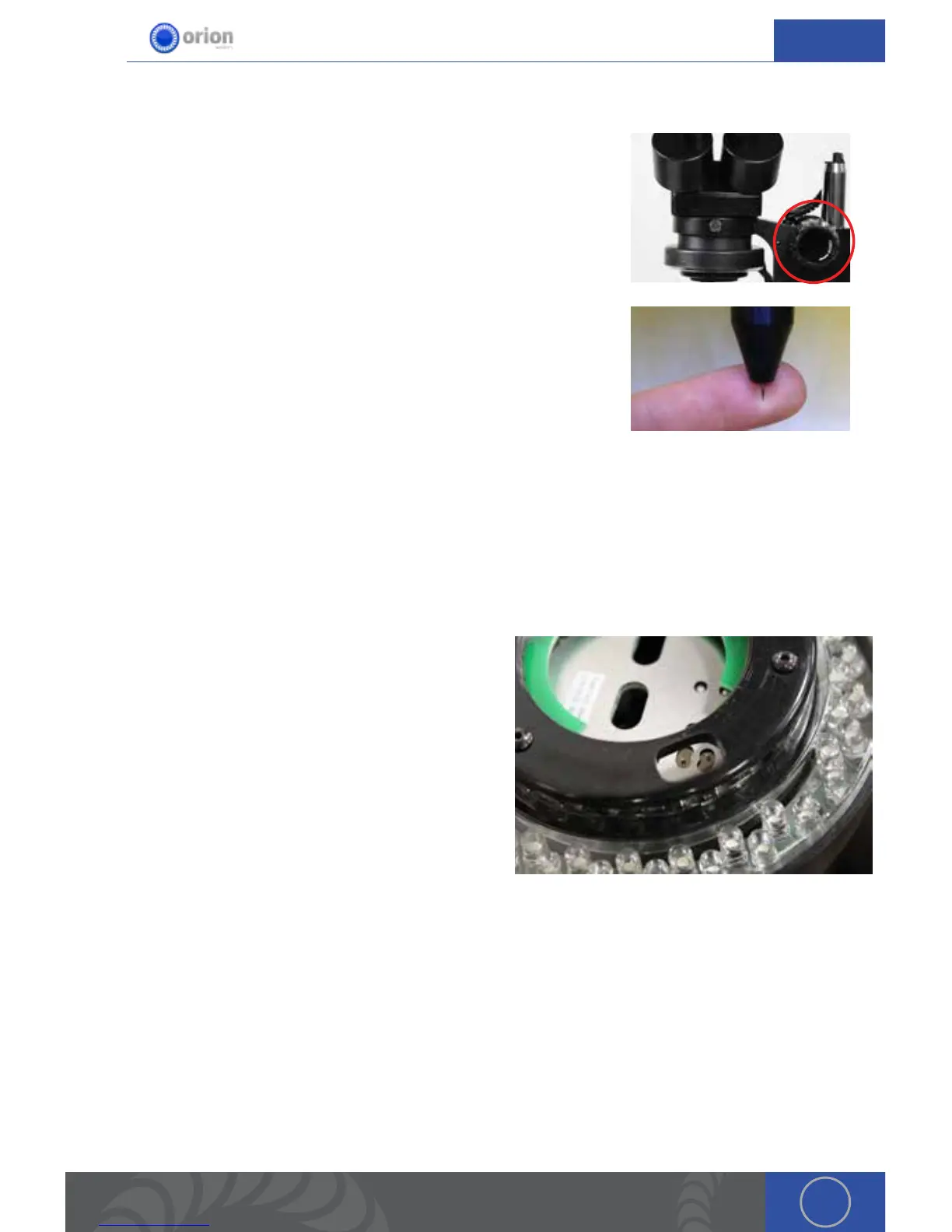
1. Twist this knob left and right in order to focus the microscope.
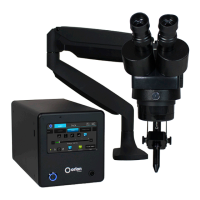
When adjusting the microscope focus, place a finger under the
welding electrode to help judge the correct focus location. Focus the
microscope till the texture on the skin of the finger is clearly visible.
Microscope Shutter System Setup
e shutter allows an unobstructed working view before welding and completely protects the
user’s eyes during the welding process. e Orion’s internal computer verifies the shutter has
been closed before allowing the weld to take place. e Orion will not allow a weld to take place if
the shutter does not completely shut.
Shutter Troubleshooting:
1. Turn off the unit and then turn it back on. is will
reset the shutter.
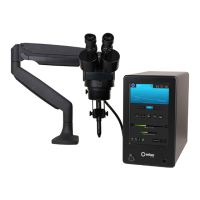
2. If step 1 does not correct the issue, the shutter
switches can be moved manually. To do this,
remove the lens cap under the shutter and
manually move the shutter switches. (is
should be an easy movement. If it is not call in for
additional troubleshooting).
Become Familiar with the Microscope
A video explanation of becoming familiar with the microscope can be found at http://www.
orionwelders.com/resources/orion-c-series-resources/
e Orion Microscope has been designed to provide maximum visual clarity, eye protection and
ease of use. One challenge using the microscope is getting used to bringing the work piece to the
welding electrode while looking through the microscope. is is an easy challenge to overcome.
To begin, follow these steps with the welder on pause. *While the welder is on pause it will not


 To Next Page