Operator Manual
Use
Use
See the Safety Information chapter before using the equipment.
Recommendations
Before proceeding with the normal equipment use, we recommend you check that it was correctly installed and in good working conditions. Check
that its parts are not defective, damaged or worn; if necessary carry out all the necessary routine and extraordinary maintenance operations.
Positioning and ergonomics
Microscope eye pieces
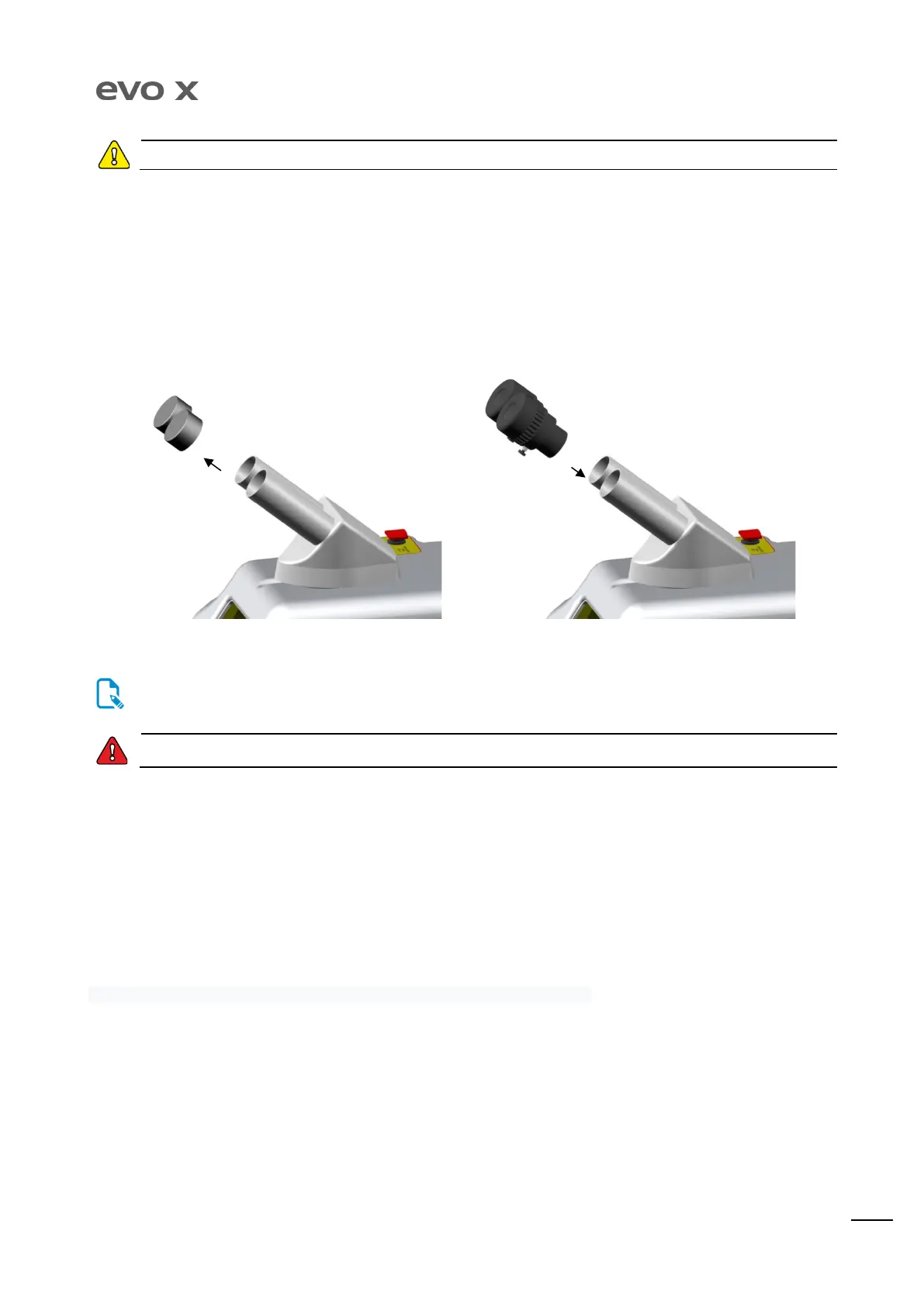
Remove the caps that protect the stereo microscope, insert the eyepieces and, once positioned in their seat, tighten the fixing screw. Keep the
caps and eyepiece wrappers for future use.
One of the eyepieces has a crosshair for sighting. Position it on the right tube of the stereo microscope. The diopter dial may be
adjusted by rotating the dial clockwise or anti-clockwise depending on the type of correction required. Refer to the scale printed on
Safety glasses must have an OD 7 optical density and an L9 protection level for pulsed LASERS with a wavelength of 1064 nm, in
compliance with the relevant BS EN 207 standard.
Turning on the equipment
Move the power supply switch located on the rear panel of the equipment to position I. Wait until the display shows the access screen.
Introduce the password (default value “0000”). Press the Start button to start-up the laser and access the welding parameters. Set the desired
parameters according to the metal to be welded. Use the control pedal to perform welding.
Emergency stop
The emergency button is used to stop the equipment immediately. This safety device has a locking function and therefore must be re-armed
manually. Use this button only in the case of a hazard and not for normal shut down of the equipment.
Using the LASER welder
This section describes the use of the LASER welder and explains the menu present on the display.


 To Next Page