21
3. LAUNCHER APPLICATION
The Launcher application automatically controls which application runs on the Detective X computer on
power-up. In addition, when an application is exited, the Launcher screen presents a list of all applications
that can be accessed on the instrument. The Detective X, Mobile MCB Server, and Sleuth applications are
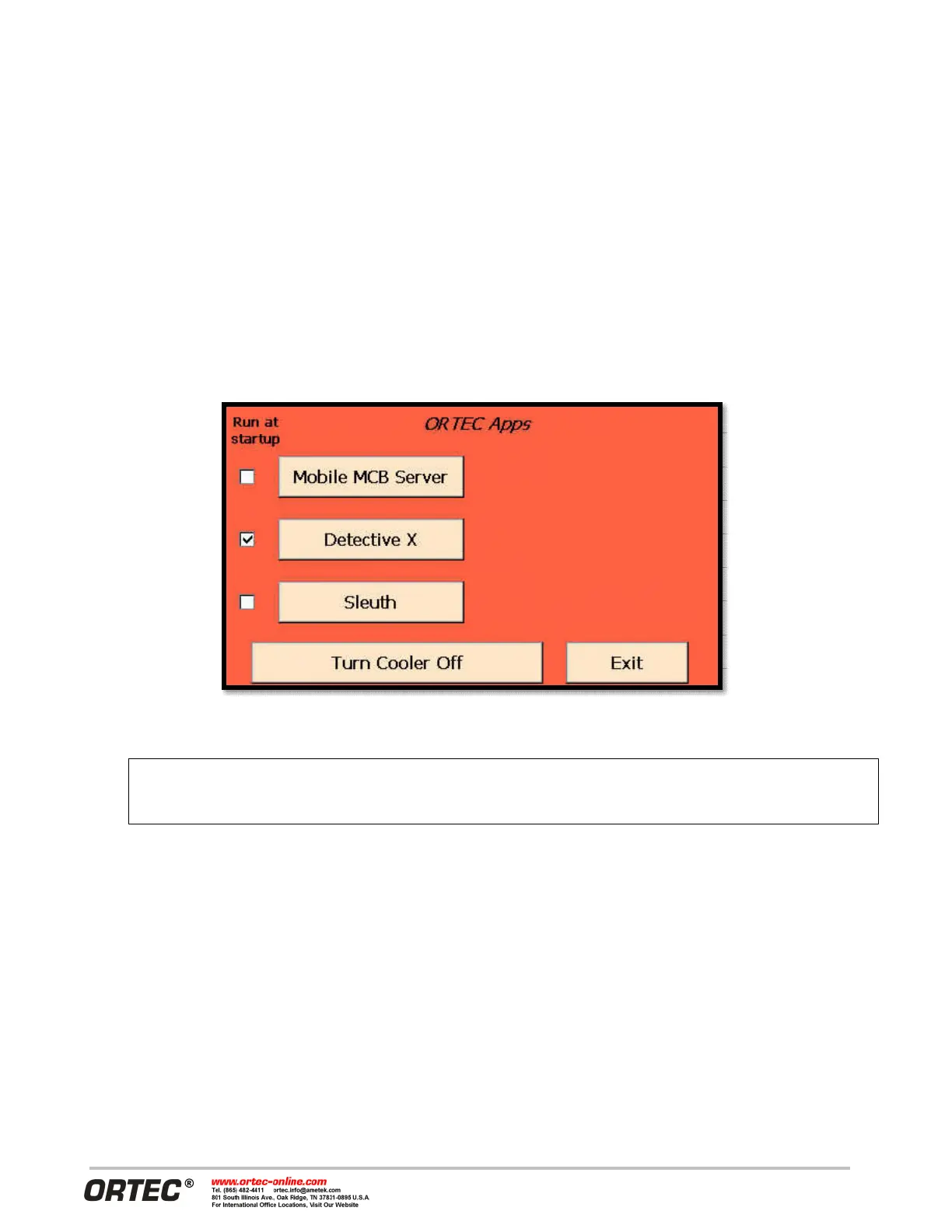
installed by default, and the Launcher is configured to start the Detective X application. Figure 27 shows the
default Launcher screen. It displays a button for each available application. The checked box indicates which
application will run at startup the next time the Detective X is powered on. The Launcher interface also
provides convenient control of the cryogenic cooler (NOTE - this same function is available elsewhere within
the various software applications as well).
To start an application, just tap its button.
Figure 27. Launcher Screen
o Detective X functions outside of the Launcher. The
the Launcher screen is reserved for ORTEC use.


 To Next Page