1107231N / 082020 5. SLEUTH APPLICATION
77
5.3 SLEUTH HOME SCREEN
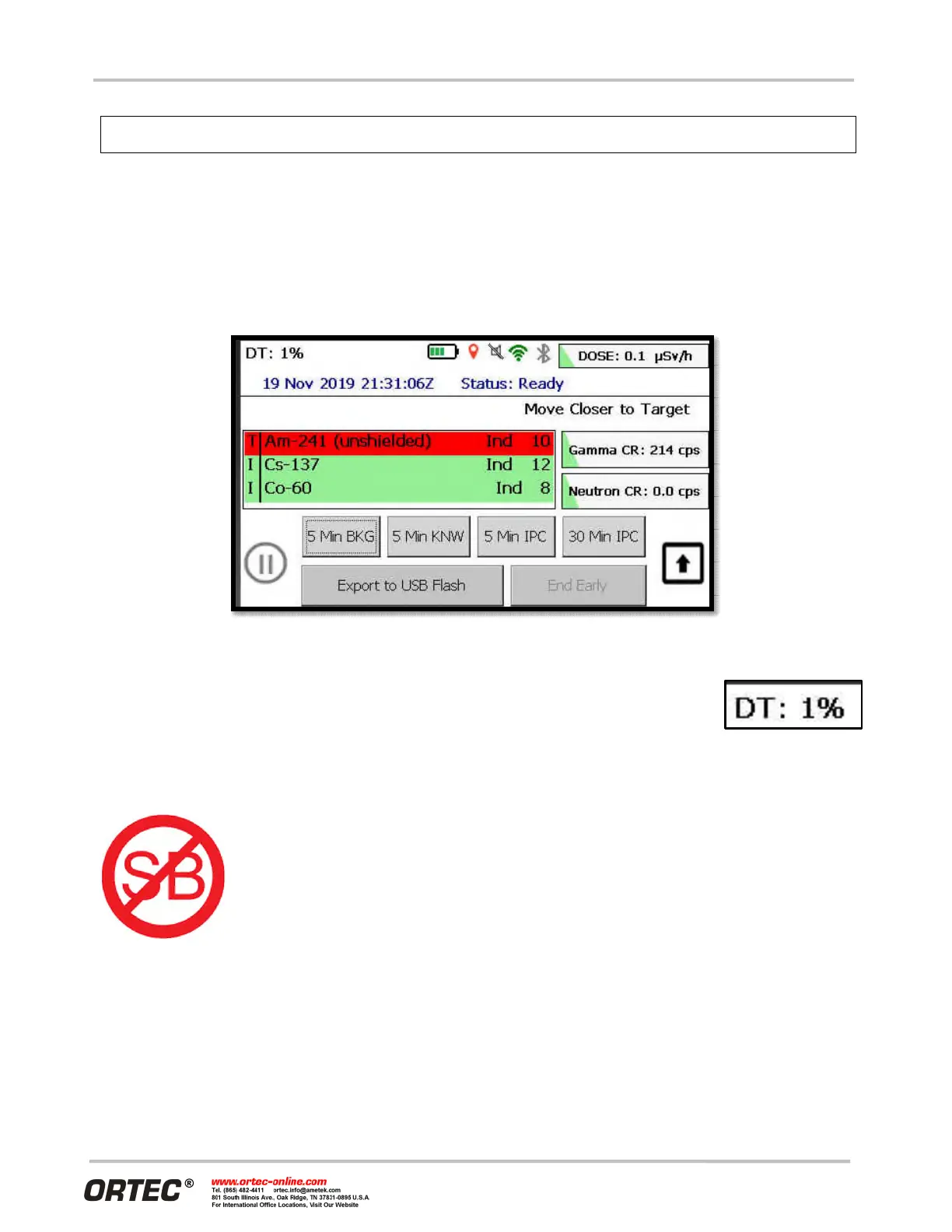
The home screen for Sleuth is shown in Figure 98. For simplicity, Sleuth only has one screen to learn about.
This is very similar to the home screen for the main Detective X software application (also known as Detect
mode). Most of the information displayed here has previously been covered in Section 4.4 and will not be
discussed again here. However, there are differences, as discussed in the following sub-sections.
Figure 98. Sleuth Home Screen
5.3.1 Dead Time Display
Unlike the Detective X software application’s Detect mode screen which periodically
displays deadtime, Sleuth continuously displays this value (Figure 99). Operators can be
trained to use this value to collect optimal data for later analysis by a Reachback facility.
5.3.2 Missing System Background File
Unlike the Detective X software application, Sleuth is perfectly happy to collect data
without valid system background information. See Section 4.14 for a discussion on the
importance of collecting ambient background data for the system. As discussed there, the
system’s nuclide identification depends on accurate background data. However, with
Sleuth, accuracy of the nuclide identification is de-emphasized in favor of the ability to
very quickly collect data and transfer it to a Reachback facility.
In order to warn of this situation a new status icon is introduced for Sleuth (Figure 100).
This warning icon is issued as information to users that nuclides identified by the system
may be less accurate than a system would be with a valid system background. The
operator can remove this warning by exiting Sleuth, launching the Detective X software application and
collecting ambient background data as discussed in Section 4.14. Customers should consider their CONOPS
when providing training regarding this icon.
Figure 100.
Missing System
Background Icon
Figure 99. Sleuth
Dead Time Display
Clearing data in Sleuth does not clear data in the Detective X application.


 To Next Page