1107231N / 082020 4. DETECTIVE X APPLICATION
71
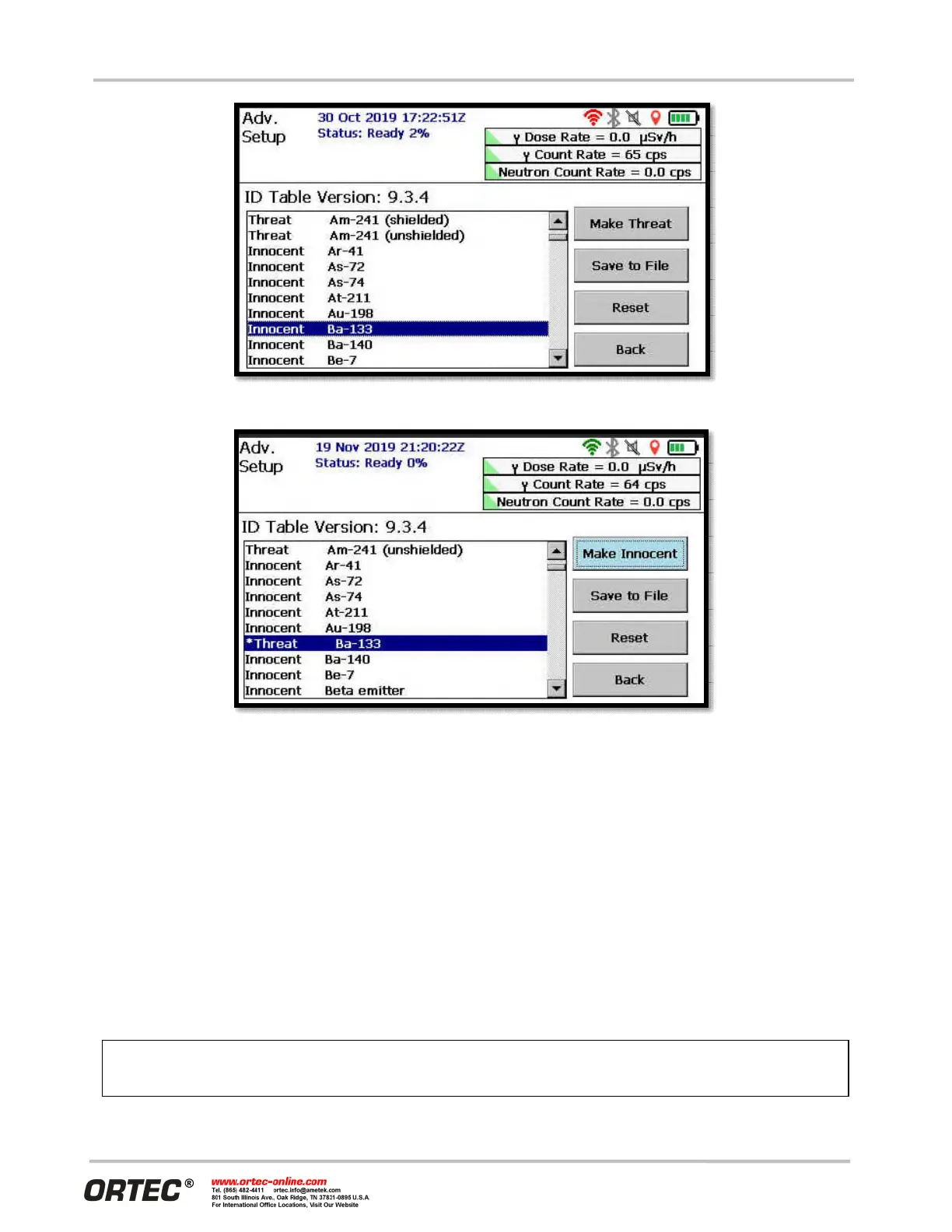
Figure 90. Preparing to Change Default Innocent Nuclide to Threat Status
Figure 91. Default Innocent Nuclide Changed to Threat Status (and Marked with Asterisk)
4.17 PASSWORD-PROTECTING THE ADVANCED SETTINGS AND ID
MODE SPECTRUM VIEW
As shipped from the factory, the Advanced Setup is accessible to all users from the Settings screen. Because
the advanced options can significantly affect how the instrument works, the Detective X software allows the
user to password-protect this screen. The user can also decide whether to display the ID Mode spectrum.
From the Advanced Setup screen, tap the Password button to open the screen shown in Figure 92.
4.17.1 Password
A blank password (all characters deleted; not a series of spaces) is the “no password” option. The password
is case-sensitive, alphanumeric, may include spaces, and may be of any length.
If the password is forgotten, contact an ORTEC
representative or ORTEC’s Global Service Center for assistance.


 To Next Page