1107231N / 082020 4. DETECTIVE X APPLICATION
59
To remotely control the Detective X, it is necessary for the guest system (the system controlling the
Detective X) to run a WiseMo Guest application. The application is available free for iOS devices from the
Apple App Store and Android devices on Google Play. Search for “WiseMo”. Free trials of the PC based guest
application are available from www.wisemo.com (choose offline-only connectivity as Detective X does not
support iCloud connections). Perpetual licenses are available for a very reasonable fee.
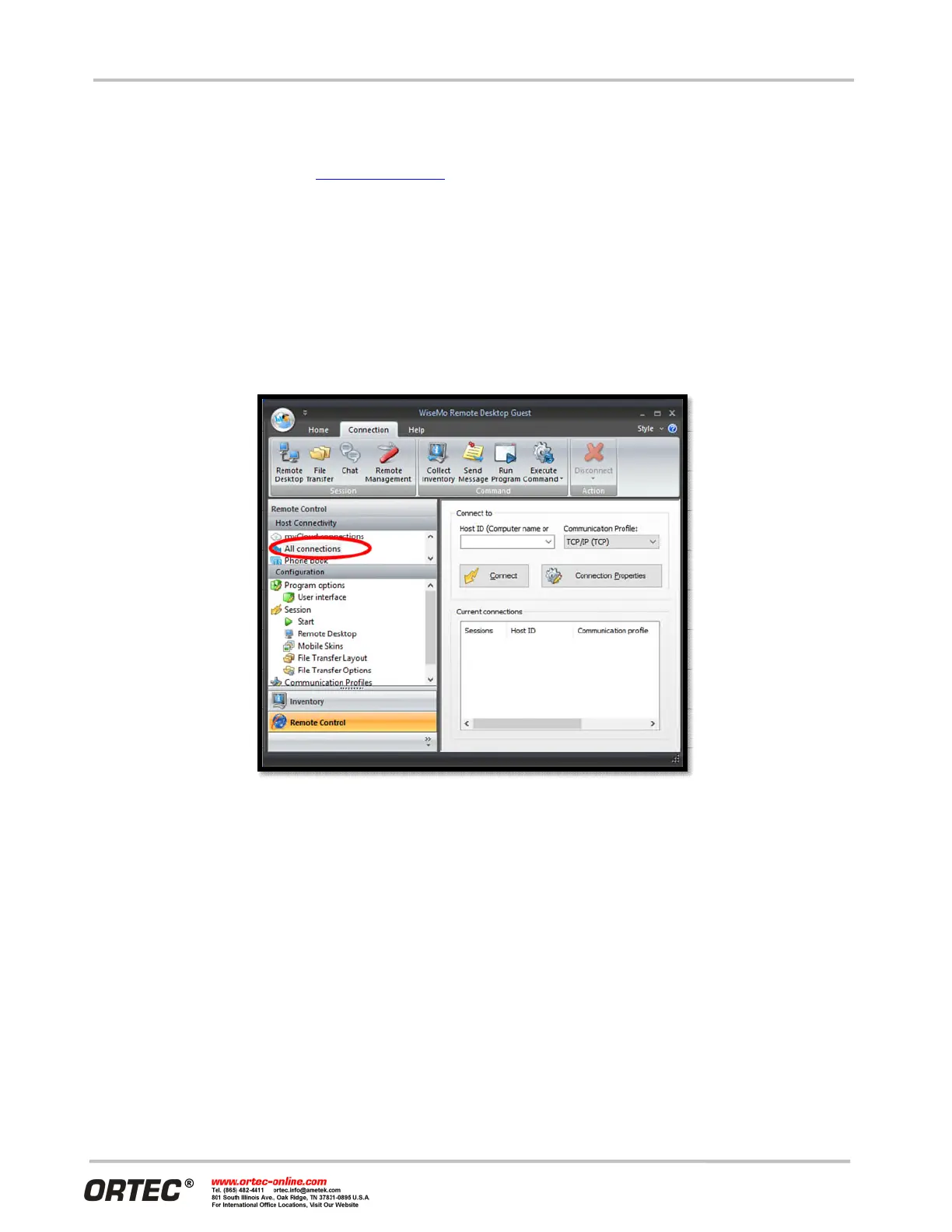
The Detective X and the PC must be connected to the same network for remote control. The main window
for the WiseMo Guest application is shown in Figure 73. To connect, first click on All connections on the left
side panel. Find the IP address reported on the WiFi tab of the Detective X Communications Settings page (or
the Wired Ethernet tab, if appropriate for this connection) when the instrument is connected to the network.
Enter this IP address in the Guest application window and press the connect button. When contact is made
with the Detective X, a password will be requested. All Detective X instruments use the same all-lowercase
password for this purpose: ortec
Figure 73. PC-Based WiseMo Guest Application
The remote desktop window is shown in Figure 74. The default skin is more appropriate for a mobile phone
than a radionuclide identifier, but functions as needed. To remove the skin, choose Do not use skin on the
Display tab of the WiseMo Guest Connection Properties dialog. (Connection must be reestablished before
changes here take effect.)



 To Next Page