20Pin jumper
wire Male to
female 20cm
Hardware Installation
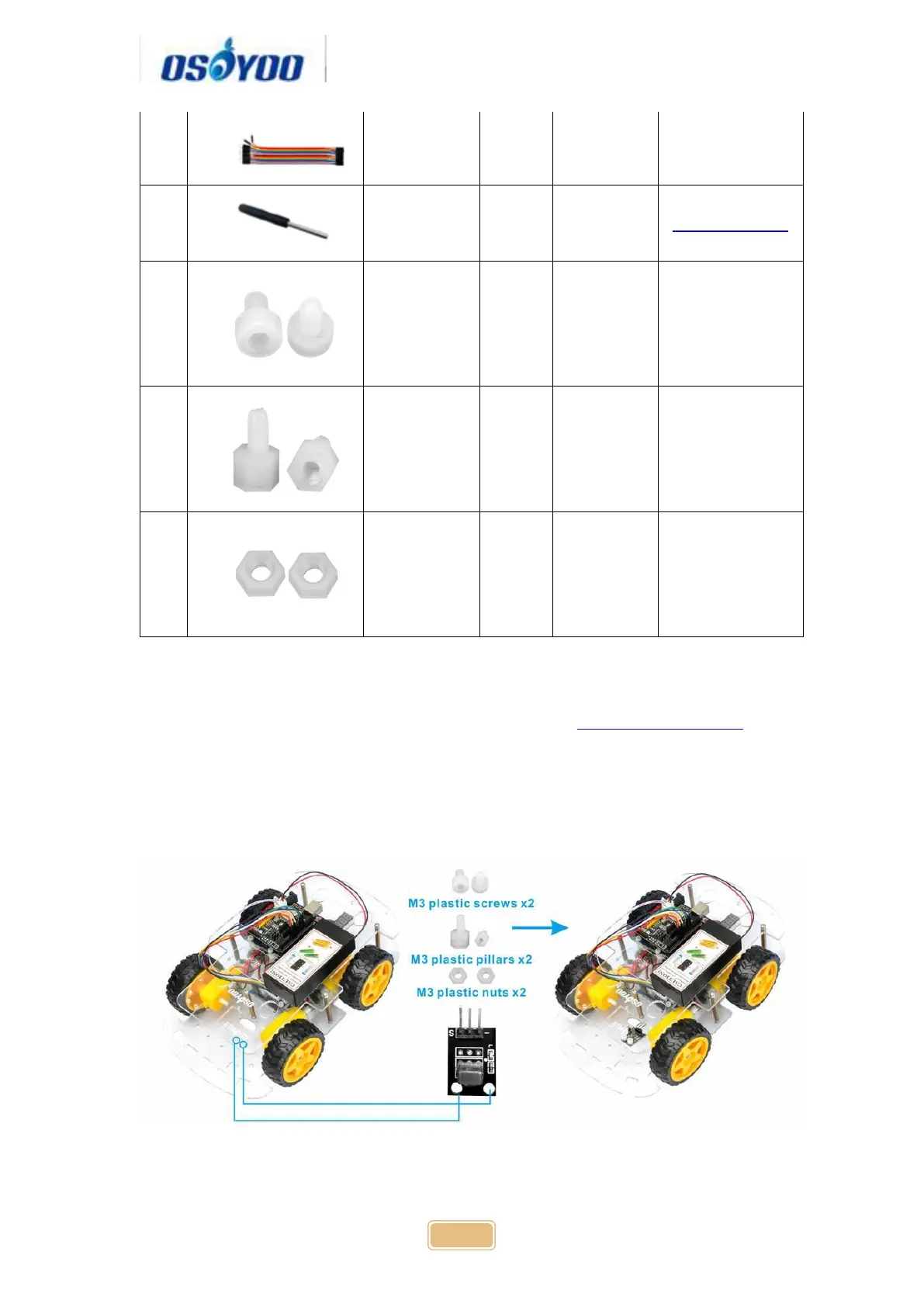
Step 1: Install the smart car basic frame work as per Smart Car Lesson 1 . If
you have already completed installation in Lesson 1 , just keep it as is.
Step 2: Add an IR receiver module onto the car. Install the IR receiver module
with 2pcs M2.5*10 plastic screws, M2.5 plastic pillars and M2.5 plastic nuts at
the front of upper chassis.
Step 3: Connect the S pin in IR receiver to D10 pin in UNO board, GND to
GND, VCC to 5V, as the following photo (Remember: DO NOT remove any



 To Next Page