Step 2: Download and install Arduino sketch code
from https://osoyoo.com/driver/v2smartcar-lesson7.zip. Unzip this file, and
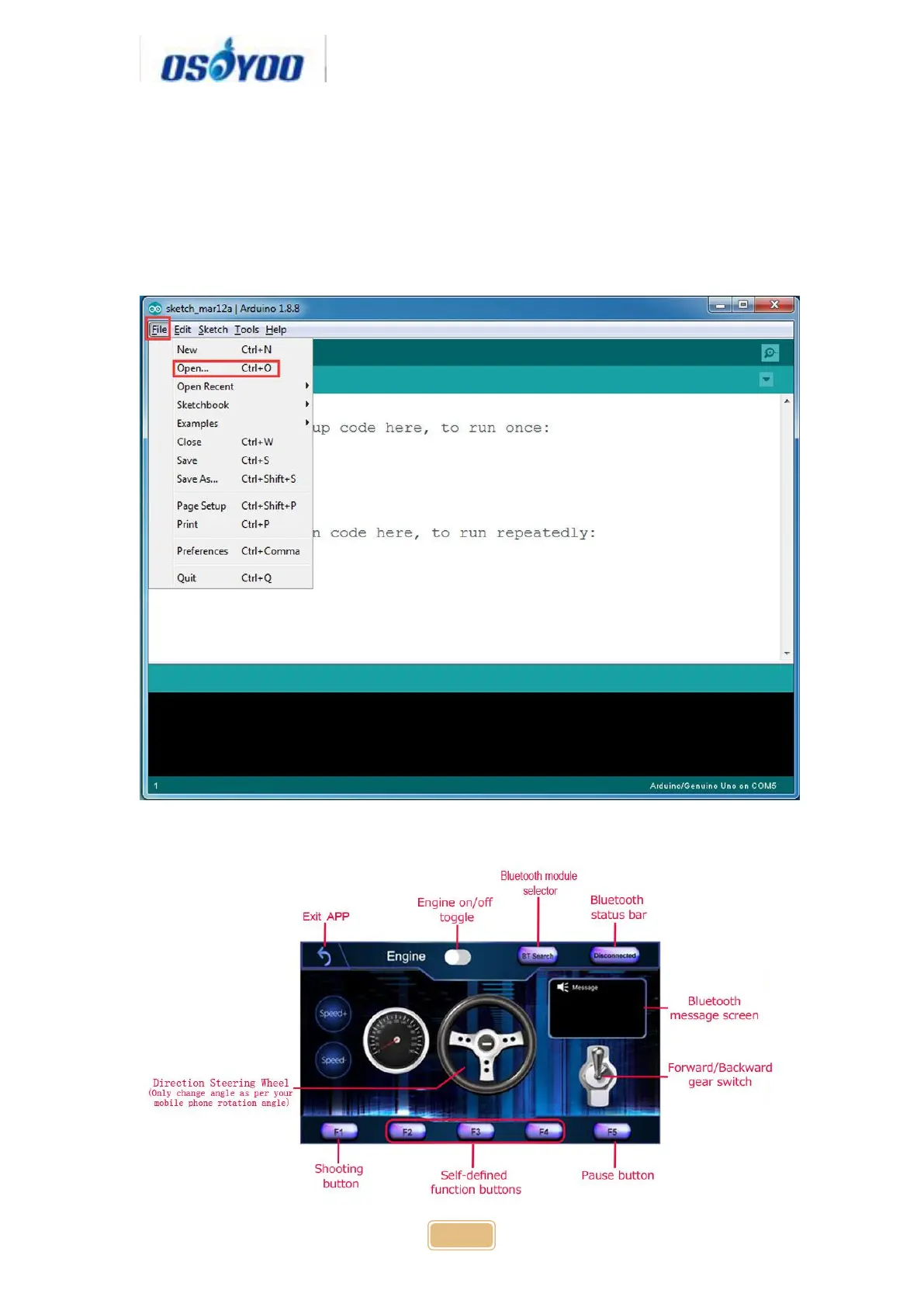
you will see a folder called v2smartcar-lesson7. Open Arduino IDE -> click file
-> click Open -> choose code “v2smartcar-lesson7.ino” in v2smartcar-lesson7
folder, load the code into Arduino
Explanation of APP UI



 To Next Page