Hardware Installation
Step 1: Motor driver (Model-X) pin installation.
Start the installation from previous status of Smart Car Lesson 1 . If you have
installed Lesson 2 or 3, you can remove the wires.
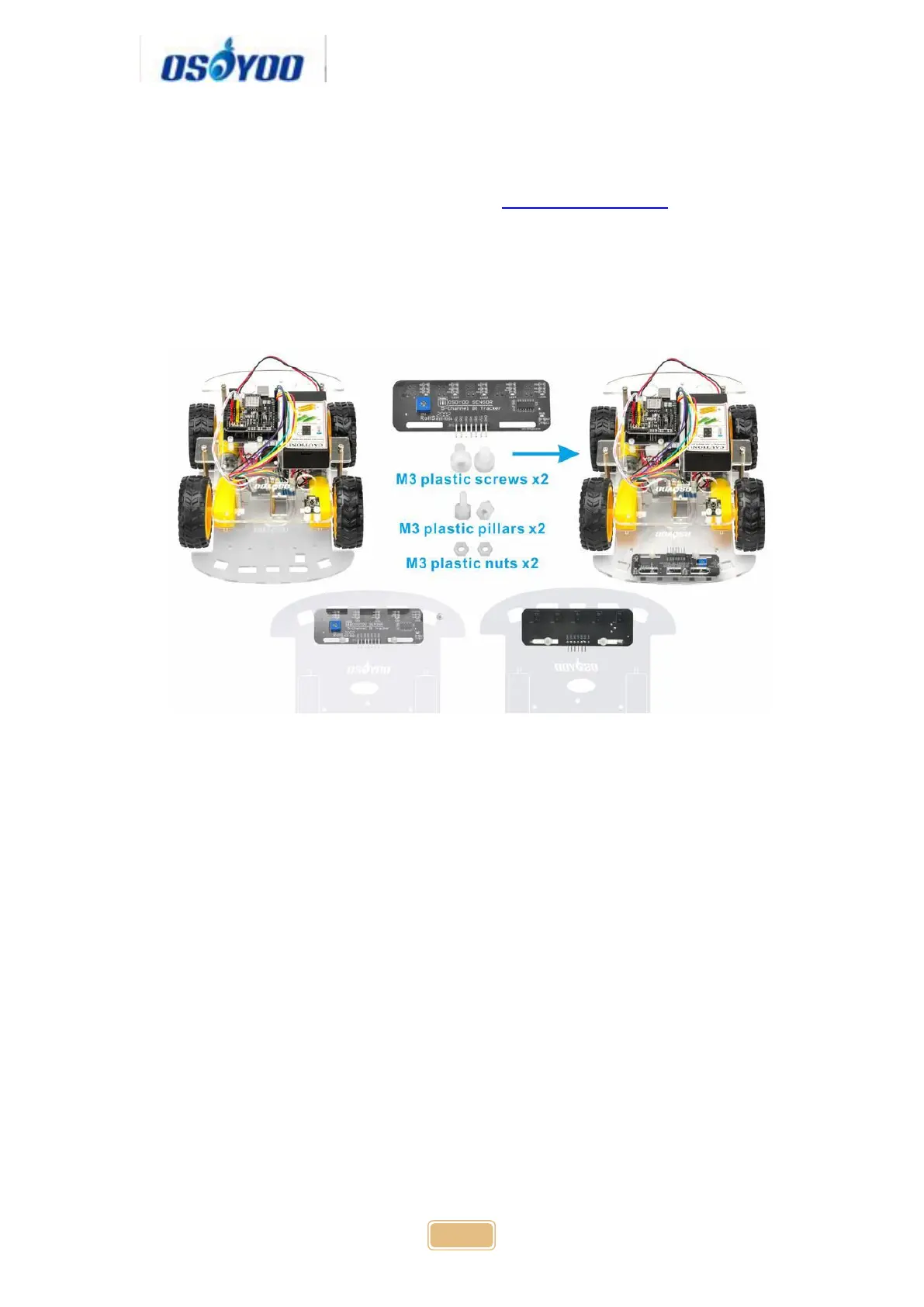
Step 2: Install tracking sensor modules under lower car chassis with 2pcs M3
plasctic screws, M3 plastic pillars and M3 plastic nuts.
Step 3: Connect GND-VCC pin of tracking sensor module to GND-5V of
OSOYOO Uart WiFi shield V1.3; connect IR1, IR2, IR3, IR4, IR5 pins to A0,
A1, A2, A3, A4 with 7pin 25cm female to female cable as the following photo
shows (Remember : DO NOT remove any existing wires installed in Lesson
1 ):



 To Next Page