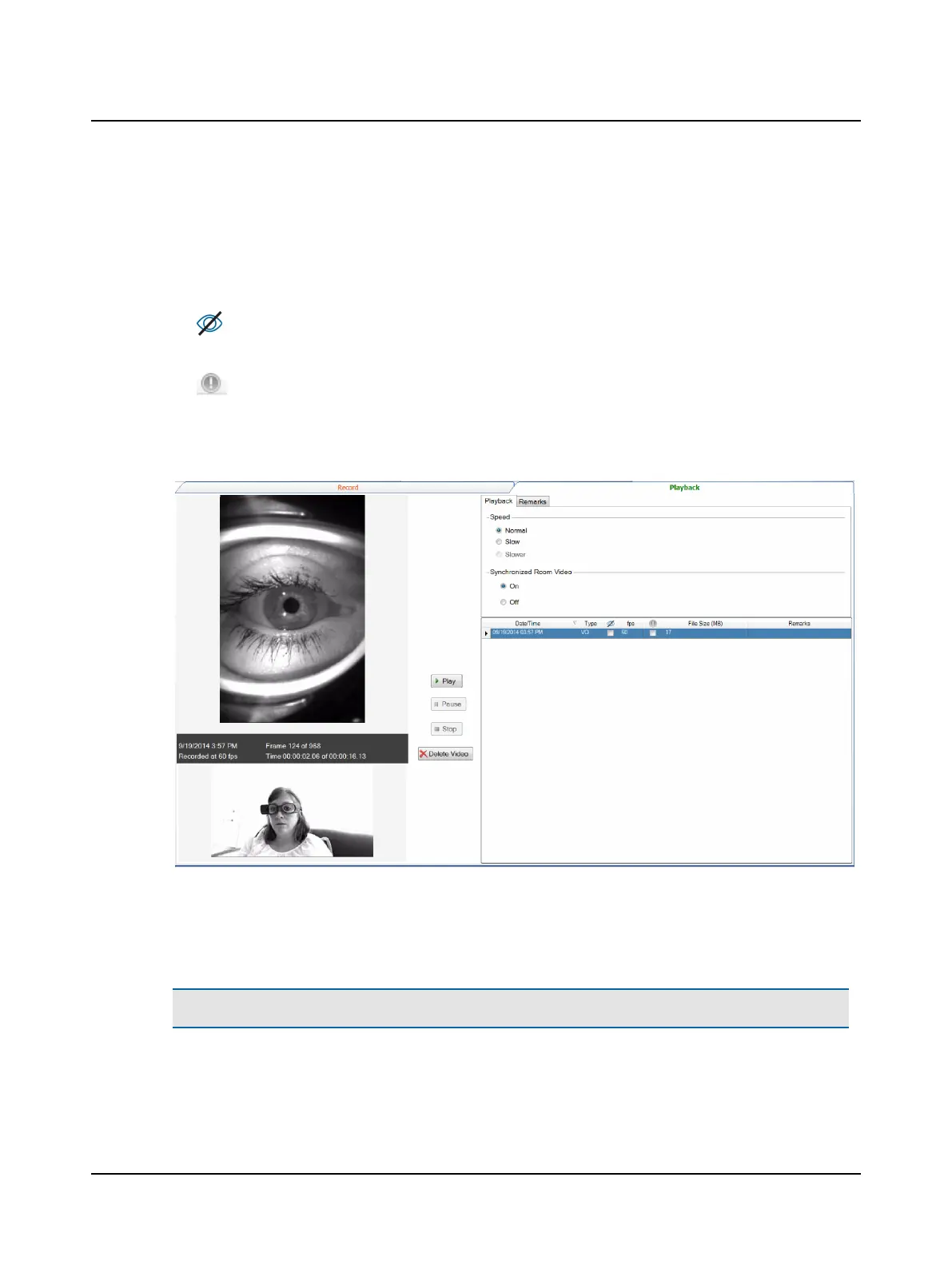
Playback
The list of videos that have been collected for the selected patient (including videos collected during head impulse test-
ing) is displayed along with the following information about each video file:
• Date & Time - Date and time the video was collected
• Type - Indicates if the video was collected during head impulse testing (HI) or separately (VO = video only)
• - Indicates Vision Denied was selected for the recording
• fps - Frame rate at which the video was recorded (frames per second)
• - To mark a file for a specific purpose (for example, to indicate abnormal results), click in the check box under
the column heading marked with this unique identifier.
• File Size (MB) - File size of the eye video. If the synchronized room video was used during recording, the file size is a
combination of the eye and room video.
Recording information is listed with the video:
• Date and time the video was recorded • The current frame and the number of total frames
• Speed at which the video was recorded • The time at which the current frame was recorded
Note• To conserve disk storage space, it is important to delete all videos that are not important.
Otometrics - ICS Impulse USB
101
11 Video Record/Playback












 To Next Page