12.2 Review Report Options
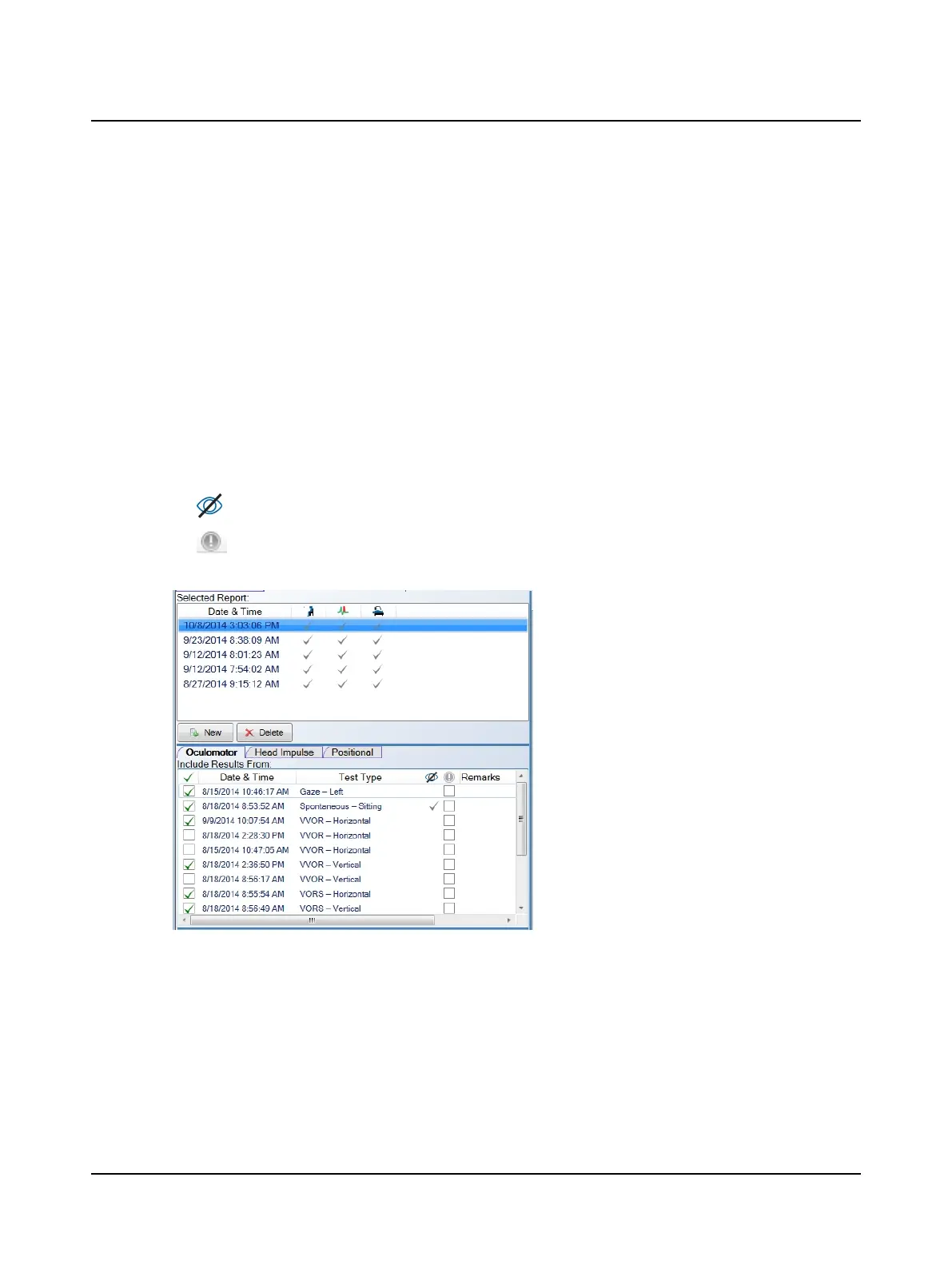
If this is a new patient, the report in this window is the default report automatically created. For a patient with one or
more reports, the Selected Report list displays all reports including the date and time of the report. A check mark in a test
group column (test groups are represented by icons) indicates the report includes data for that test group (oculomotor,
head impulse, positional). You can preview all of the reports for this patient.
You can make a new report that combines several test sessions and/or several test types into one report. To create a new
report, click New. To delete an existing report, click the report name and click Delete. After the report has been deleted
it cannot be recovered.
To add a test to the report, click the test group tab and click the check box at the left of the test name in the Include Res-
ults From list. Clicking the check box again removes the test from the report.
The Include Results From list is divided into 3 test groups: Oculomotor, Head Impulse and Positional. Tests are listed
with the test date and time and test name. (The name is the test type and test direction.) Depending on the test, and
what settings and remarks were added to the test, this information will also be provided:
• a check mark in this column (vision denied) indicates the test was performed with vision denied,
• a check mark in this column (unique identifier) if this was selected for the test,
• test remarks.
For each test group, select the data elements to be included in the report. From the Select Report Options list, click
• Select All to include all options in the report
• the check box for each report option to be included, or
• Deselect All to not include any of the options in the report.
106 Otometrics - ICS Impulse USB
12 Reports












 To Next Page