Entering test remarks
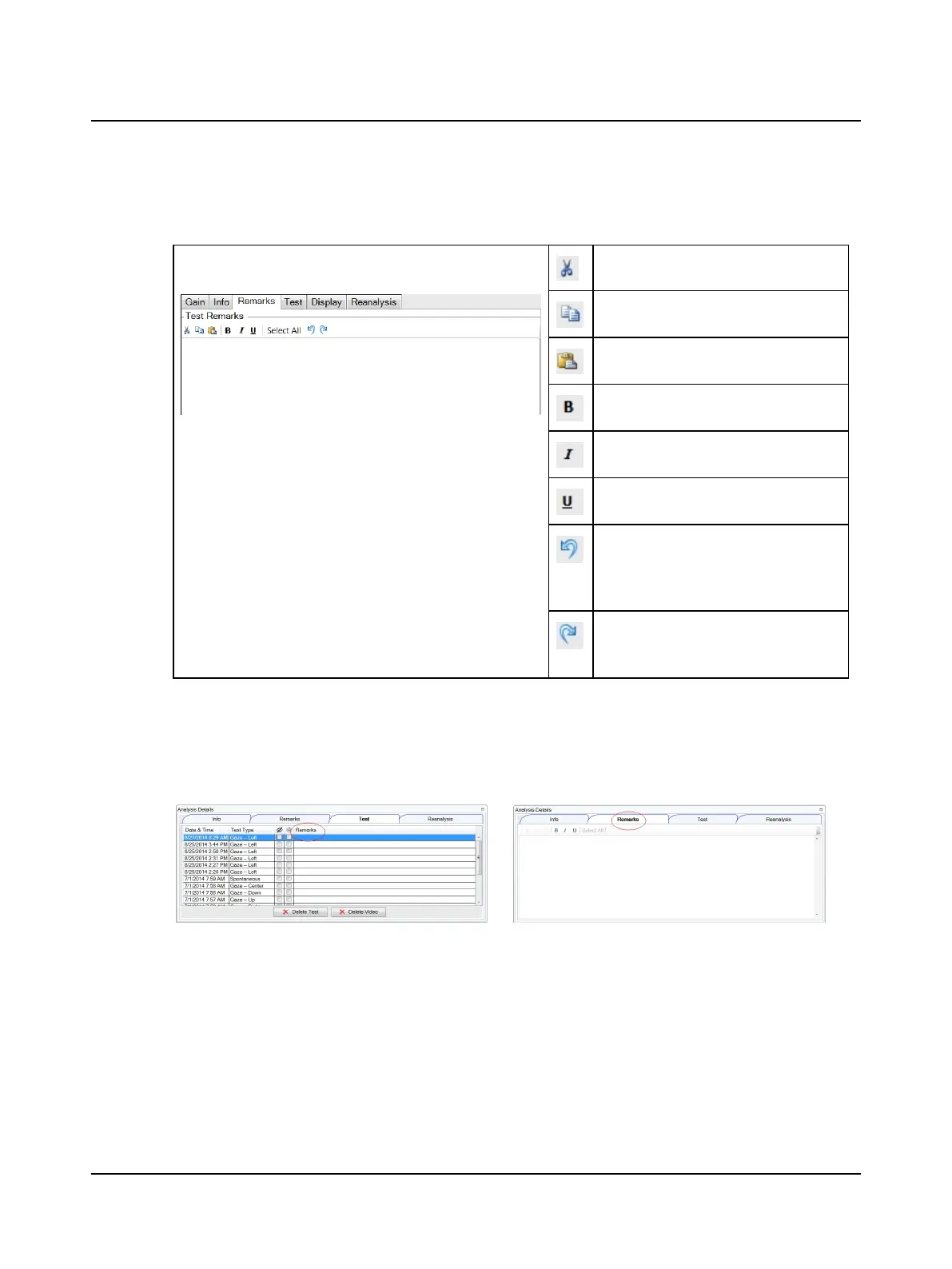
Test remarks are added in the Remarks window that includes editing tools.
Remarks window
(Head Impulse)
Cut selected text
Copy selected text
Paste text that was cut or copied
Apply bold formatting
Apply italic formatting
Apply underline formatting
Undo actions (text entry, text formatting,
etc.) starting with the most recent action
and proceeding in reverse order of actions
done.
Reverse an undo action starting with the
most recent undo and proceeding in
reverse order of undo actions.
Remarksadded during testing are saved according to the test type and session and can be viewed and edited in the
Remarks window of the selected test.
Editingremarks
Remarksare visible in both the Test and Remarks windows.
Remarkscan be edited in the Remarks window of the selected test. In the Remarks column of the Test window, text can
be added and text can be deleted.
Remarksin the Review Report Options window
Test remarks added during analysis can be viewed in the Review Report Options window. Remarks viewed in this window
cannot be edited.
Otometrics - ICS Impulse USB
15
6 Managing test data












 To Next Page