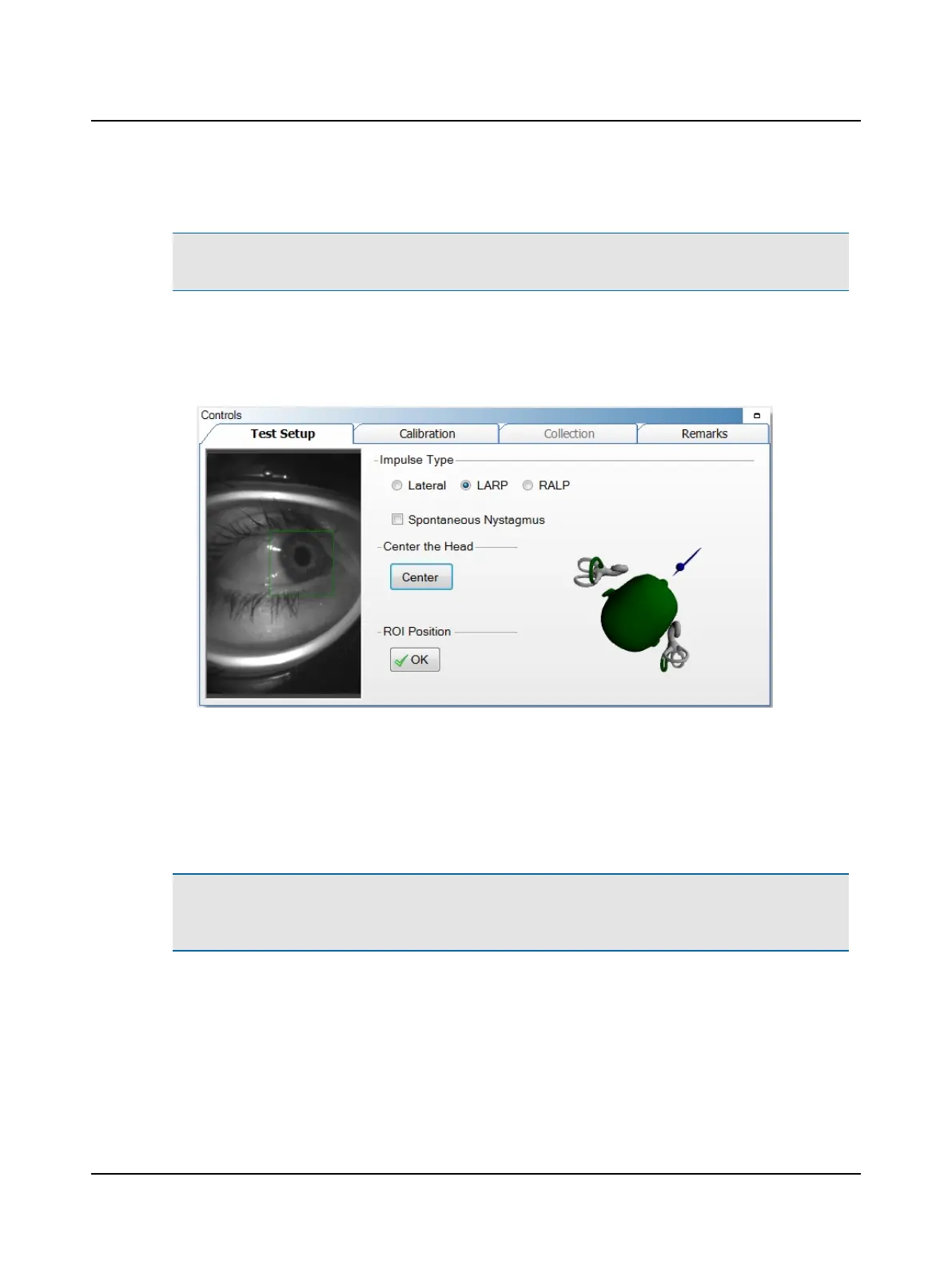
4. Move the head to the right (LARP test) or to the left (RALP test) observing the head position feedback graphic.
Note• The head position feedback is a guide to assist in proper data collection. The tester should always use their clin-
ical judgment when positioning the patient. The position may vary based on the patient's neck mobility.
The head position feedback is a guide to assist in proper data collection. The tester should always use their clinical judg-
ment when positioning the patient. The position may vary based on the patient's neck mobility.
• Green indicates an optimal head rotation.
• Yellow indicates a head rotation between 35 - 39.9° or 47 - 49.9°.
5. Position the ROI (Region of Interest) around the pupil:
– click on the green box and drag to center it on the pupil, or
– click on the pupil to center the pupil inside the green box.
6. Ask the patient to stare at the fixation dot. Assess pupil tracking by observing the cross-hair: If the cross-hair fails to
track the pupil (jumps around and does not stay centered on the pupil), move the threshold slider to adjust.
7. Select OK to accept the ROI position.
Note• The calibration values are automatically saved. The stored calibration value can be used for all tests. There is
no need to recalibrate between tests unless the goggles have moved. If you exit out of the patient’s file and reopen,
calibration will need to be performed again.
8. If a Lateral test was performed prior to starting this test, continue to (Optimizing collection ► 52).
Otometrics - ICS Impulse USB
47
9 Head Impulse












 To Next Page