Patients group
This group allows you to create a new patient or view a list of existing patients.
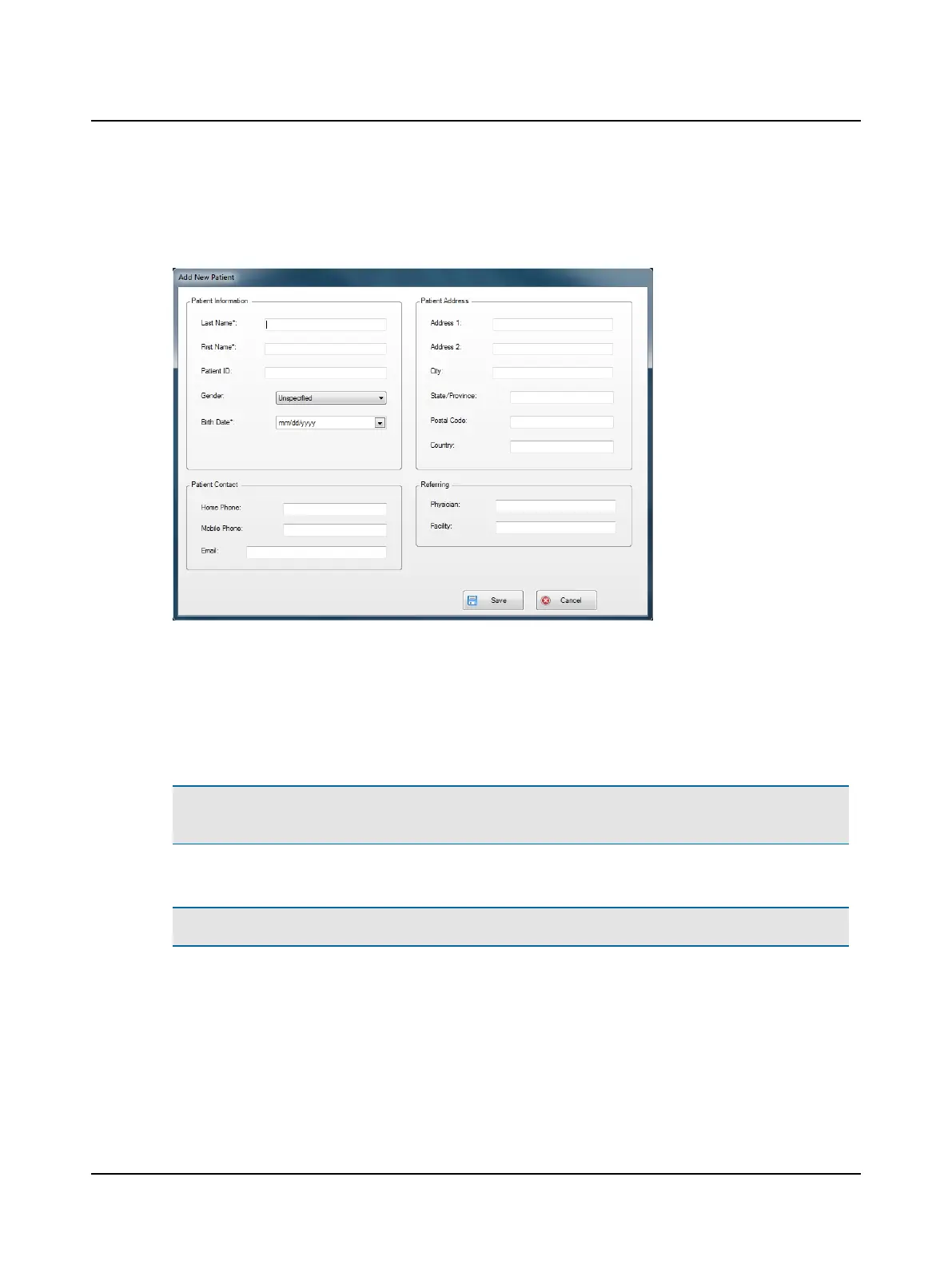
To enter information for a new patient, click New Patient and add patient information in the form:
• Entries that cannot be left blank are marked with an asterisk (*).
• For all entries the maximum number of characters is 45.
• Patient ID can be numeric, alphabetical or a combination of numbers and letters.
• To set the gender, click the down arrow and select the appropriate entry.
• The date of birth format is determined by the computer setup and will display as mm/dd/yyyy or dd/mm/yyyy where
mm=month, dd=day, and yyyy=year. Only numeric characters are allowed (alpha characters can not be used).
Note• The patient's birth date is required to determine the age-based normative data to be used for head impulse
gains for that patient.
Click Cancel to close the form without saving any changes. Click Save to save the data.
Note• The system alerts you with a message with the first occurrence of a required entry that is blank.
8 Otometrics - ICS Impulse USB
User Guide












 To Next Page