8.2 ConnectingtheHardware
Thenext steptosuccessfullyconnectingyourGPSisensuring that youhaveconnected the outputs
fromyourGPStothecorrectinputsofthesensor.
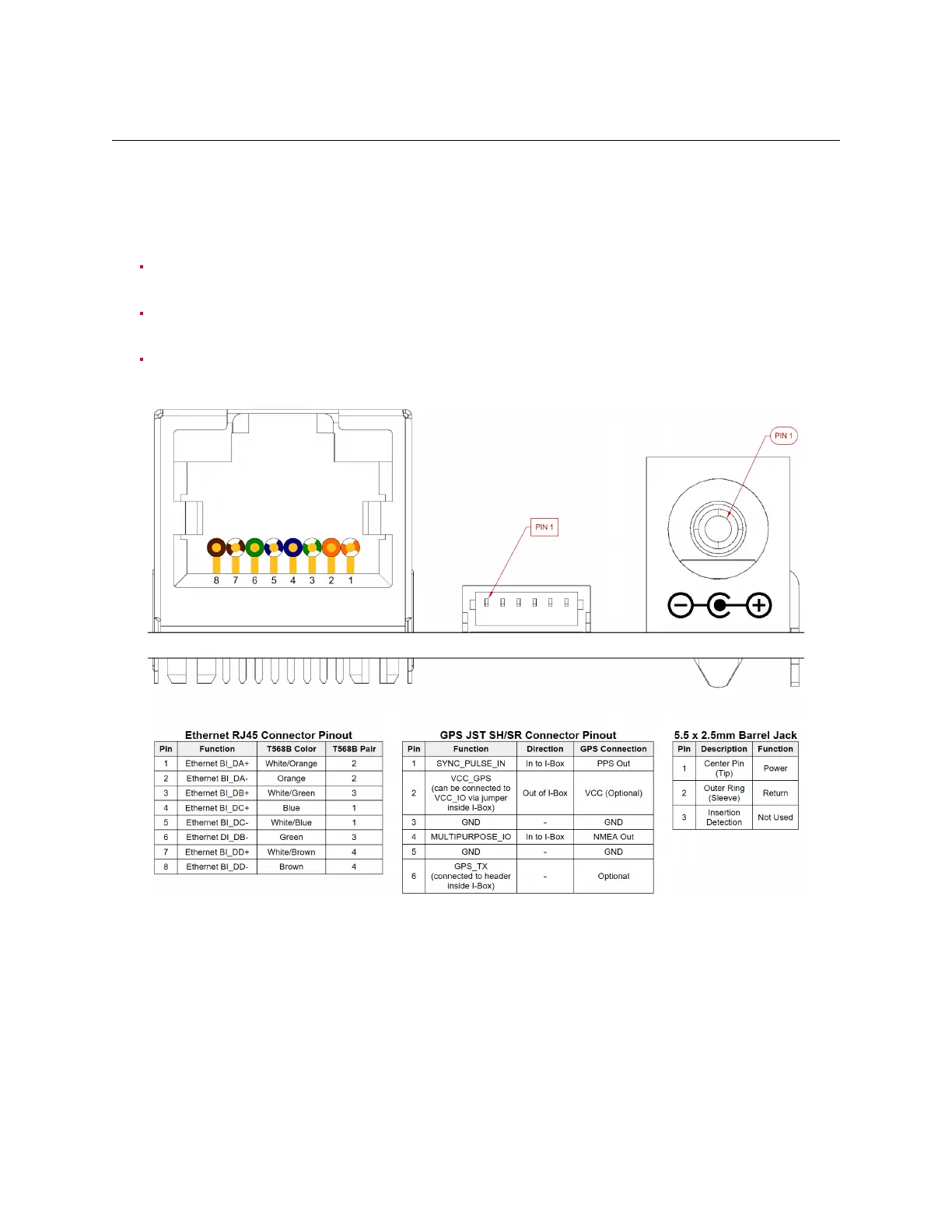
ConnectionusingtheGPSPort
Connect the PPS output from your GPS to the sync_pulse_in pin of the GPS connector to be
pluggedontheOusterInterfaceBox.
ConnecttheNMEAUARToutputfromyourGPStothemultipurpose_iopinoftheGPSconnector
tobepluggedontheOusterInterfaceBox.
Connect the ground output from your GPS to the GND pinofthe GPS connector to be plugged
ontheOusterInterfaceBox.
Figure 8.1: ConnectorOutline
34



 To Next Page