E-215-7-E
14
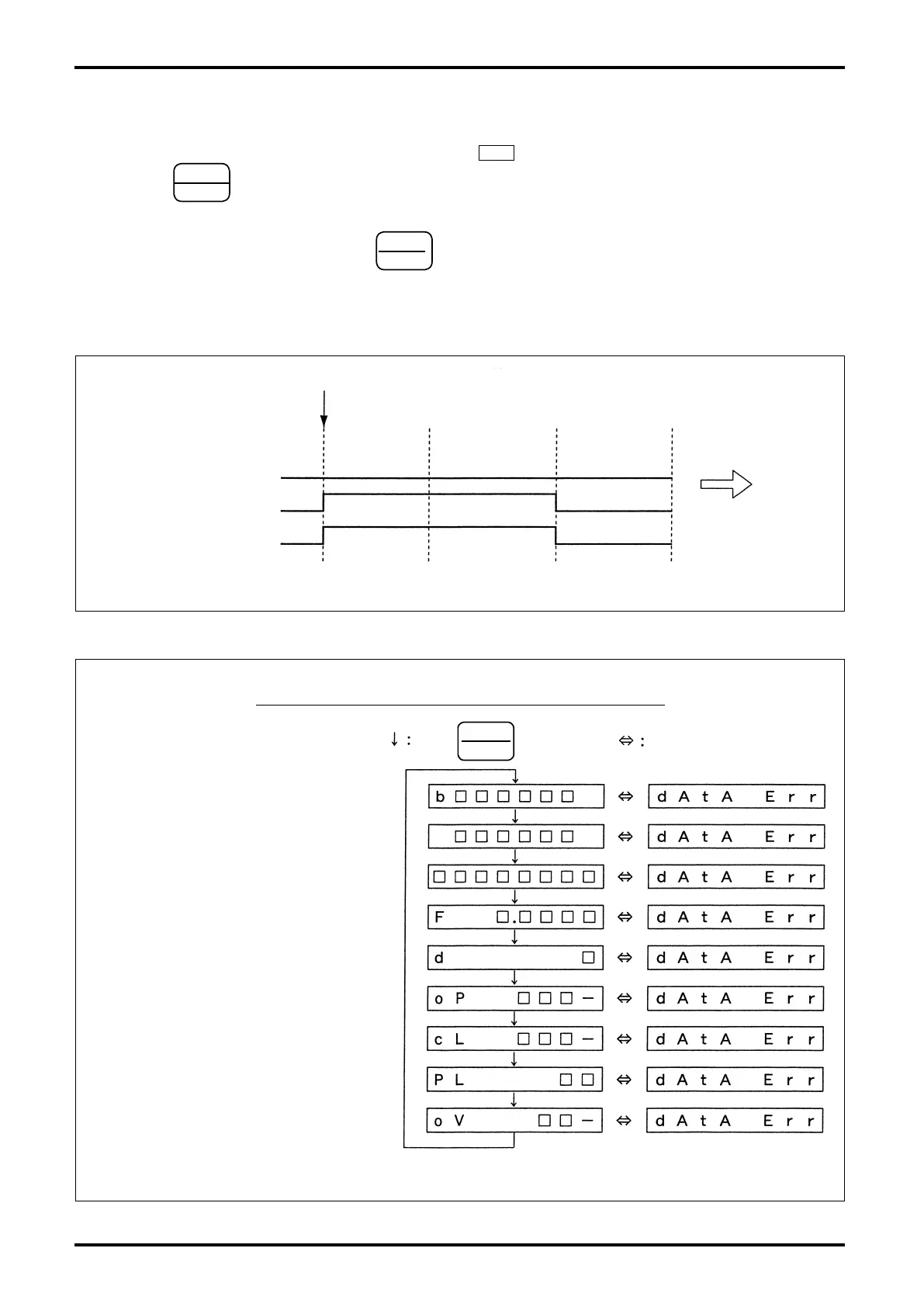
c. Parameter error alarm detection (Fig. 6.4)
When an error in any of parameter settings is found, an alarm output is produced and a data error
message “DATA Err” appears on the display (the LCD 1
ALM
does not come on in this case).
Each time
STOP
ROT.
key is pressed, the LCD 1 display scrolls through the available data, enabling the
operator to identity which parameter causes a problem (see Fig. 6.5).
Following the error identification, press
RESET
◀
key to cancel the alarm output.
(A message “DATA Err” disappears and all the data are reset (initialized).)
Following the reset step above, set up the parameters of interest and the target batch quantity once
again according to the specification. See Sec. 9.1 for the setup procedure.
STOP key
(Confirm param.)
RESET key
(Initialize param.)
Parameter error alarm detected
ALM indicator
Reestablish param.Alarm output
“dAtA Err” indicator
Fig. 6.4
PressParameters
s"ATCHSETTINGhBvAPPEARSATLEFTEND
s"ATCHTOTALCOUNT
s'RANDTOTALCOUNT
s3CALEFACTOR
s&REQUENCYREDUCTION
s)NITIALSETTING
s&INALSETTING
s-ISSINGPULSESETTING
s/VERSHOOTSETTING
KEY $ISPLAYEDALTERNATELY
&IG
Messages upon detection of a parameter error alarm
•
•
•


 To Next Page