E-215-7-E
23
9.1.2.1 Operation (setup mode)
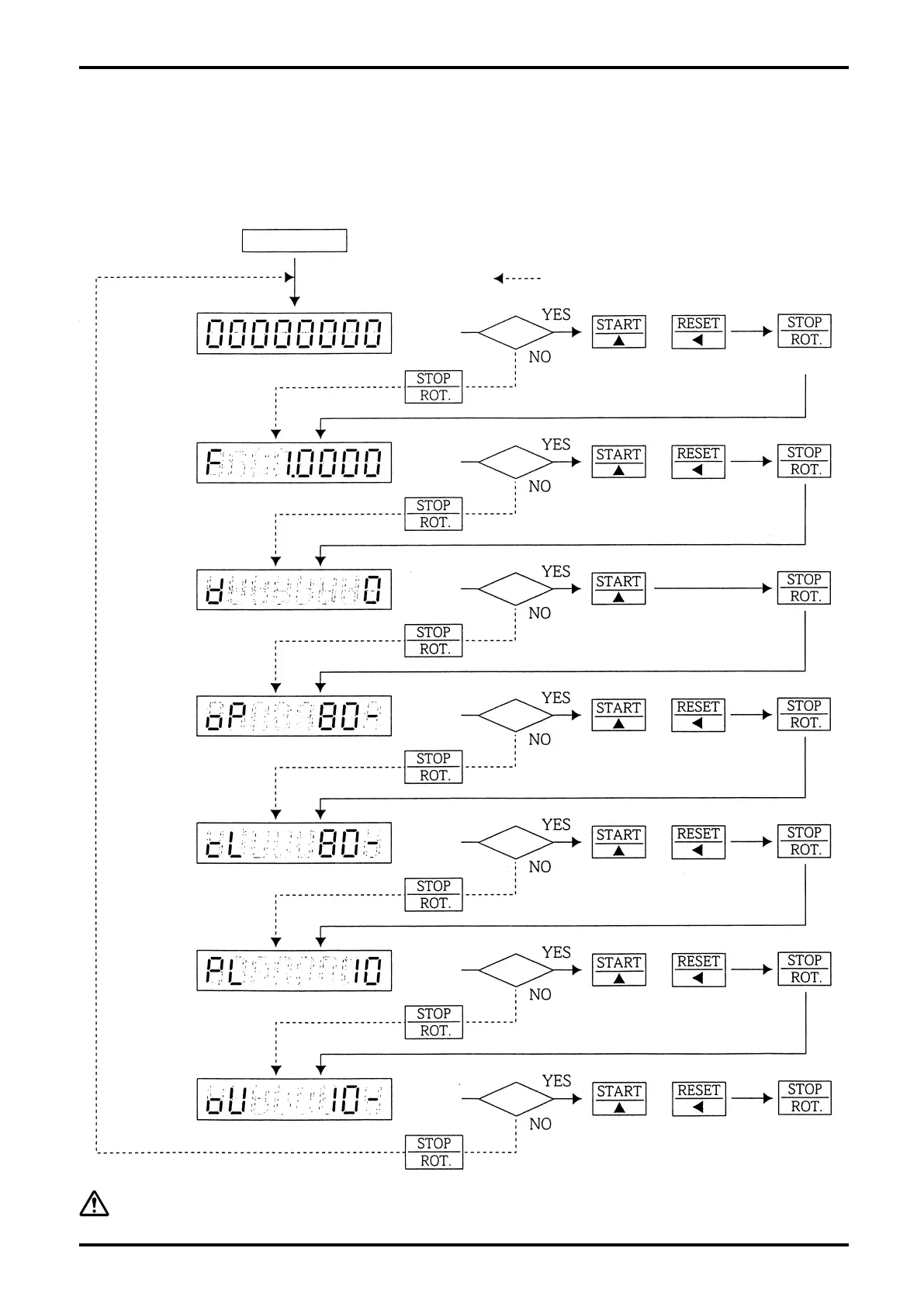
On seeing that the entire front panel LCD1 is blinking (by the previously outlined steps), you can change
parameters and variables as follows. The procedure to enter a numerical value remains the same as
“Example of Batch Setup” in the previous section. Refer to that section. The LCD 1 readings shown below
are factory default settings.
Setup Mode LCD1 blinks.
If you go down to the next step without any
setpoint changes.
00000000
to 99999999
(8-digit)
Total counter setting at 0
Total
reading
Change
Change
Change
Change
Change
Change
Change
Adjust
numerals.
Shift Setup
Set up numeric value
with two control keys.
0.001
to 1.9999
Scale factor at 1.0000
Scaler
0:1/1 1:1/10
2:1/100
Frequency divide at 0 (1/1)
Freq.
divide
0 to 999
counts
(3-digit)
Initial setting at 80
Initial
setting
0 to 999
counts
(3-digit)
Final setting at 80
Final
setting
0 to 15 sec
(2-digit)
Missing pulse setting at 10 sec.
Missing
pulse
setting
0 to 99
counts
(2-digit)
Overmeasure setting at 10
Overmeas.
setting
CAUTION:
Upon completion of all setup procedures, turn off power and return the toggle
switch to “RUN”.


 To Next Page