
EasyManua.ls Logo

Oval EL1810 - User Manual

Oval EL1810
32 pages
Print Icon
To Next Page IconTo Next Page
Loading...
1
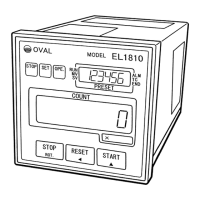
BATCH CONTROLLER
MODEL EL1810
Every OVAL batch controller is fabricated, tested, inspected, and shipped from our factory under stringent
quality control. In order to maintain its design performance throughout its life, this manual offers the
operator the necessary installation, operation and maintenance information.
Be well familiar with these instructions before you place the controller in service and keep this manual at
the eld location for ready reference.
Also refer to the instruction manual for the pulse generator (owmeter) used.
Ins. No. E-215-7-E

Table of Contents

Questions and Answers

  • R
    Ronnie NortonAug 4, 2025
    How to troubleshoot a dead display on an Oval EL1810?
    • H
      hhamiltonAug 4, 2025
      If the Oval Controller display is dead, first, inspect the fuse. Then, check the supply voltage, ensuring it is between 85 and 264VAC for the AC version. It could also indicate a fault in the controller.
  • C
    Caitlyn PetersAug 10, 2025
    What to do if the Oval EL1810 fails to perform batch operation at the setpoint?
    • J
      Joshua MurphyAug 10, 2025
      If the Oval Controller fails to perform the batch operation at the setpoint, verify that the valve control signals SV and MV actuate when the target batch quantity is reached. Also, check if the LCD SV goes out and the LCD END comes on when the target batch quantity is reached. It may indicate a fault in the controller.
  • C
    Crystal LiAug 15, 2025
    What to do if the valve fails to respond to START key depression on the Oval Controller?
    • M
      Matthew MyersAug 15, 2025
      If the valve fails to respond to START key depression on the Oval Controller, check if terminals 19 and 20 (remote control input Stop, From “b” contact) on the terminal block are shorted. Also, check if valve control signals SV and MV actuate properly. Ensure the batch is not set to 0, and verify the valve control signal wiring and supply voltage are correct. Confirm that valve operating and control pressure settings are correct, and ensure that the batch process has been reset (Alarm reset, end-of-batch output reset, etc.).
  • K
    Kevin FrancisAug 22, 2025
    Why is the remote control inoperative on my Oval Controller?
    • I
      igarrettAug 22, 2025
      If remote control is inoperative on the Oval Controller, first determine if it is possible to control with front panel control keys. Then, check if the remote control circuitry is wired correctly. It could also be a fault in the controller.
  • V
    Vincent TaylorAug 28, 2025
    Why does the valve operate but the total counter fails to count on the Oval EL1810 Controller?
    • D
      Douglas CookAug 28, 2025
      If the valve operates but the total counter fails to count on the Oval Controller, determine if a flowrate signal is coming in from the flowmeter and if the incoming flowrate signal is within the acceptable frequency range of response. It could be due to incorrect wiring or an open in the cable, or a fault in the flowmeter itself or in the pulse generator.

Summary

Installation Procedures

Wiring and Connections

External Connection Terminals

Flowrate Input Terminals

Flow Signal Input Wiring

Example of Hookup

Control Key Functions

Output Functions

6.3.1 Alarm Output

Controller's alarm output upon detection of missing pulses, overmeasurement, or parameter errors.

6.3.2 Missing Pulse Alarm Detection

Details on how the controller detects and signals a missing flow pulse.

6.3.3 Overmeasurement Alarm Detection

Procedure for detecting and signaling when flow exceeds the target batch quantity.

6.3.4 Parameter Error Alarm Detection

How parameter setting errors trigger an alarm output and display a data error message.

Block Diagram

Operation Guide

Confirming Two-stage Valve Operation

Description of Batch Operation

Setting Up or Changing Parameters

9.1.1 Batch Setup Mode

Procedure for entering and modifying batch setpoints and target quantities.

9.1.1.1 Operation (Batch Setup Mode)

Detailed steps for adjusting batch setpoints using front panel controls.

9.1.1.2 Example of Batch Setup

A step-by-step walkthrough demonstrating how to set a batch quantity.

9.1.2 Setup Mode

Accessing and configuring general parameters using the setup mode.

9.1.2.1 Operation (Setup Mode)

Guide to changing various controller parameters within the setup mode.

Power Supply Board Setup

Output Board Setup

9.6.1 Buzzer Sound Setup on Alarm

Configuring the buzzer for alarm conditions like missing pulse or parameter errors.

Display Board Reconfiguration

Troubleshooting Guide

Fuse Inspection

Controller Behavior in Standby Mode

Oval EL1810 Specifications

General IconGeneral
BrandOval
ModelEL1810
CategoryController
LanguageEnglish