User’s Manual
16
Web Monitoring Mode
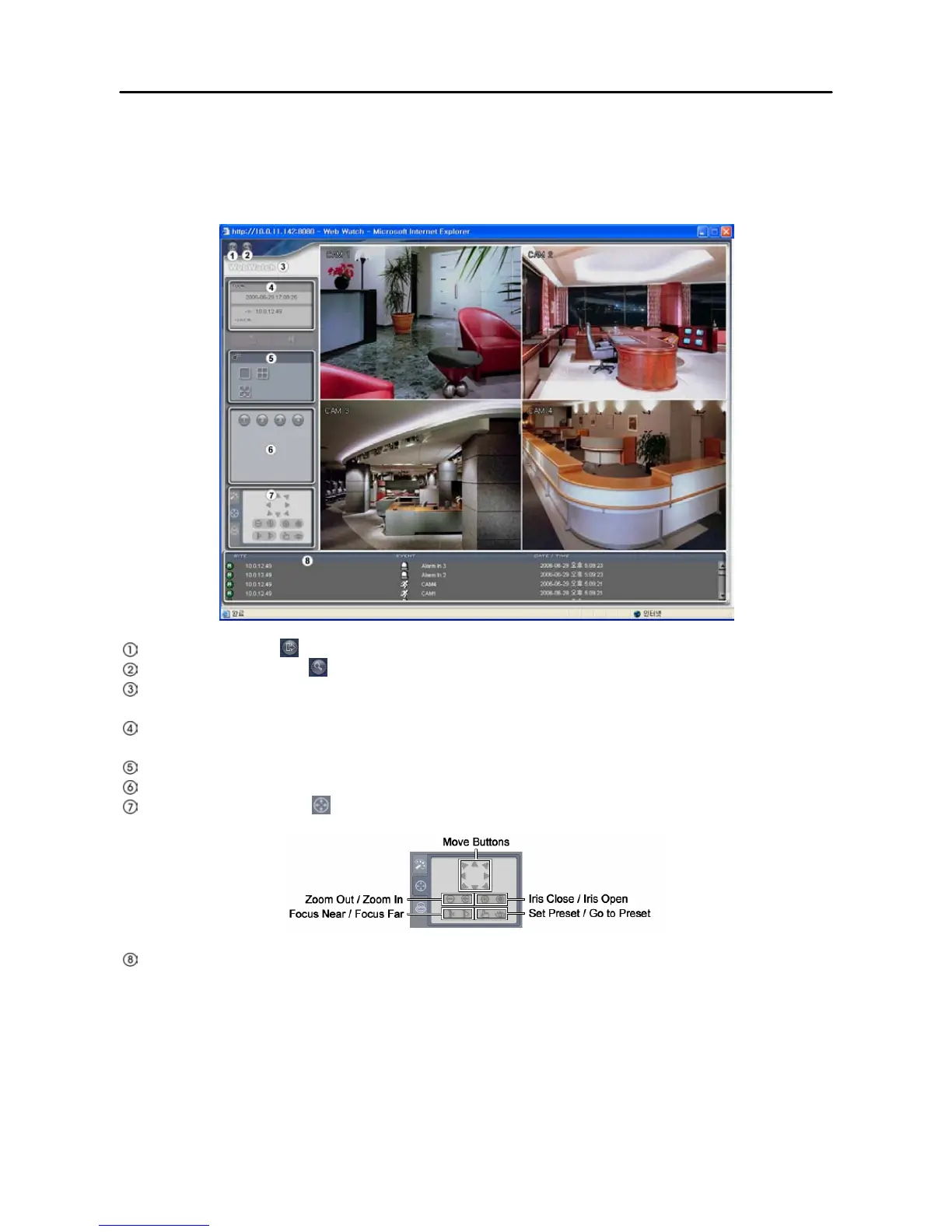
The WebWatch is a remote web monitoring program that allows you to monitor live video transmitted in
real-time from the remote DVR.
Log Out: Click the to log out the WebGuard program.
WebSearch: Click the to access to the web search mode.
WebWatch Logo: Position the mouse pointer on the logo to see the version of the WebGuard
program.
DVR Information: The DVR Information window displays the time information of the remote DVR
and login information of WebGuard.
Display Mode: Select the desired display mode.
Camera Buttons: Select the camera to be viewed.
PTZ Control: Click the
to control pan, tilt and zoom of the camera from a remote site.
Event Status Window: The event status window at the bottom displays a list of events that were
detected from the remote site.







 To Next Page