Page | 33
SITE SURVEY
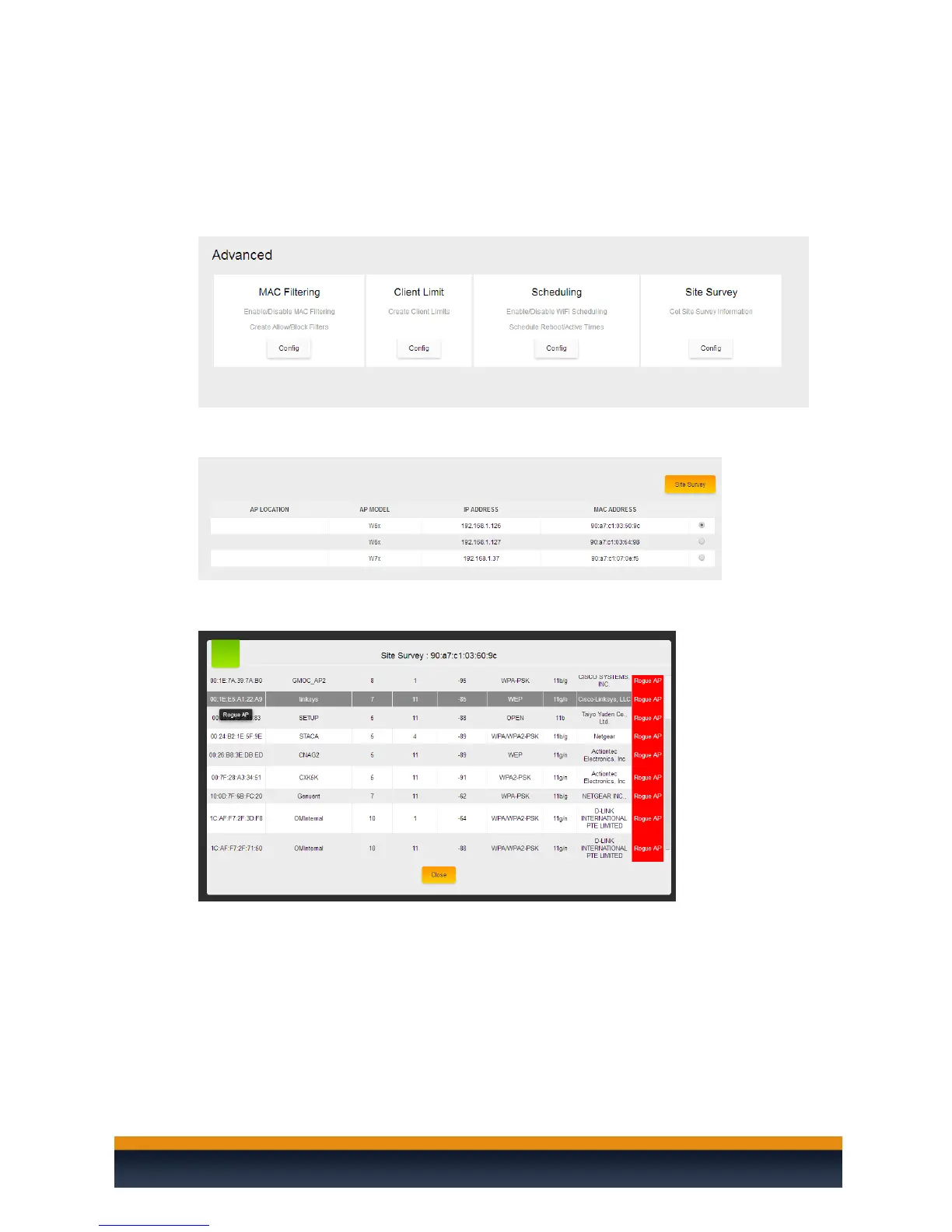
The site survey will allow you to do a channel scan from any of the access points that the C36 has
managed. Please take the following steps to perform a channel scan on an access point.
1. Hover your mouse over the “macrocell controller” at the upper left and navigate to the
advanced menu under the settings section and then click on site survey.
2. Here you can select an access point from which you would like to do a site survey from. To
do so simply click on the radio button for the access point and then click on site survey.
3. Once the site survey is complete you will see a list of the access points in the area along with
their channels and signal strength.



 To Next Page