Page | 10
STEP 3: GLOBAL CONFIGURATION
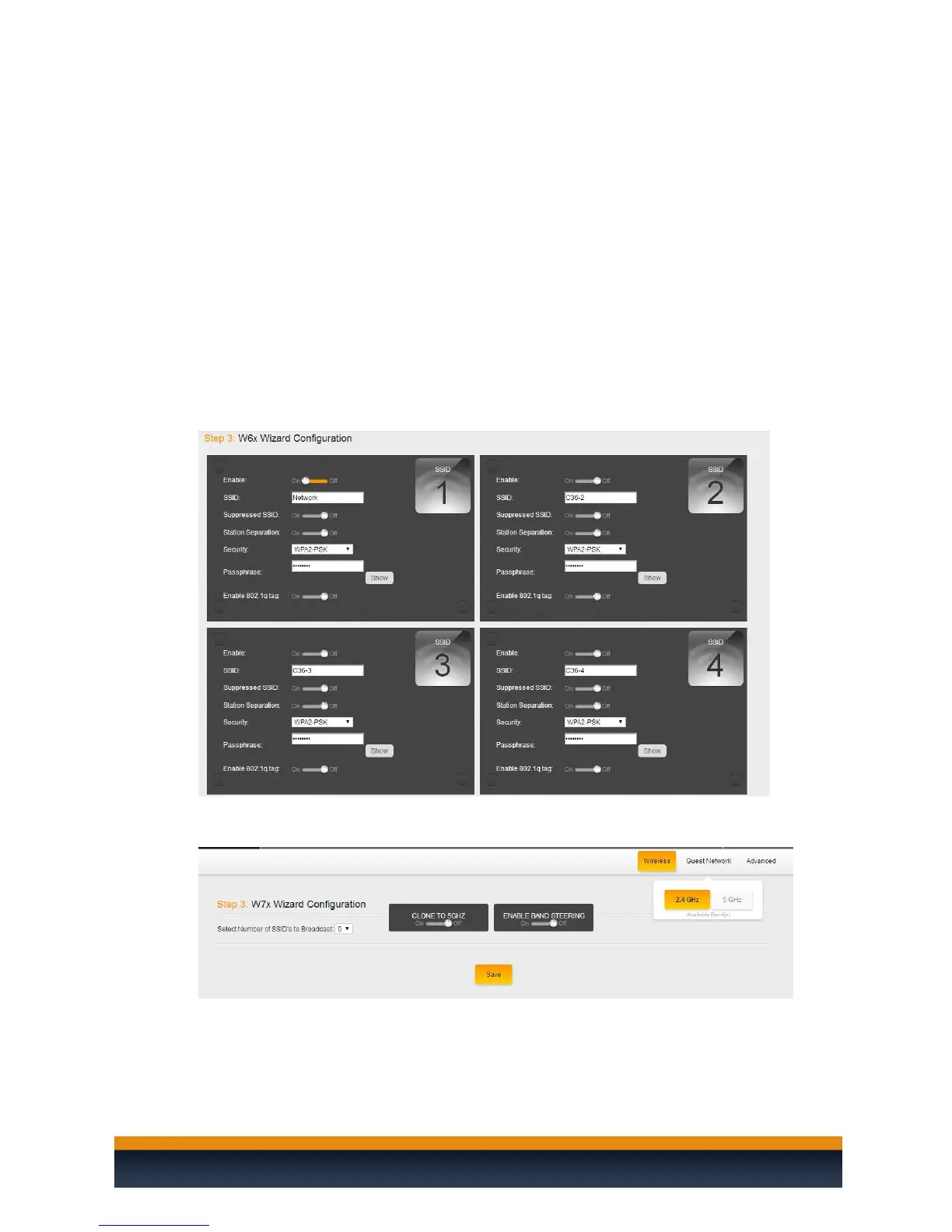
1. In this step you will configure the up to 4 SSIDs as well as an optional guest network.
Enable: Allows you to Enable/Disable an SSID
SSID: Enter the SSID name
Suppressed SSID: When this is set to “On”, the SSID will be active but you will
not see it broadcasting and will need to manually enter the SSID name to join it
Station Separation: When this is set to “On”, devices connected to the same
SSID cannot see/ping or communicate with each other
Security: Choose the best security that fits your network needs (Recommended
WPA2-PSK)
Passphrase: Enter your wireless password
Enable 802.1q tag: Only Enable when you have a router capable of doing VLANs.
When you set it to “On” you will be given the option to choice which VLAN to
tag it to
2. If you are configuring a W7 access point then the configuration screen will look slightly
different. You will be asked by the wizard how many SSIDs you would like to configure.



 To Next Page