Page | 8
THE WIZARD
The Wizard will discover, manage and configure your access points. Making it a quick and easy tool to
get your wireless network up and running.
STEP 1: FIRMWARE
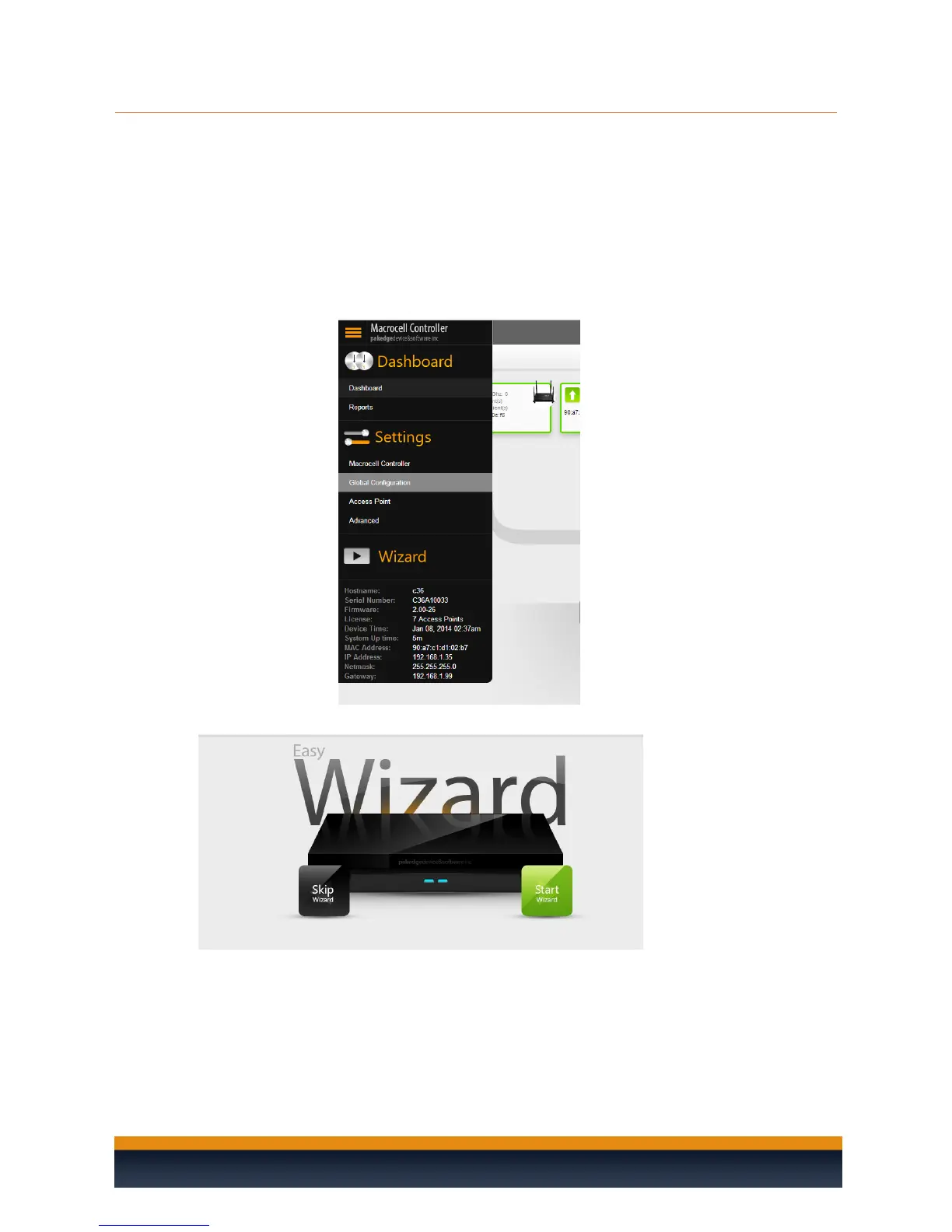
1. Login to the C36 and navigate to the side bar by hovering your mouse over the top left
where it says “Macrocell Controller” and then click on Wizard.
2. Click on start to begin the wizard setup



 To Next Page