Page | 7
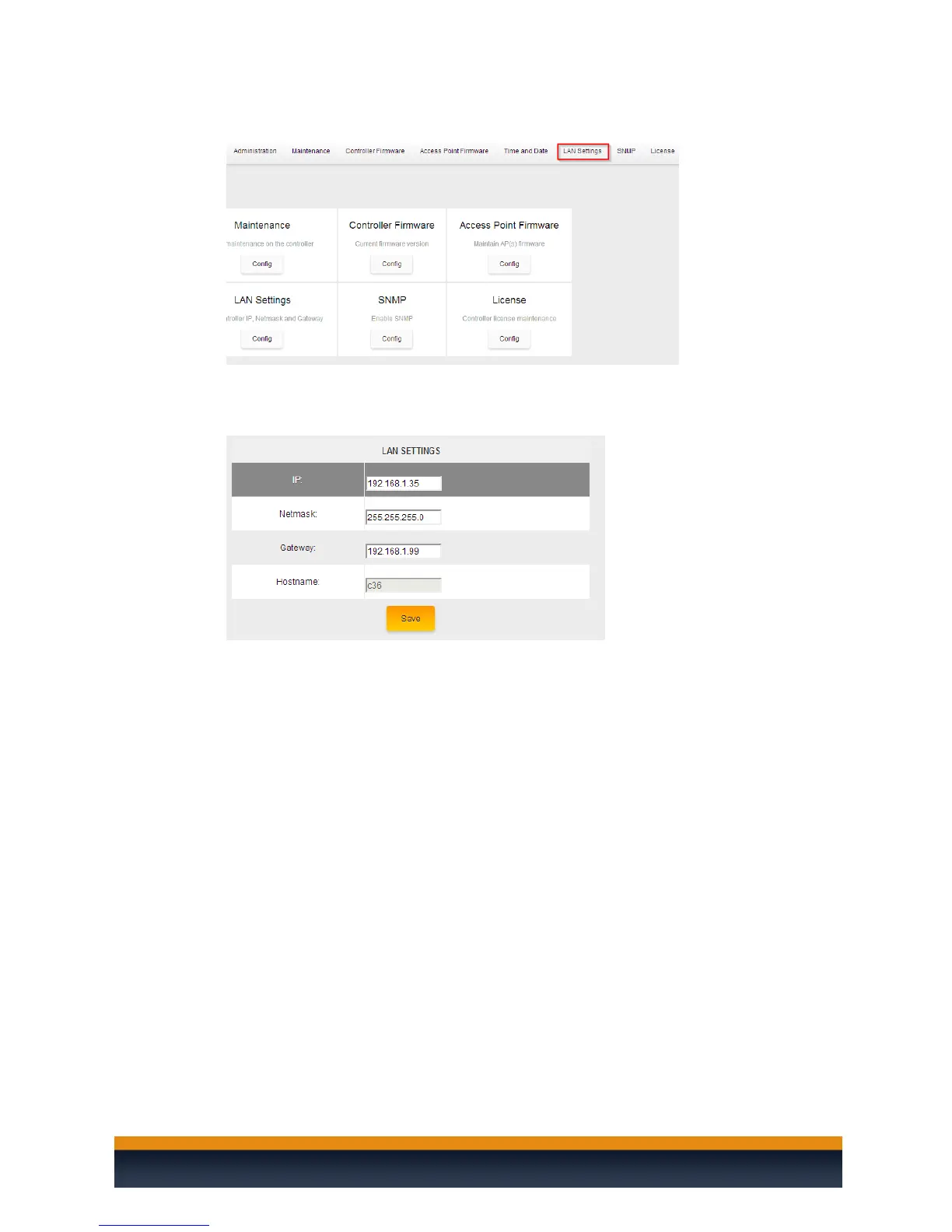
2. In the upper right select LAN Settings.
3. Enter the IP address, subnet mask and default gateway for the C36. The hostname
section will be grayed out as it cannot be changed. Click on save once you have entered
the information.
Now that your C36 has the correct IP information and matches your network’s scheme, you are ready
to connect it to either a switch or directly to the router and setup the wireless system.



 To Next Page